92 Eos Apex, Eos Ti, Gio, Gio @5, Ion Xe, Ion Xe 20, and Element 2 User Manual
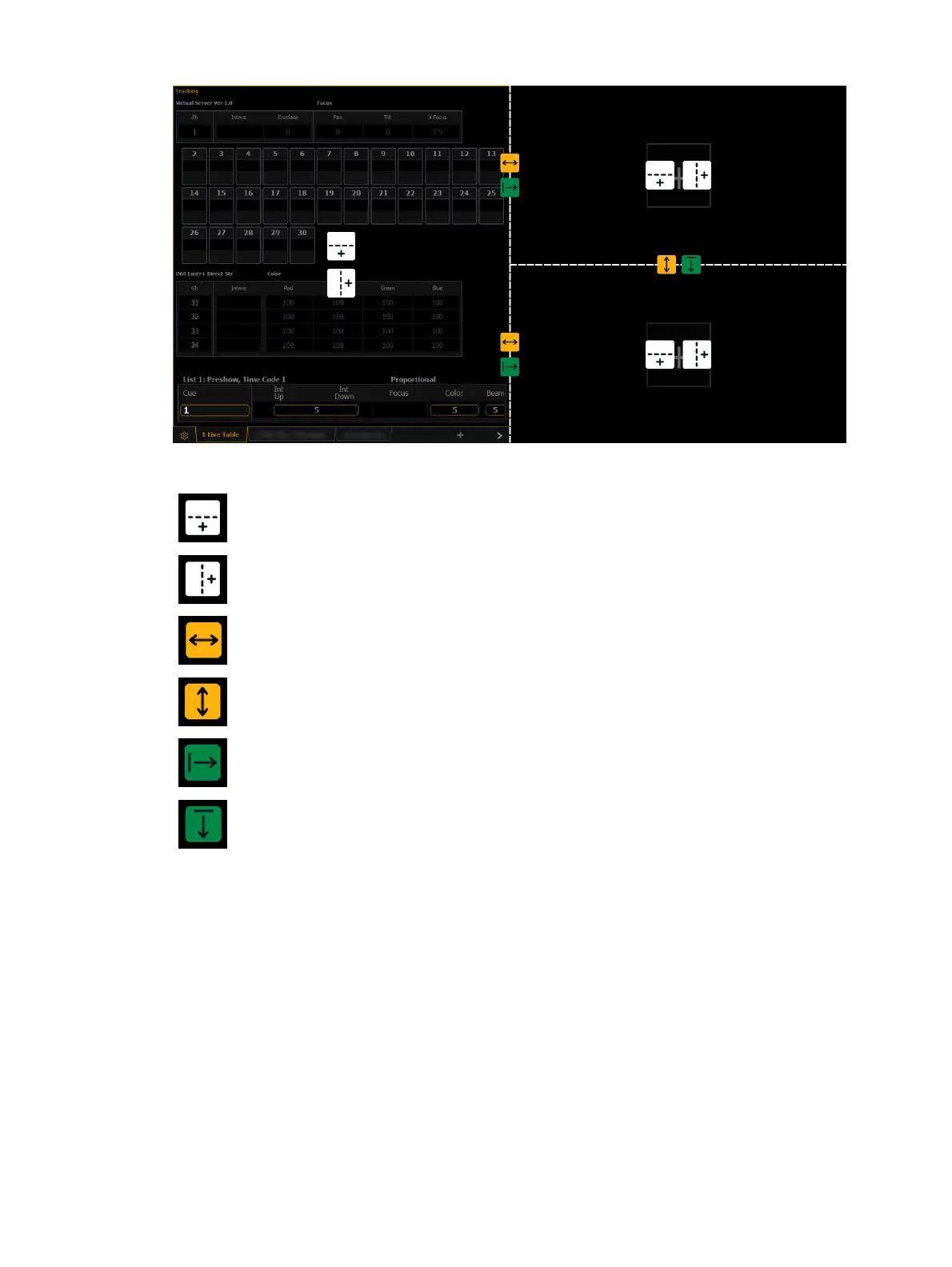
The grid includes the following tools:
Adds a horizontal split, dividing the associated frame horizontally into upper and
lower rows.
Inserts a vertical split, dividing the associated frame vertically into left and right
columns.
Drag left or right to freely adjust the width of the associated frames. Double-press
to reset to the default horizontal size.
Drag up or down to freely adjust the height of the associated frames. Double-press
to reset to the default vertical size.
Eliminates a split by closing the frame to the right and merging its contents into
the frame to the left.
Eliminates a split by closing the frame below and merging its contents into the
frame above.
Frames of the same size can be freely merged without altering the rest of the grid. Smaller
frames can be merged with larger frames, but this may alter adjacent splits. A larger frame will
absorb any smaller frames it is merged towards.
The grid is limited to a maximum of three splits in either direction, for up to 16 total frames
per monitor/workspace.
Monitor Mapping
Change monitor arrangement without having to go into the ECU. This function allows you
better control of your snapshots. For more information, see
About Snapshots (on page438)
.
Click on a monitor to display the available numbers, and then click on the number to assign it.



 To Next Page