GAMATRONIC ELECTRONIC INDUSTRIES LTD.
+
SA: 20, 30 and 40 kVA, Release 2.1
147
12. WIRELESS CONTROL (OPTIONAL)
The POWER
+
system includes an option for wireless control and management, using the
Gamatronic Wing.
The Wing allows real-time detection of power system faults and immediately notifies
selected recipients (control center, technician, etc.) detailing the faults.
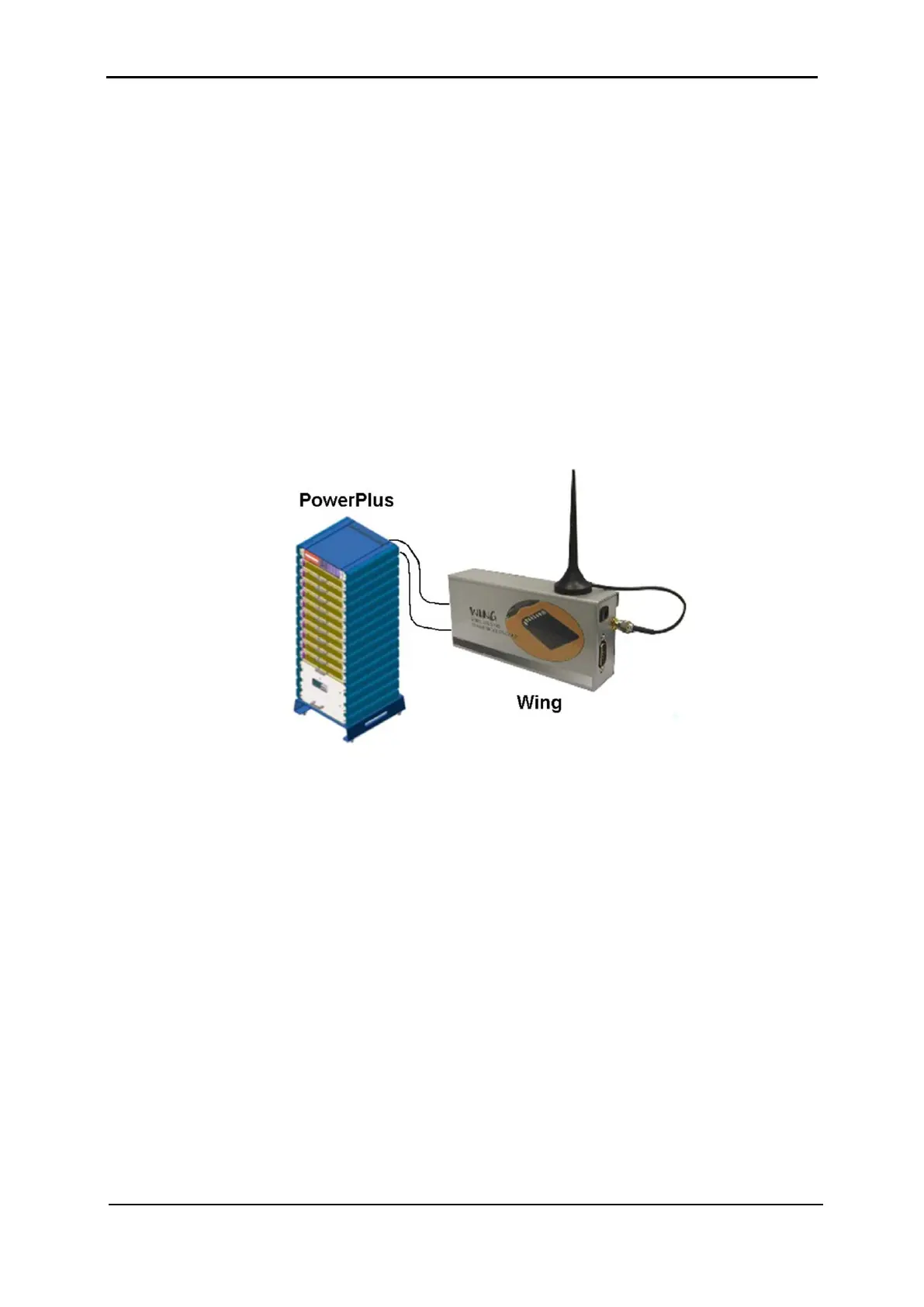
The Wing consists of:
• Wing board.
• SIM board.
• Antenna.
• D9-D9 cable (for RS232 between the Power+ and the Wing).
• Dc power cable (banana plugs on both ends).
Figure 299: A Wing unit connected to the PowerPlus
12.1 Installing the Wing
Note: The instructions in this section are for a Wing unit that has been ordered
specifically for use with a Power+ system. If your Wing was ordered for use with
another type of system, it does not contain the appropriate software for use with a
Power+ system and you should contact your Gamatronic representative if you wish to
convert it for Power+ use.
To install a Wing unit for use with a Power+ system:
1
. Take the Wing and press the button on the left side of the SIM slot to unlock the SIM
card holder; remove the SIM card holder from the Wing.
2. Place your SIM card (which you obtained from your cellular service provider) in the
SIM card holder and slide the SIM card holder gently and firmly back into the Wing.
3
. Attach the supplied cellular antenna to the Wing.
4
. Connect the Wing to the D9 socket labeled "Wing" on the left rear side of the
controller using the supplied D9-D9 cable.











 To Next Page