GAMATRONIC ELECTRONIC INDUSTRIES LTD.
32
+
SA: 20, 30, and 40 kVA, Release 2.1
6.2 Temperature sensor (optional)
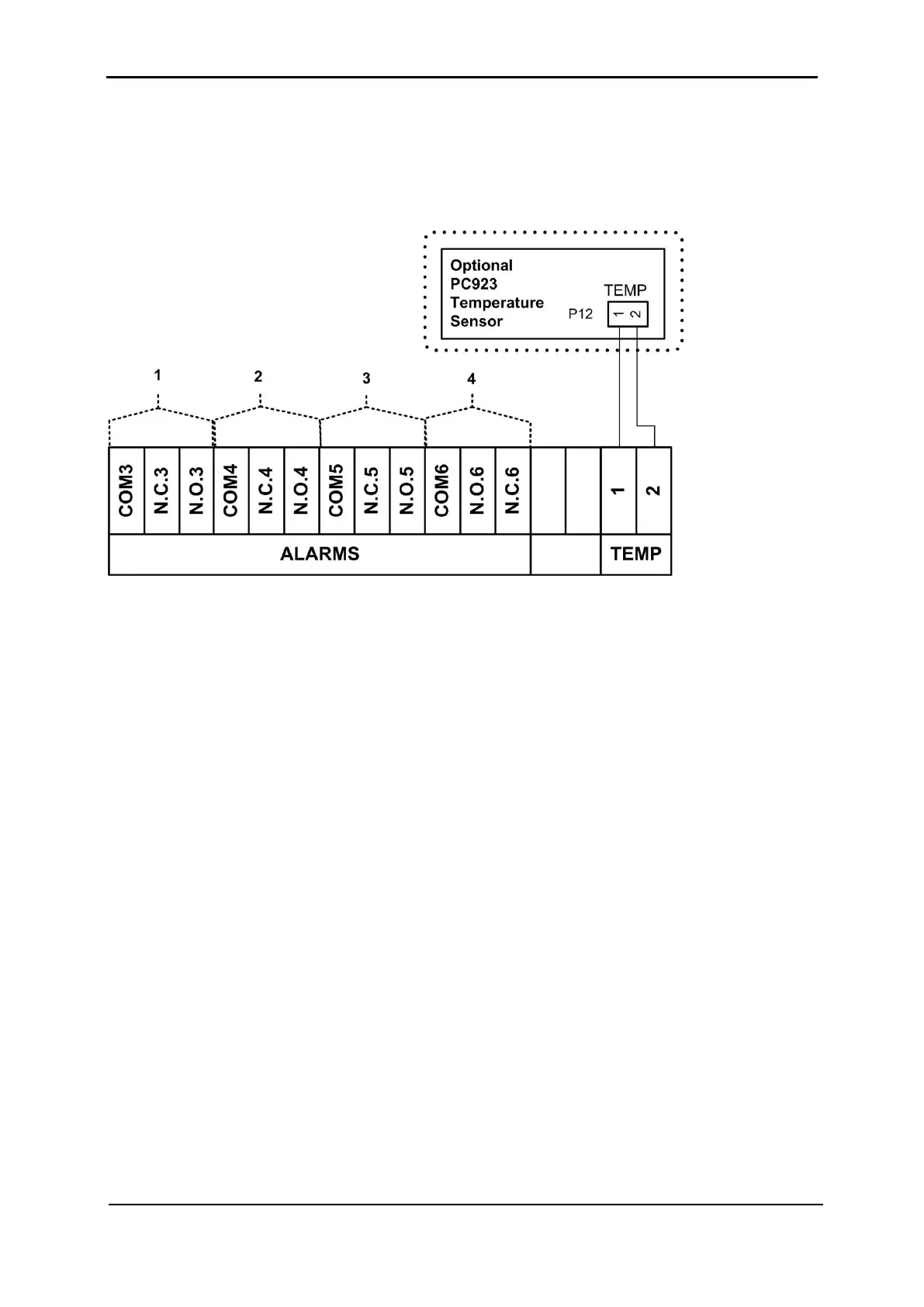
An optional temperature sensor (see Figure 25) may be attached to the contacts labeled
TEMP to monitor the temperature of the batteries.
Figure 25: Bottom row of dry contacts
To install the temperature sensor, connect the sensor according to Figure 25.
To see the temperature reading, a configuration change must be made to the controller.
Enter the following commands on the system controller panel:
Ent, Setup, Password (default password is 8 left-arrows),
Battery, Enable/Disable Options, Enable Batt Temp Sensor
To see the temperature reading, enter the following commands on the system controller
panel:
Ent, System, 5 x down arrow. Press Esc to exit.
6.3 User-defined dry contact alarm outputs
There are four groups of 3 contacts each (see Figure 25) that can be used to trigger an
external circuit when an alarm condition occurs. The specific alarm condition is defined by
the user. In each group of three output alarm dry contacts, either the N.C. or N.O. contact is
used together with the COM contact.
To associate these dry contacts with specific alarm conditions, see section
9.12.3.5, "Setting
up the Dry Alarms" on page 111. Any number of alarms can be associated with a given dry
contact if the user so desires. A given alarm can also be associated with multiple output dry
contacts, if the user so desires.
The output dry contacts are rated at 24 Vdc, 1 A.











 To Next Page