GAMATRONIC ELECTRONIC INDUSTRIES LTD.
148
+
SA: 20, 30, and 40 kVA, Release 2.1
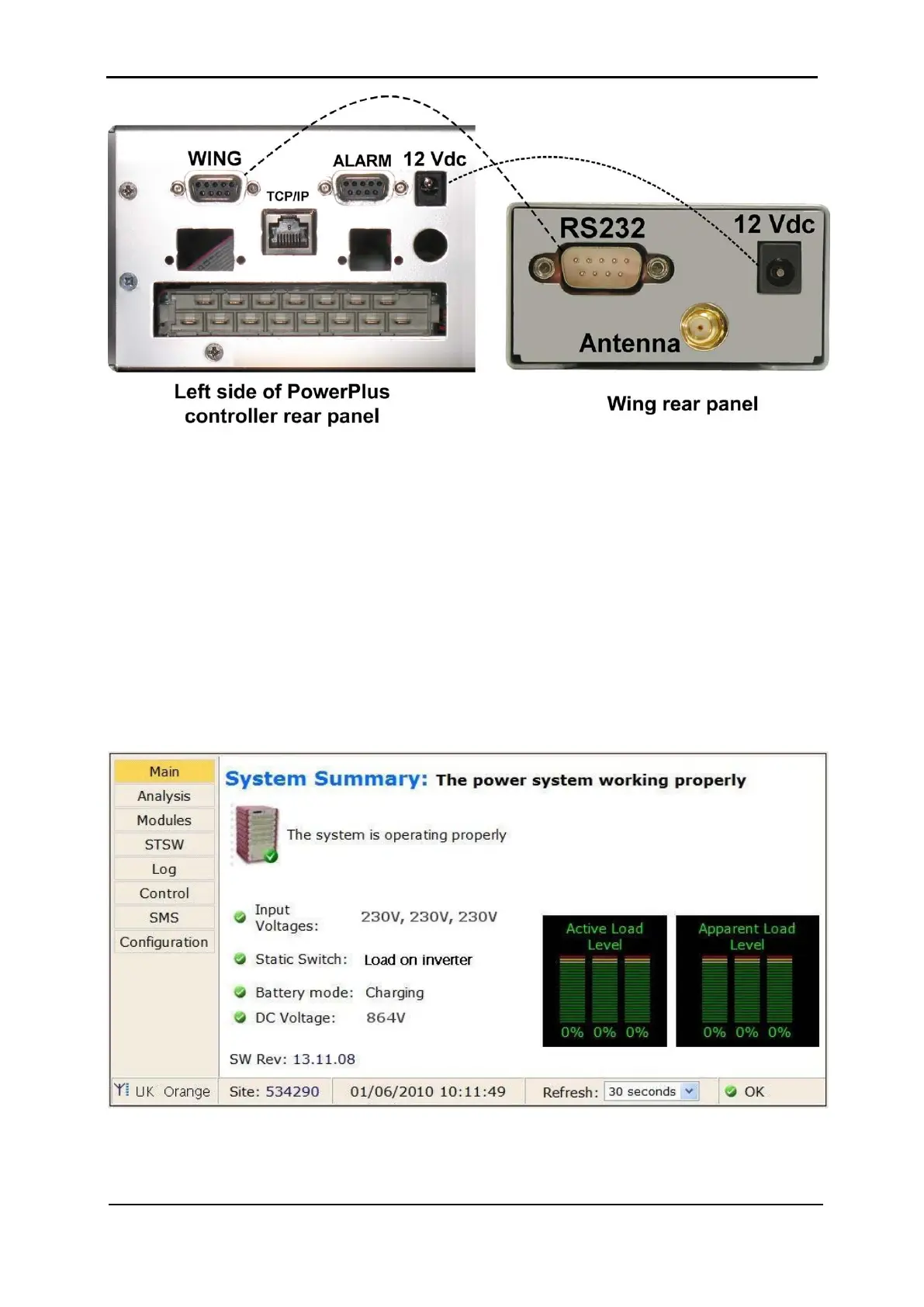
Figure 300: Connections between the Power+ controller and the Wing
5. Connect the supplied power cable between the 12 Vdc socket on the left side of the
controller rear panel and the Wing.
6. On a computer that is connected to the same network as the Power+, open a web
browser, type the IP address of the Power+ into the URL bar, and press Enter.
The home page of the Power+ web interface is displayed.
(If you do not know the Power+'s IP address, you can see it by pressing and holding
the Esc button for 2 or 3 seconds and then choosing "Network" on the displayed
menu.)
Verify that an antenna symbol resembling a trident appears in the lower left corner
of the browser window. This indicates that the Wing has a cellular connection.
Figure 301: Home screen of the Power+ web interface











 To Next Page