GAMATRONIC ELECTRONIC INDUSTRIES LTD.
+
SA: 20, 30 and 40 kVA, Release 2.1
63
9.3 “UPS module” Option
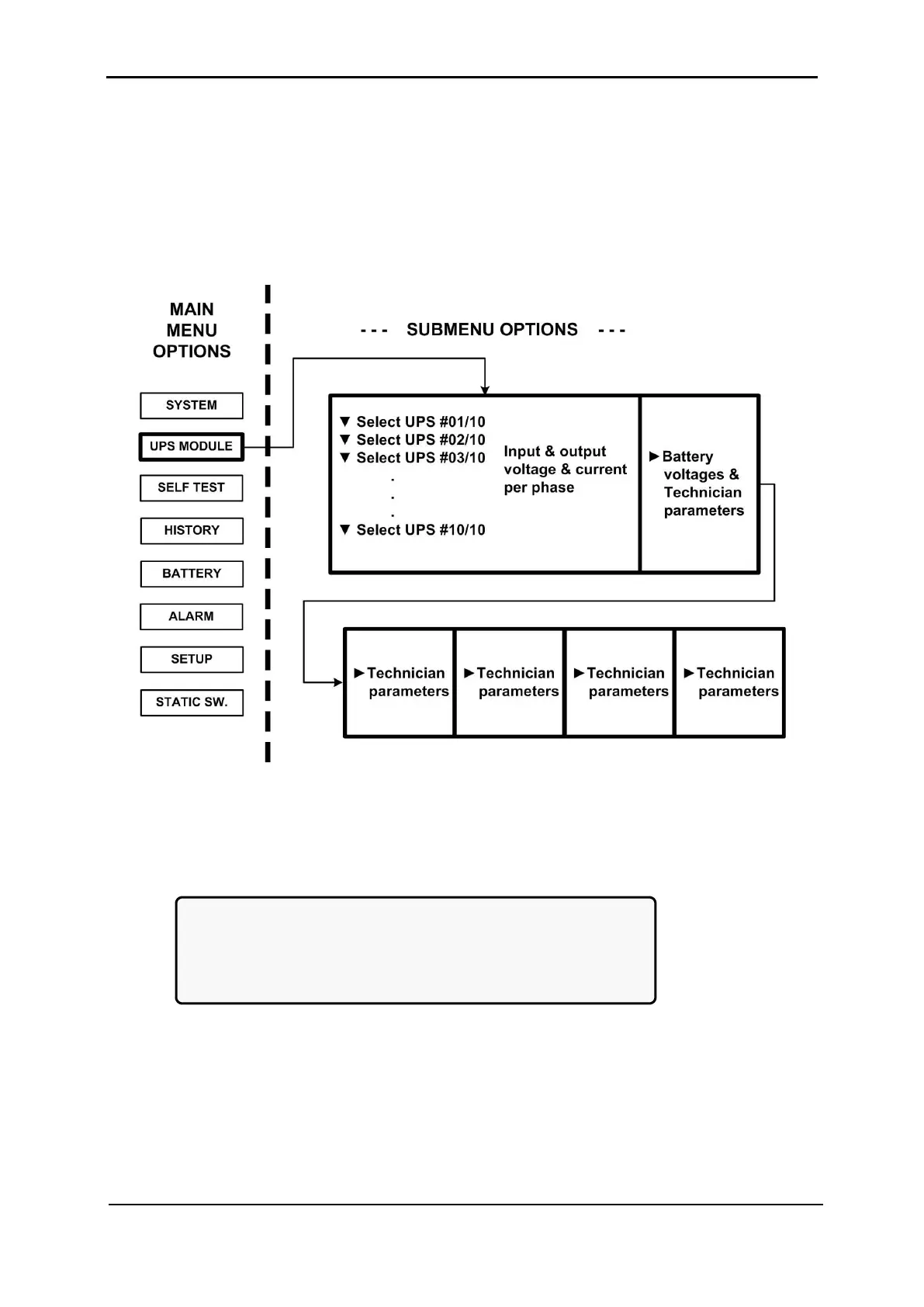
To view voltage and current measurements and other information for each UPS module:
1. Use the ▼ and ▲ keys to scroll between UPS modules. The display shows the
voltage and current measurements for each module (see Figure 92 on page 64.
2. Scroll ► and ◄ keys to view additional information for the specific module chosen.
Figure 90: Main Menu option 2 (“UPS Module”)
1. The first screen to appear after selecting the UPS Module:
[Main Menu > UPS MODULE]
Next screens show data on all UPSs.
Use up, down arrow keys to select a UPS.
Use left, right arrow keys
to view different UPS parameters.
Figure 91: LCD Panel – select a UPS











 To Next Page