130
_____________________________________________________________________________________________
8.1 Saving Preset Values
______________________________________________________________________________________________
2 3 4 5
6 7
1
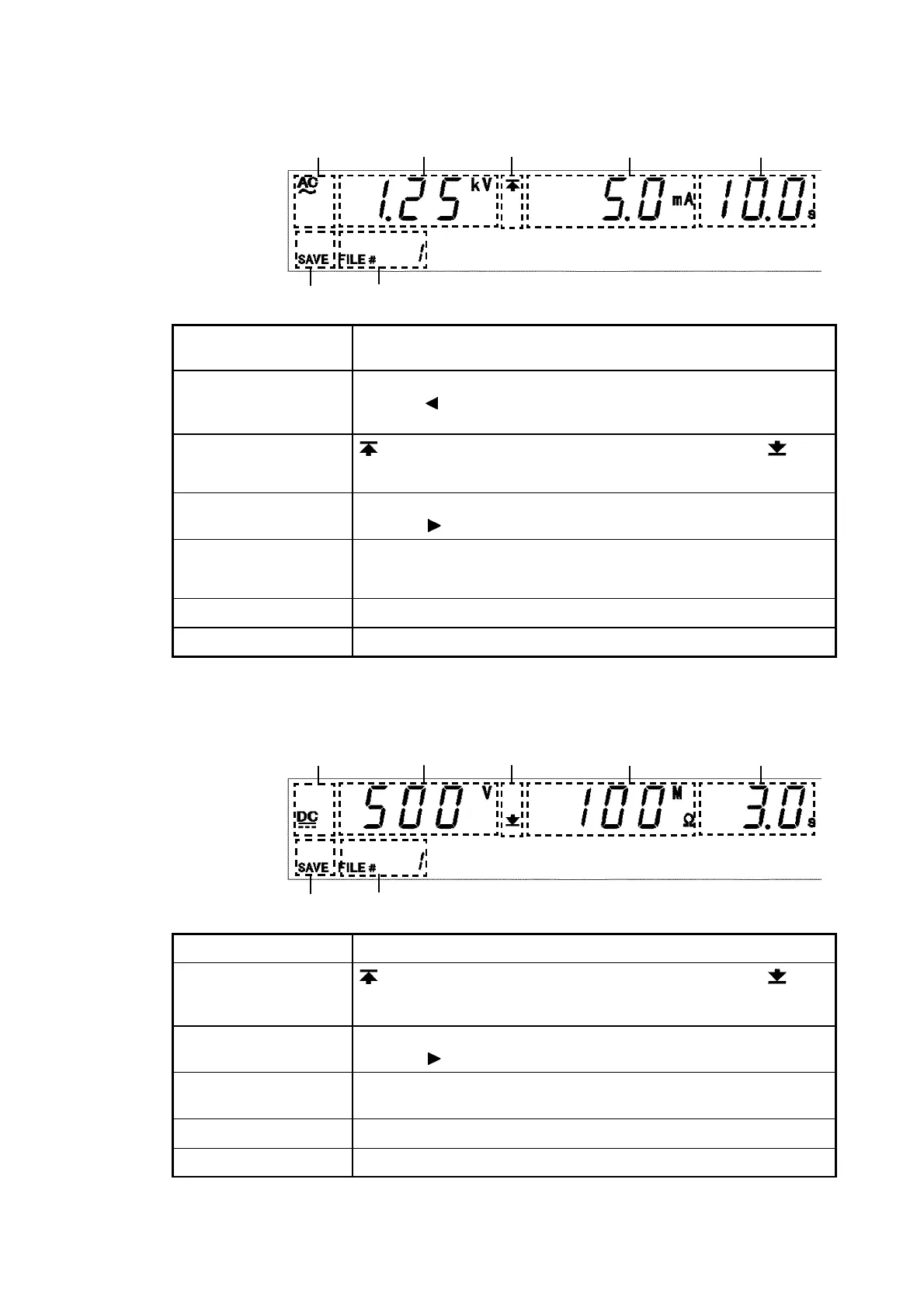
1 Test type
For an AC withstand-voltage test, "
AC
" is displayed; for a DC
withstand-voltage test, "
DC
" is displayed.
2 Test-voltage value
The test-voltage value for saved data.
Press the
key, test frequency is displayed at 「7 File number」.
(AC-withstand-voltage mode)
3 Upper-limit value
icon and Lower-limit
value icon
is displayed when the upper-limit value is shown, and is
displayed when the lower-limit value is shown.
4 Upper and Lower-
limit values
The upper- or lower-limit value of saved data. Switch the display
using the
key.
5 Test time
Ramp-up time
Ramp-down time
Test time for "saved data," ramp-up time, and ramp-down time.
The display is switched using the
ON/OFF
keys.
6 SAVE
Indicates a save screen.
7 File number
Indicates the file number for the saved data.
2 3 4 5
6 7
1
1 Test-voltage value
The test-voltage value for saved data.
2 Upper-limit value
icon and Lower-limit
value icon
is displayed when the upper-limit value is shown, and is
displayed when the lower-limit value is shown.
3 Upper and Lower-
limit values
The upper- or lower-limit value of saved data. Switch the display
using the
key.
4 Test time
Delay time
The test time or delay time for the saved data. Switch the display
using the
ON/OFF
key.
5 SAVE
Indicates a save screen.
6 File number
Indicates the file number for the saved data.
Withstand-voltage mode
Insulation-resistance mode



 To Next Page