31
_____________________________________________________________________________________________
3.3 "SETTING" State
______________________________________________________________________________________________
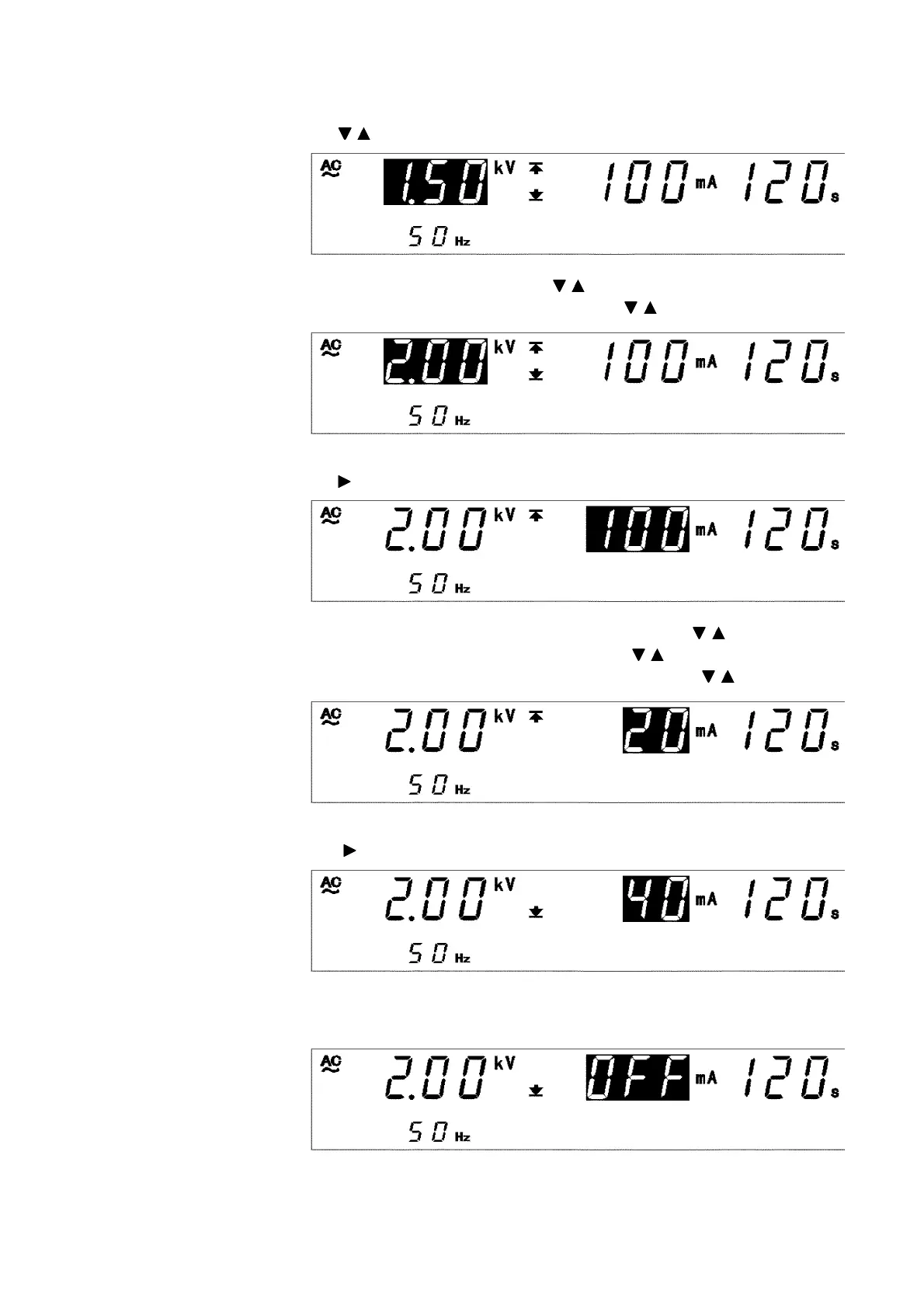
(2) Setting the test-voltage value
In this example, the value is
1.50 kV
.
Using the / keys, set the comparative voltage value to
2.00 kV
.
To change the value by
0.01 kV
, press / keys.
To change the value by
0.10 kV
, press
SHIFT
+ / keys.
(3) Setting an upper-limit value
Press the key to move the flashing cursor to the upper-limit value.
In this example, switch from
100 mA
to
20 mA
using the / keys.
To change the upper-limit value by
1mA
, press / keys.
To change the upper-limit value by
10 mA
, press
SHIFT
+ / keys.
(4) Setting a lower-limit value
Using the key, move the flashing cursor to the lower-limit value.
The lower-limit value is set at
40 mA
. Turn it OFF, as it is not needed. To
change to
OFF
, press the
ON/OFF
key.



 To Next Page