WinMax Lathe Conversational Part Programming v546CO Conversational Part Programming 2-85
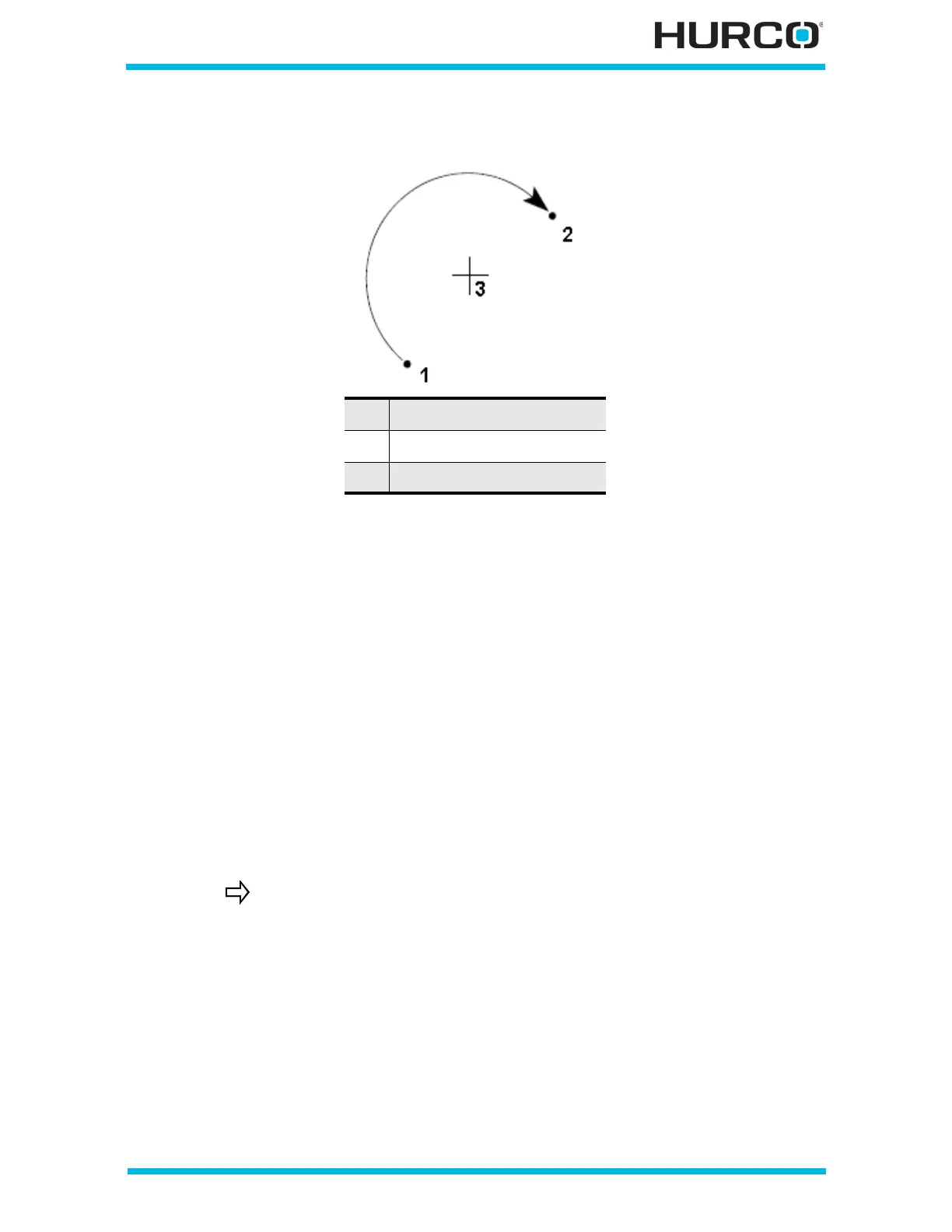
Examples of these coordinates for a clockwise arc are shown below:
Figure 2–73. Coordinates of a Clockwise Arc
The Calc-Assist feature calculates certain unknown arc segment dimensions
automatically, after sufficient data has been entered. A parameter with a calculated value
is indicated with “CAL” preceding the value.
• The values of center points plus start point or end point coordinates are used
to calculate the arc radius.
• Start point and end point coordinates plus the radius are used to calculate
two possible center point coordinates.
• Either of the end point values and the center point coordinate supplies the
value of the other end point and the radius parameter.
• A known center point, start point, or end point and radius are used to
calculate an unknown center point coordinate.
• If any coordinate (start point, center point, or end point) is important to the
construction of the two segments to be blended, the segment must be
programmed as an arc and not as a blend arc.
1 Start Point
2 End Point
3 Center Point
A series of arcs and lines can be programmed in a single data block
to form a complete contour. Press the Ctrl + Arrow key to program
additional Line and Arc segments for the current data block.



 To Next Page