2 - 2 Conversational Part Programming v546CO WinMax Lathe Conversational Part Programming
New Data Block
The Part Programming softkeys access the different types of data blocks from the New
Block screen. Refer to Types of Data Blocks, on page 1 - 3 for descriptions of data blocks.
Detailed programming information for each type of data block follows in this chapter.
To create a new data block,
1. Press the Input console key to access the Input screen.
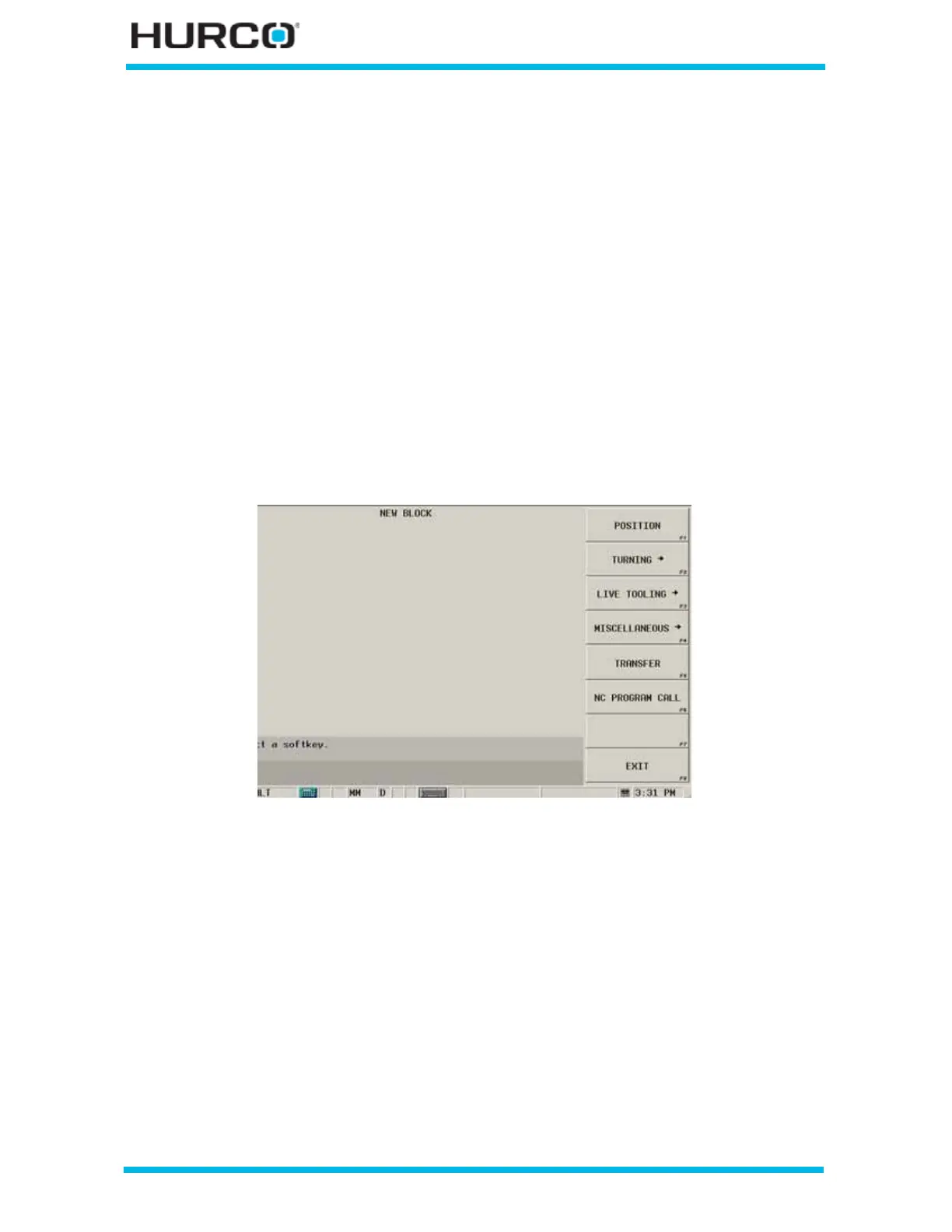
2. Select the PART PROGRAMMING F3 softkey. The New Block screen appears.
• The Position F1 and NC Program Call F6 softkeys appear for all machine
types.
•The Turning F2, Live Tooling F3, and Miscellaneous F4 softkeys
access additional softkey menus.
•The Transfer F5 softkey appears only for TMX MYS machines.
• The Move Tailstock F5 softkey appears only for TM12 and TM18 machines.
Figure 2–1. TMX MYS Series New Block screen
3. Select a softkey to begin creating a new data block.



 To Next Page