2 - 78 Conversational Part Programming v546CO WinMax Lathe Conversational Part Programming
Segments
Rotary Mill contour data blocks use segments to create lines and arcs in a part program.
A segment is any single or combined axis movement at a programmed feedrate. A series
of lines and arcs can be programmed in a single data block, using different segments, to
form a complete contour. The contour can be programmed in either Rotary or Linear
Coordinates.
The first segment in a Rotary Mill Contour block is indicated by the segment zero (0).
Segment numbers are system generated and you cannot change them.
The cursor is initially positioned in the Tool field of the Process tab when the Segment 0
screen appears. Enter the number of the tool that will be used for the entire operation -
all of the segments in this operation will use this tool.
Press the Ctrl + arrow console key or the NEXT SEGMENT F2 softkey after Segment 0 is
completed to create a new segment for the data block. Up to 999 segments can be
programmed for each data block, if they all use the same tool and are part of the same
Radial Mill Contour.
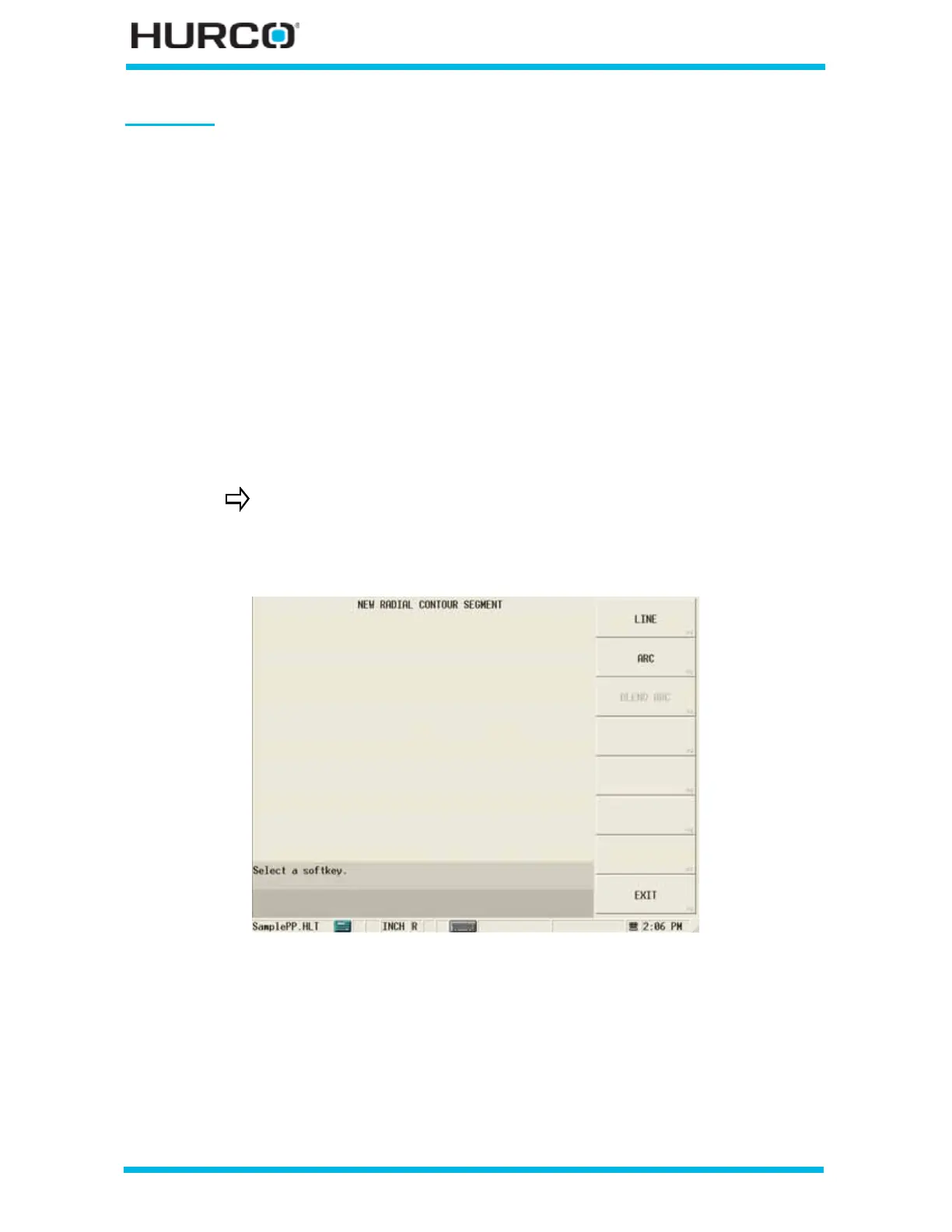
The New Radial Contour Segment screen appears with these softkey choices.
Figure 2–66. Live-Tooling New Radial Contour Segment screen
• LINE F1—accesses the Line segment screen. Refer to Line, on page 2 - 79 for
programming details.
• ARC F2—accesses the Arc segment screen. Refer to Arc, on page 2 - 83 for
programming details.
• BLEND ARC F3—accesses the Blend Arc segment screen. Refer to Blend Arc,
on page 2 - 86 for programming details.
You cannot start or end a Radial Mill Contour segment with blend
arcs, nor can blend arcs be adjacent to each other.



 To Next Page