2 - 24 Conversational Part Programming v546CO WinMax Lathe Conversational Part Programming
Geometry Tab
Describe the finish shape with the fields in the Geometry tab.
The program determines how many rough passes to make to remove the material based
on the entries in the Process tab fields. Finishing follows the geometry of the profile
defined in the Geometry tab.
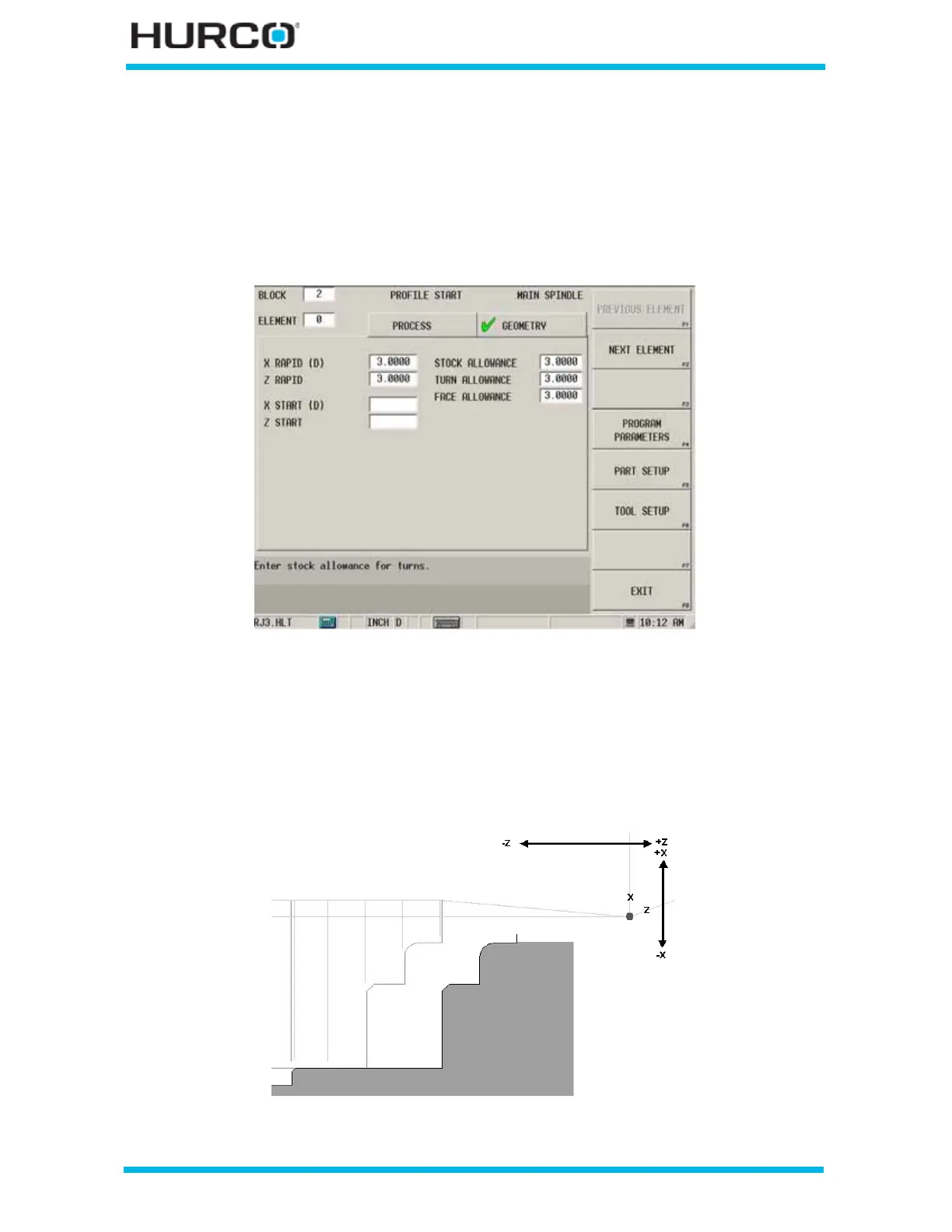
Figure 2–15. Profile Start Geometry Tab screen
The following fields appear on the Profile Start Geometry Tab screen:
• X RAPID (D) or (R)—identifies the X axis (DIAMETER) or (RADIUS) starting
location, near the material, shown in the figure below.
• Z RAPID—identifies the Z axis starting location, near the material, shown in
the figure below.
Figure 2–16. X Rapid and Z Rapid Location example



 To Next Page