WinMax Lathe Conversational Part Programming v546CO Conversational Part Programming 2-195
Change Part Setup
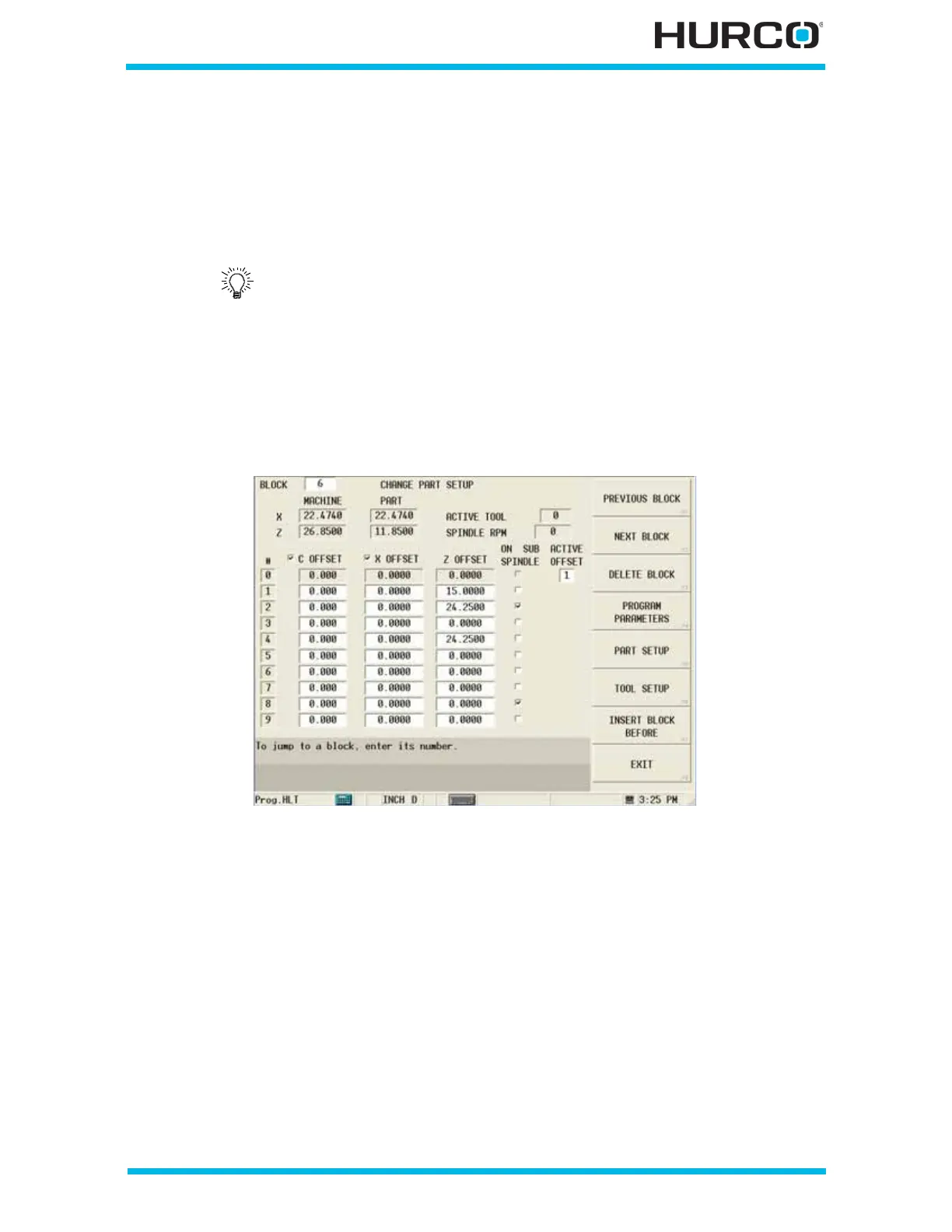
Work offsets programmed in Part Setup are in effect when a part program is running until
the end of the program or if a Change Part Setup data block is programmed. Work Offset
coordinates can be changed in the Change Part Setup screen. When a Conversational
program is saved, the current Work Offsets are saved as part of the program.
To access the Change Part Setup screen from the Program Review screen or from the New
Block screen, select the MISCELLANEOUS F4 softkey followed by the CHANGE PART
SETUP F2 softkey.
These fields are available for changing part setup information:
Figure 2–159. Change Part Setup screen
• #—identifies the index value for each offset.
• C OFFSET checkbox—select the checkbox to enable to C Offset fields. When
the checkbox is cleared, the X Offsets cannot be edited. The status of this
checkbox is modal. It stays in effect until you change it, even upon a control
reboot. This field is available for the TMM, TMX MY, and TMX MYS Series
machines.
• X OFFSET checkbox—select this checkbox to enable the X Offset fields.
When the checkbox is cleared, the X Offsets cannot be edited. The status of
this checkbox is modal. It stays in effect until you change it, even upon a
control reboot.
• C Offset—indicates the C location in machine coordinates for part zero. This
field is available for the TMM, TMX MY, and TMX MYS Series machines.
• X OFFSET—indicates the X location in machine coordinates for part zero.
Refer to Getting Started with WinMax Lathe, Part Setup—Work
Offsets, on page 4 - 11 for more information about setting Work
Offsets in Part Setup.



 To Next Page