2 - 188 Conversational Part Programming v546CO WinMax Lathe Conversational Part Programming
Cutter Compensation
Cutter Compensation is set in the Milling Type field in a milling program block.
Cutter compensation allows you to choose if the tool should cut on the left or right side of
the contour, or if the center line of the programmed tool should follow the part contour
(print line). The default Milling Type field setting for cutter compensation is ON, which
means the tool cuts on the programmed path.
With each of the Compensation selections, the programmed tool automatically follows the
finished contour of the part.
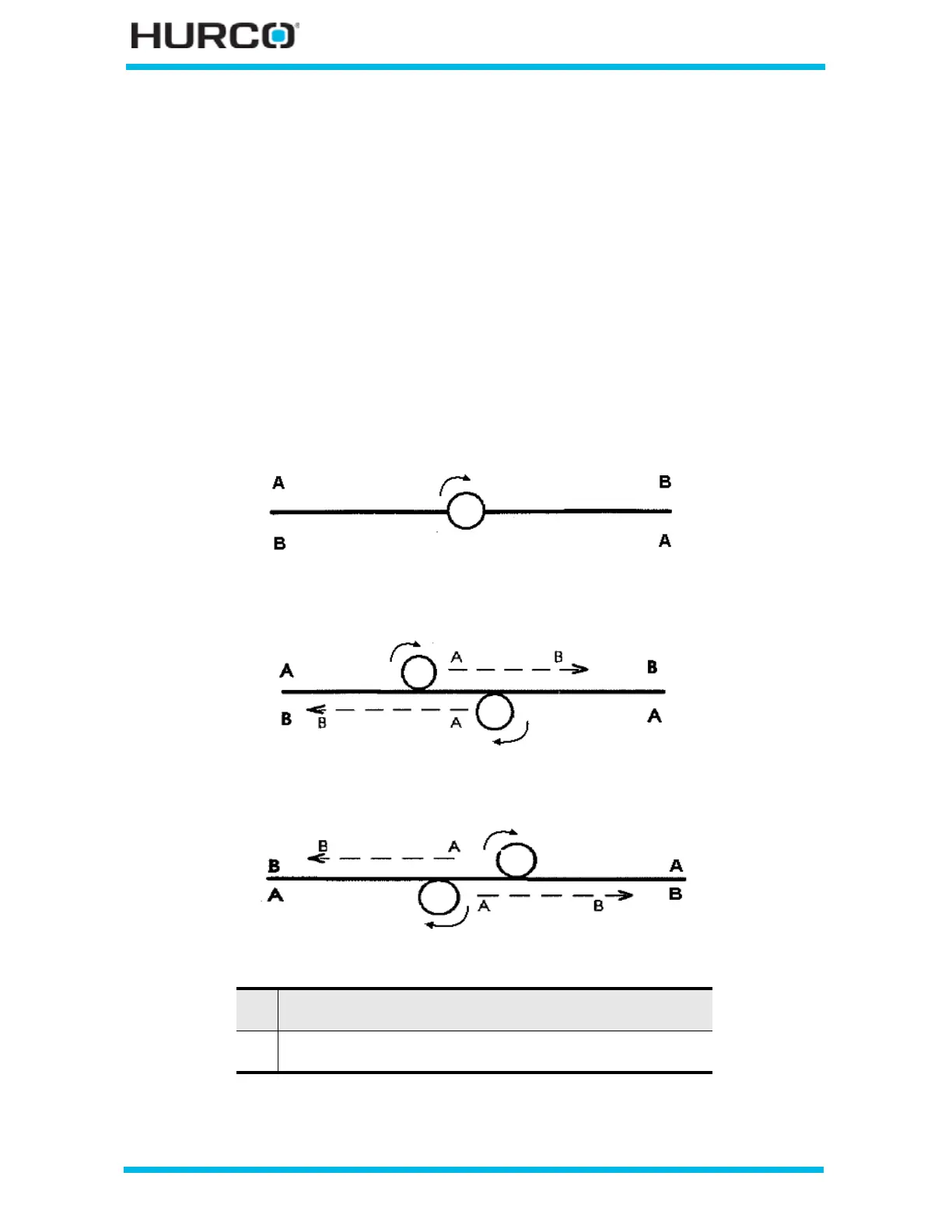
The following diagrams show a tool path using no cutter compensation (ON) compared to
tool paths using left and right compensation. When either right or left cutter
compensation is selected, the tool is offset from the cutting path a distance equal to the
tool’s radius. The tool begins cutting at the offset and moves in the selected direction.
Figure 2–155. Cutter Comp ON (no cutter compensation)
Figure 2–156. Cutter Comp Left
Figure 2–157. Cutter Comp Right
A Beginning point of programmed direction
(clockwise tool movement from point A to point B)
B Ending point of programmed direction
(clockwise tool movement from point A to point B)



 To Next Page