2 - 200 Conversational Part Programming v546CO WinMax Lathe Conversational Part Programming
Bar Feed Block
The Bar Feed Block automates advancing the bar between parts. This data block supports
both bar pushing and bar pulling cycles.
• Bar pushing requires the optional bar feeder or a servo driven bar feeder.
When a piece of stock is depleted, the optional bar feeder replaces it with a
new piece as necessary. Refer to WinMax Lathe Options Bar Feeder, on page
3 - 1 for details about programming data blocks with the optional Bar Feeder.
• Select the Tool as Bump Stop or Tool Guides Stock Strategy if the optional
Bar Feeder is used. The optional bar feeder places stock into the spindle,
through the hole in the left side of the machine.
• Select the Tool not Used Strategy if a servo driven bar feeder is used.
• Bar pulling requires a special pulling tool loaded in the turret. You can
program a tool in Tool Setup to use with a Bar Feed Block to pull the stock
away from the feeder. Select the Tool Pulls Stock Strategy if the pulling tool is
programmed in Tool Setup and the optional Bar Feeder is not being used.
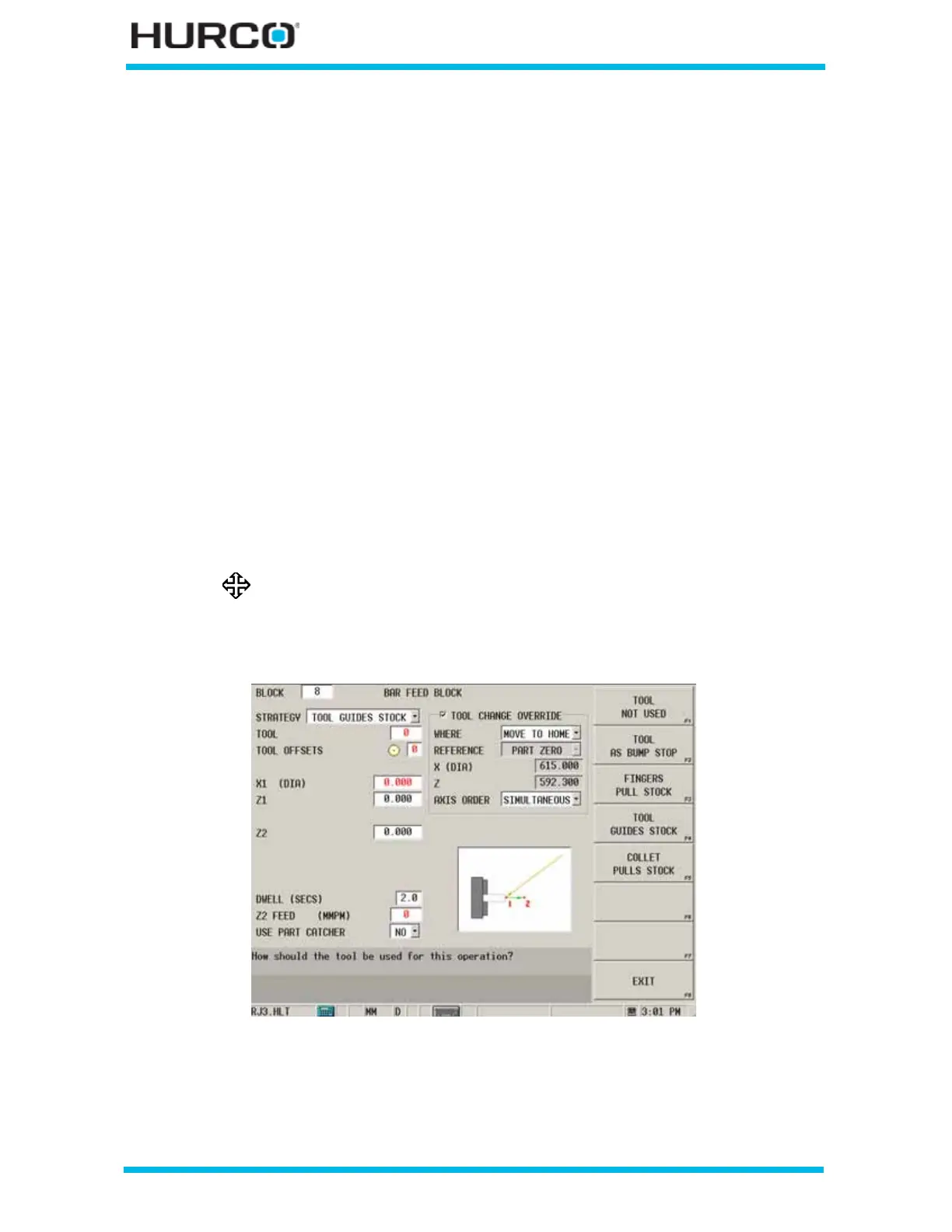
To access the Bar Feed Block screen from the Program Review screen or from the New
Block screen, select the MISCELLANEOUS F4 softkey followed by the BAR FEED F4
softkey.
The BAR FEED BLOCK screen appears.
Figure 2–161. Bar Feed Block screen
Refer to WinMax Lathe Options, Bar Feeder, on page 3 - 1 for details
about programming data blocks with the optional Bar Feeder.



 To Next Page