2 - 28 Conversational Part Programming v546CO WinMax Lathe Conversational Part Programming
Turn Element
A Turn operation cuts the stock horizontally.
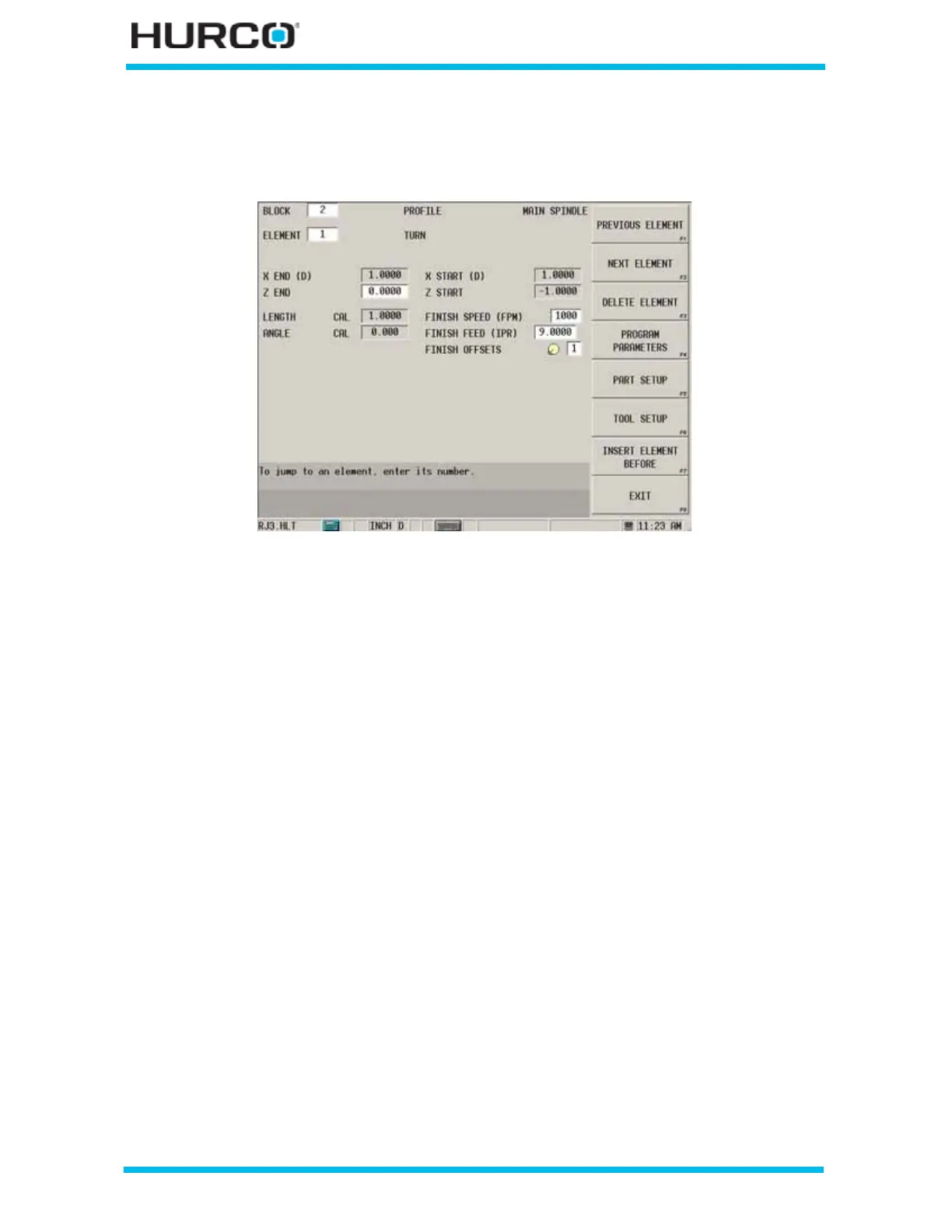
Figure 2–18. Turn Element screen
These fields appear on the Turn Element screen:
• X END (D) or (R)—contains the X (DIAMETER) or (RADIUS) coordinate for
the ending point of the Turn. The value in this read-only field is carried over
from the Profile Start or the previous element.
• Z END—identifies the Z coordinate for the ending point.
• LENGTH—contains the control-calculated X-Z length of the element. This
field is read-only and “CAL” appears next to it.
• ANGLE—contains the control-calculated X-Z angle from the start point to the
end point, measured counterclockwise from the home position. This field is
read-only and “CAL” appears next to it.
• X START (D) or (R)—defines the X (DIAMETER) or (RADIUS) startpoint for
the element. The value in this read-only field is programmed in the previous
element or Profile Start Geometry Tab screen.
• Z START—defines the Z startpoint for the element. The value in this read-
only field is programmed in the previous element or Profile Start Geometry
Tab screen.
• FINISH SPEED (FPM) or (MPM)—identifies the speed for the finish pass.
This field is only active when Turn Finish or Groove Finish is selected in the
Profile Start Process Operation field.
• FINISH FEED (IPR) or (MMPR)—identifies the feedrate for the finish pass.
This field is only active when Turn Finish or Groove Finish is selected in the
Profile Start Process Operation field.



 To Next Page