2 - 178 Conversational Part Programming v546CO WinMax Lathe Conversational Part Programming
Axial Holes
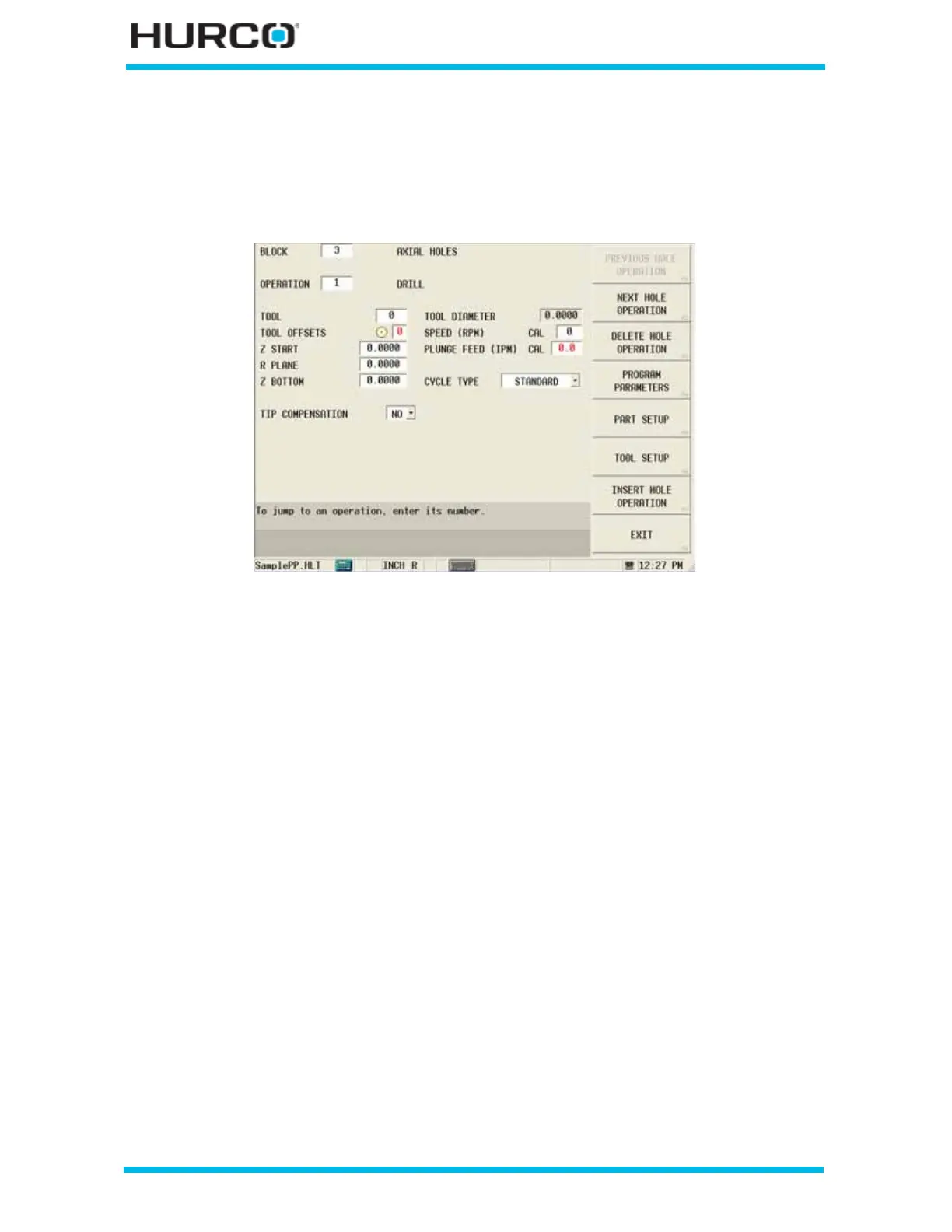
From the New Block screen, select LIVE TOOLING F3. Select Axial Holes F5 from the
New Block Live Tooling softkey menu. The Axial Holes screen appears.
Figure 2–149. Live-Tooling Axial Holes screen
The Axial Holes screen defaults to the Drill Operation. When the cursor is in the
OPERATION field, these softkey choices appear. Upon editing the last field in each holes
operation, the cursor returns to the Operation field.
• PREVIOUS HOLE OPERATION F1—displays the previous Hole Operation in
this data block. This softkey is not available for the first operation.
• NEXT HOLE OPERATION F2—displays the next Hole Operation in this data
block. This softkey is not available for the last operation.
• DELETE HOLE OPERATION F3—deletes the current Hole Operation. Select
this softkey and a message appears asking if you are sure you want to
delete. Select OK or CANCEL.
• INSERT HOLE OPERATION F7—accesses New Axial Holes Operation screen
with these Axial Holes softkey selections:
• AXIAL HOLE CYCLE F1—accesses the Axial Holes Drill data block for
programming different types of drilling cycles. Refer to Axial Hole Cycle,
on page 2 - 179 for programming details.
• AXIAL LOCATIONS F2—accesses the Axial Locations data block for
programming drilling locations. Refer to Axial Locations, on page 2 - 182
for programming details.
• AXIAL BOLT CIRCLE F3—accesses the Axial Holes Bolt Circle data block
for programming bolt circles. Refer to Axial Bolt Circle, on page 2 - 185
for programming details.



 To Next Page