WinMax Lathe Conversational Part Programming v546CO Conversational Part Programming 2-57
Patterns
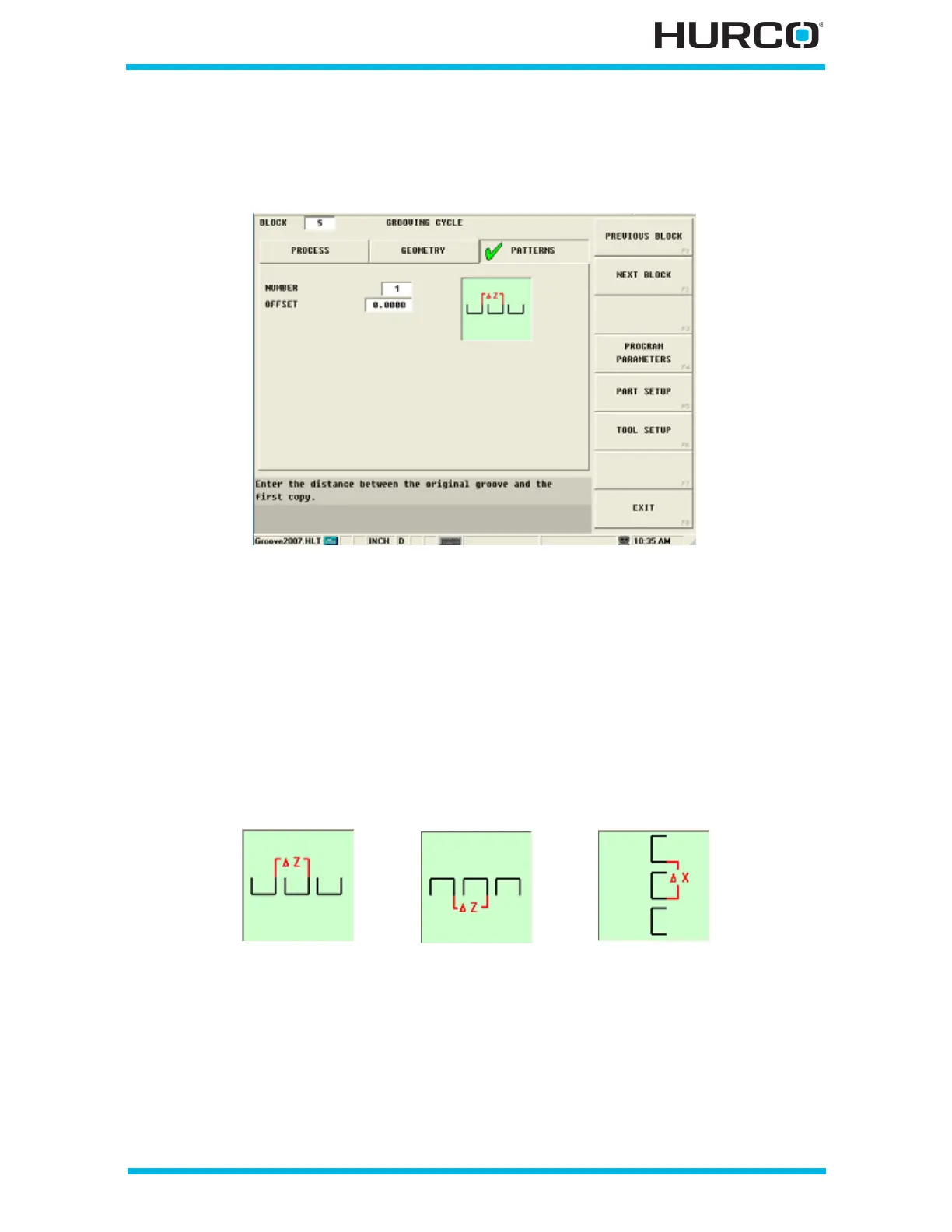
Program patterns of identical and incremental grooves along a part.
Figure 2–48. Grooving Cycle Patterns Tab screen
Use these fields to program multiple grooves:
• NUMBER—defines the number of grooves to be repeated.
• OFFSET—defines the distance between the original groove and the first copy
(from the start of one groove to the start of the next), as identified in the on-
screen graphic.
The on-screen graphic on the Patterns tab is based on the Orientation selection in the
Geometry tab:
Figure 2–49. Grooving Cycle Pattern Orientation
In the on-screen graphic, X or Z represents the starting location of the first groove, and
the Delta symbol (Δ) represents the starting location of the second groove in the pattern.
Outside Orientation
Patterns
Inside Orientation
Patterns
Face Orientation
Patterns



 To Next Page