WinMax Lathe Conversational Part Programming v546CO Conversational Part Programming 2-207
Transfer Data Block
The Transfer Data Block allows you to transfer the stock from the Main spindle to the Sub-
spindle. This screen is available for TMX MYS turning centers.
To access the TMX MYS Series Transfer Data Block screen from the Program Review
screen or from the New Block screen, select the TRANSFER F5 softkey. The Transfer
screen appears.
The screen contains two tabs labeled Stage 1 and Stage 2. The fields are numbered to
ensure the programming information is entered sequentially.
•The Stage 1 tab contains programming information for the first series of
spindle operations.
•The Stage 2 tab contains programming information for the second series of
spindle operations.
The axes locations are relative to the Work Offsets for the spindle selected in Part Offset.
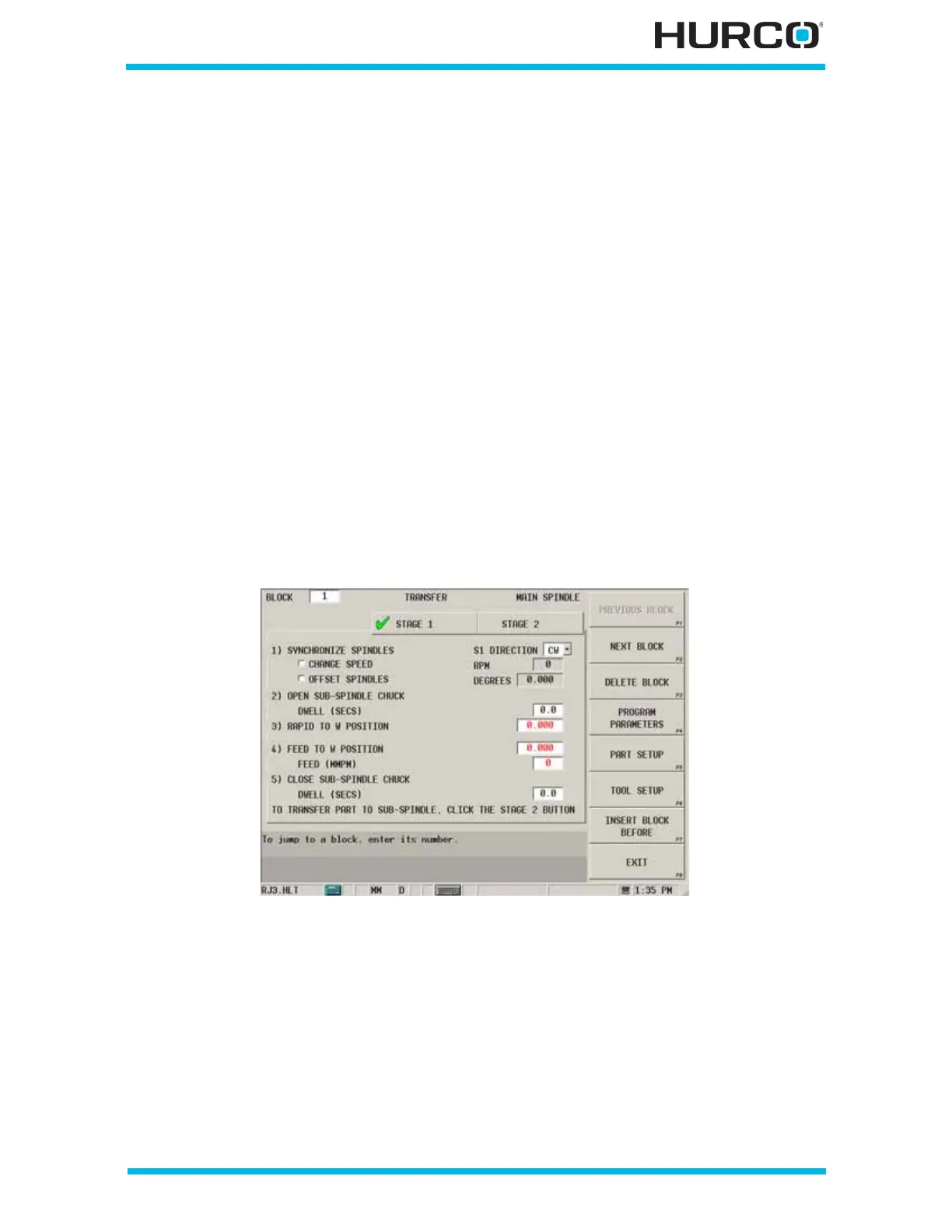
Here is a Transfer block Stage 1 tab for the Main Spindle (selected in Part Setup), as
indicated in the upper-right corner of the screen. If the On Sub-spindle checkbox is
selected in Part Setup, Sub-spindle appears instead. If the checkbox is not selected, Main
Spindle appears.
Figure 2–170. TMX MYS Transfer Block, Stage 1 tab
The fields on the Transfer block screen Stage 1 tab are:
• 1) Synchronize Spindles—allows you to change the spindle RPM and
specify the sub-spindle offset in degrees. If none of the following fields are
selected or edited, the spindles are synchronized at the Main Spindle’s
current RPM.



 To Next Page