2 - 208 Conversational Part Programming v546CO WinMax Lathe Conversational Part Programming
• S1 Direction—allows you to choose the direction, CW or CCW, for the Main
Spindle to rotate if transferring at RPM.
• Change Speed—allows the RPM to be changed. Select this checkbox and
the RPM field becomes active.
• RPM—identifies the spindle speed during synchronization. Enter the
RPM for the spindles. Enter “0” to stop both spindles prior to
synchronization.
• Offset Spindles—allows sub-spindle offset to be set. Select this
checkbox and the Degrees field becomes active.
• Degrees—identifies the sub-spindle offset in degrees.
The range is -360.000 to 360.000
• 2) Open Sub-spindle Chuck Dwell (Secs)—identifies the number of
seconds the sub-spindle chuck should dwell after opening.
• 3) Rapid to W Position—identifies the W Position for the rapid feedrate
move. The STORE MACHINE POSITION F7 softkey is available when the
cursor is in this field.
• 4) Feed to W Position —identifies the W location for the feedrate move.
The STORE MACHINE POSITION F7 softkey is available when the cursor is in
this field.
• Feed (MMPM or IPM)—identifies the W axis feedrate.
• 5) Close Sub-spindle Chuck Dwell (Secs)—identifies the number of
seconds the sub-spindle chuck should dwell after closing.
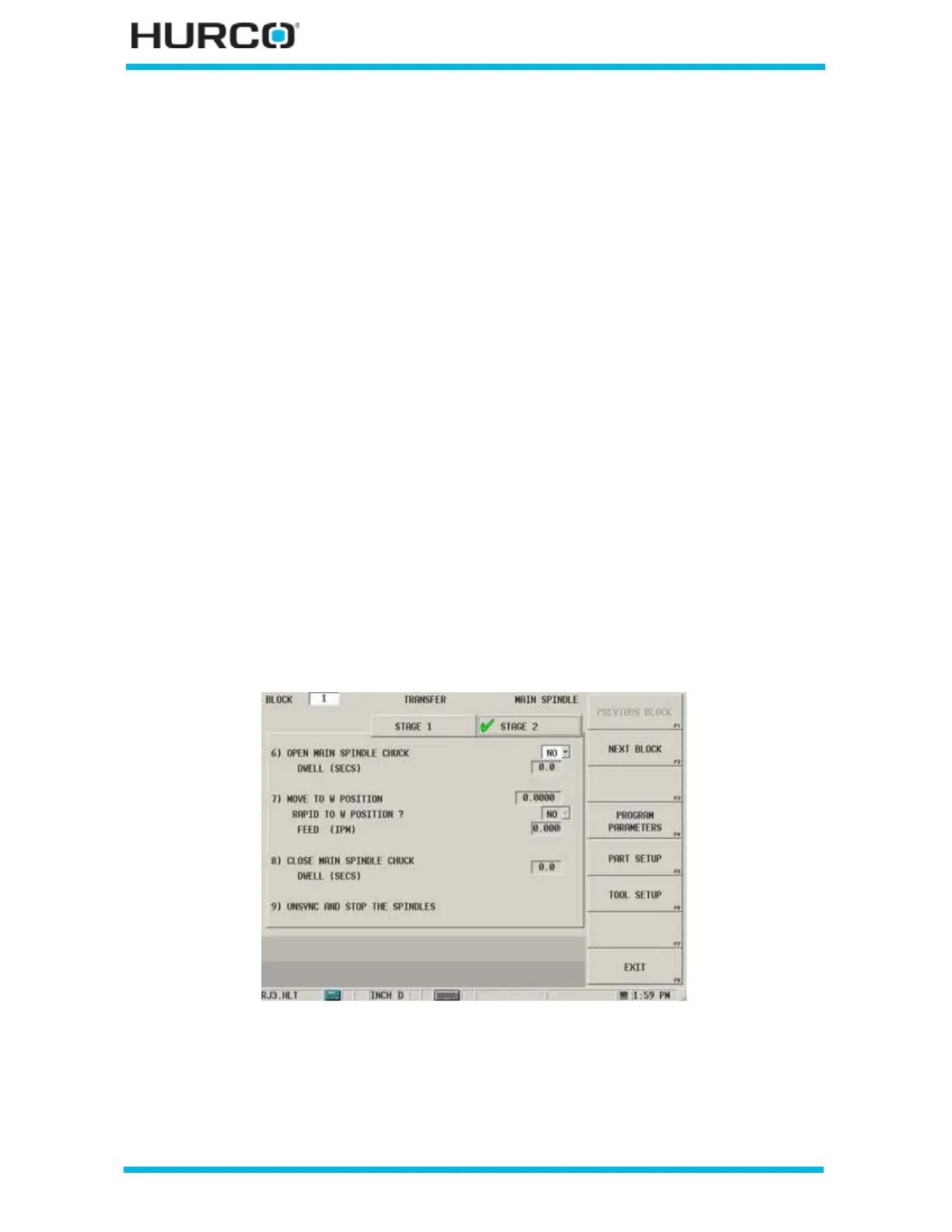
At this point, the part is clamped by both the Main spindle and the Sub-spindle. Here is a
Transfer block, Stage 2 tab:
Figure 2–171. TMX MYS Transfer Block, Stage 2 tab



 To Next Page