WinMax Lathe Conversational Part Programming v546CO Conversational Part Programming 2-89
• Segments that are adjacent to the blend arc segment must intersect at some
point. Therefore, if segment #2 is a blend arc, segments #1 and #3 must
intersect at some projected point.
• The Radius of a blend arc segment cannot be larger than the width between
the adjoining segments endpoints.
• If any coordinate (start point, center point, or end point) is important to the
construction of the two segments to be blended, the segment must be
programmed as an arc and not as a blend arc.
• The Feed field is initially displayed with a value carried forward from the
previous segment. This value can be accepted or changed.
Radial Circle
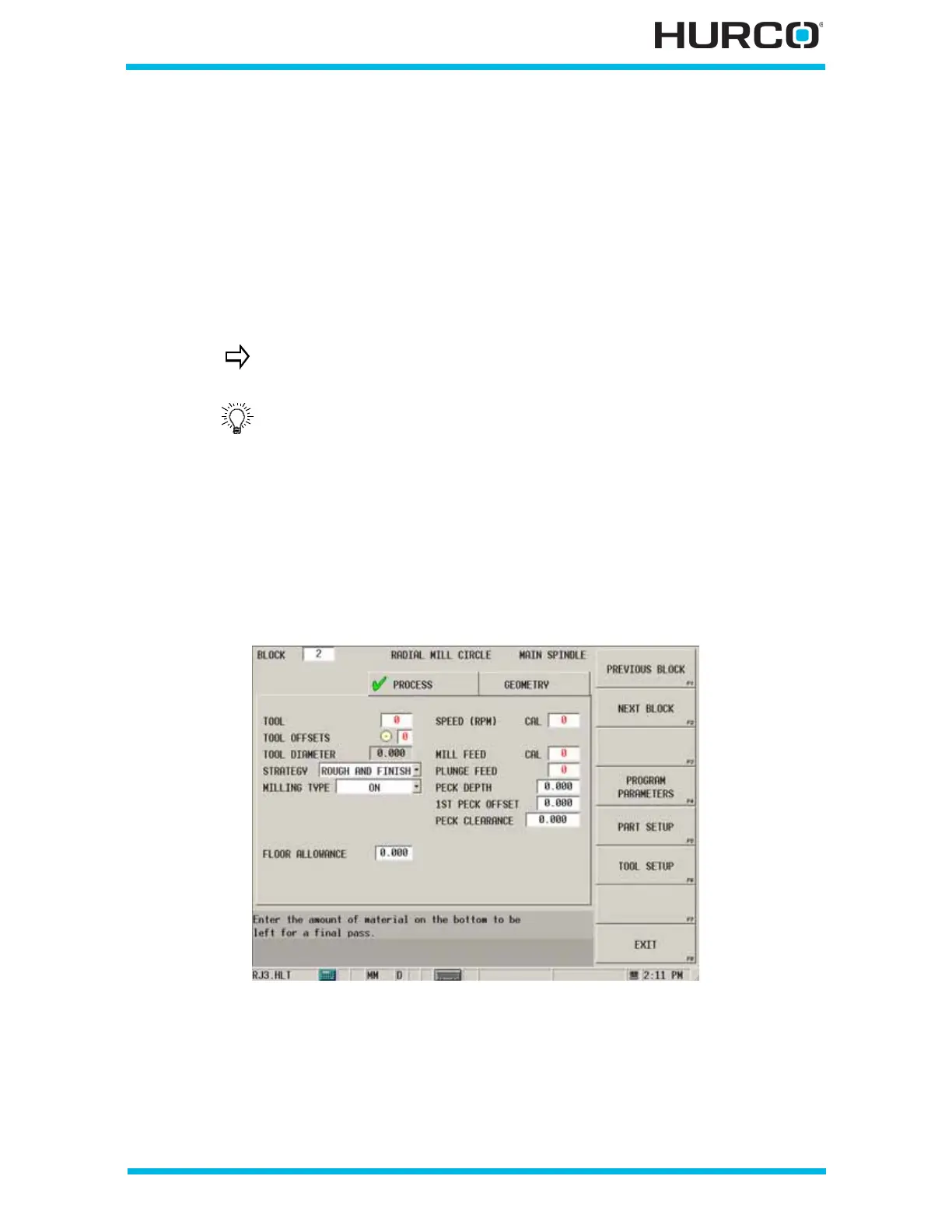
From the New Block (Radial Milling) softkey menu, select RADIAL CIRCLE F2, and the
Radial Mill Circle screen appears with Process and Geometry tabs. Program the tool and
cutting information using the Process tab. Describe the finish shape using the Geometry
tab.
Figure 2–77. Live-Tooling Radial Mill Circle screen
A series of arcs and lines can be programmed in a single data block
to form a complete contour. Press the Ctrl + arrow key to program
additional Line and Arc segments for the current data block.
Develop a part program segment by segment, or create the
geometry surrounding an arc, then insert the blend arc between
existing segments.



 To Next Page