2 - 198 Conversational Part Programming v546CO WinMax Lathe Conversational Part Programming
Machine Function—M Code
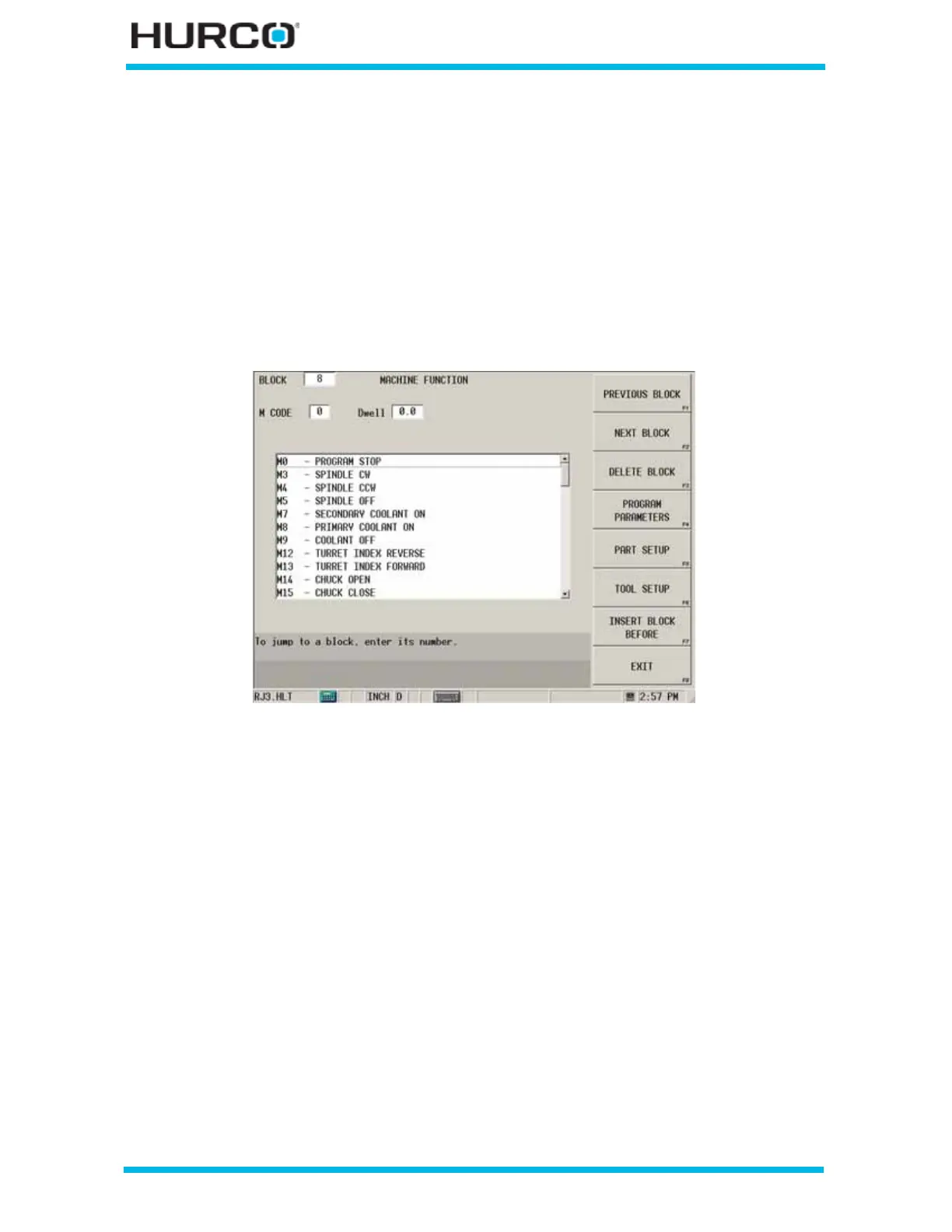
A Machine Function data block allows you to insert Machine Function commands into a
part program using the selections in the list on this screen and repeat the command a
specified number of times.
To access the Machine Function—M Code screen from the Program Review screen or from
the New Block screen, select the MISCELLANEOUS F4 softkey followed by the M CODE
F3 softkey.
The MACHINE FUNCTION screen appears.
Figure 2–160. Machine Function screen
These fields are available for setting machine functions:
• M CODE—indicates the M Code selection for the machine function. Either
enter the code in this field or scroll through the list of Machine Code
definitions below this field and select a code. Refer to WinMax Lathe NC
Programming, Basic NC M Codes, on page 3 - 1 or ISNC M Codes, on page 5
- 1 for complete descriptions of all M Codes.
• Dwell—indicates the amount of seconds to dwell following the M Code
function.
• SPINDLE—indicates spindle selection when either M3 (Spindle CW), M4
(Spindle CCW), M5 (Spindle Off), or M19 (Spindle Orient) is selected in the M
Code field.
• SPEED—indicates the Spindle RPM when either M3 or M4 is selected in the M
Code field.
• DEGREES—indicates the spindle orientation position when M19 (Spindle
Orient), M203 (Sync Spindles Forward Mode), or M204 (Sync Spindle Reverse
Mode) are selected in the M Code field.



 To Next Page