2 - 22 Conversational Part Programming v546CO WinMax Lathe Conversational Part Programming
Groove Finish Operation
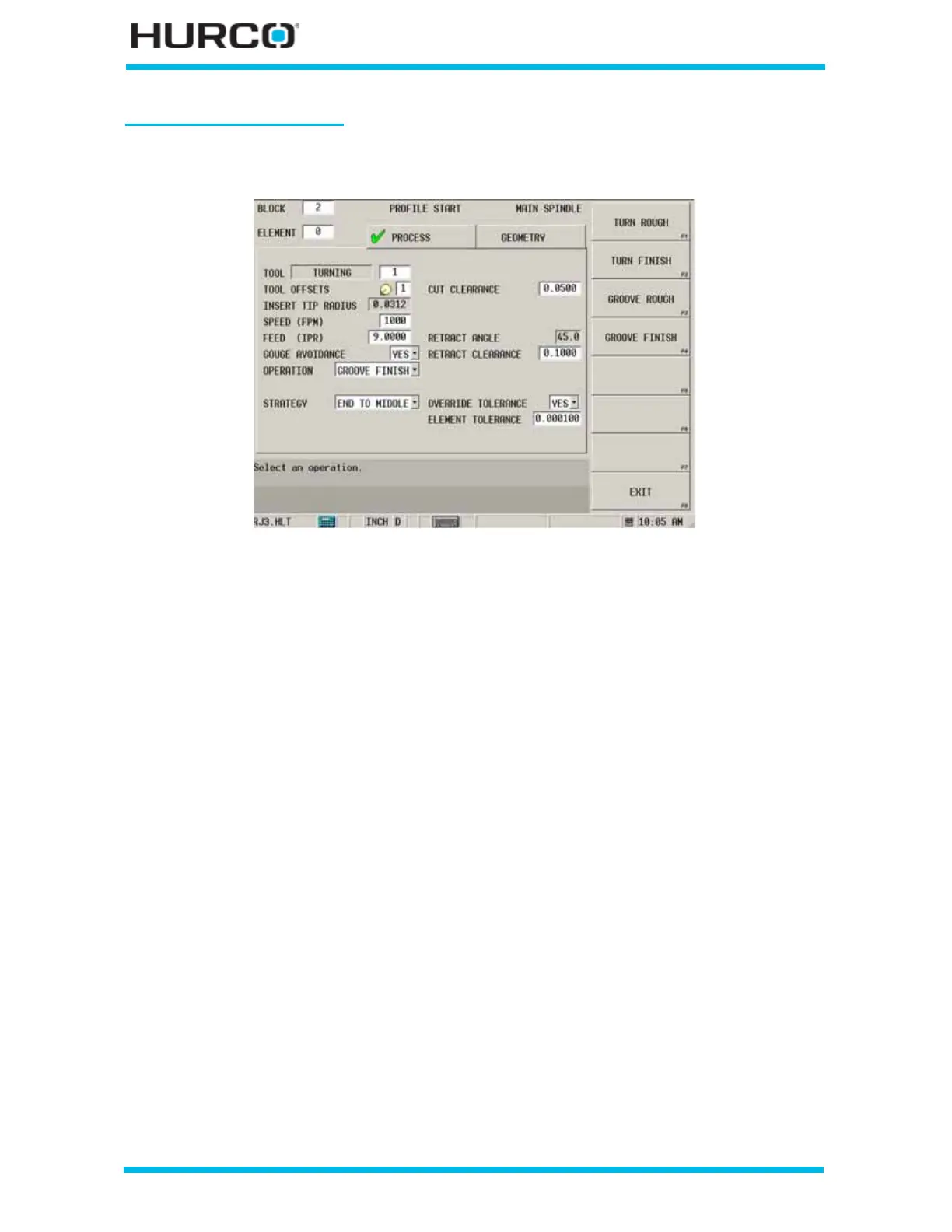
The following fields appear when Groove Finish is selected in the Operation field:
Figure 2–13. Profile Start Process Tab Groove Finish Operation screen
• STRATEGY—select either END TO MIDDLE or END TO END for the groove
finish strategy. This field appears under the Gouge Avoidance field when
Groove Finish is selected for the Operation.
• CUT CLEARANCE—identifies the amount of clearance for cutting each
profile, shown as 1 in the figure below. The default is 1.27 mm or 0.05 inch.
This field appears when Groove Rough or Groove Finish is selected for the
Operation.
• RETRACT ANGLE—pulls the tool off the profile between steps along a vector
in the direction of retract angle, shown as 2 in the figure below, if NO is
selected for RETRACT ALONG PROFILE. The default is 45°. This field appears
for all rough and finish operations.



 To Next Page