WinMax Lathe Conversational Part Programming v546CO Conversational Part Programming 2-201
Comment Block
A Comment block can be used to provide the operator with instructions during part
program execution. Optional stops can also be programmed with this block.
To access the Comment Block screen from the Program Review screen or from the New
Block screen, select the MISCELLANEOUS F4 softkey followed by the COMMENT F5
softkey.
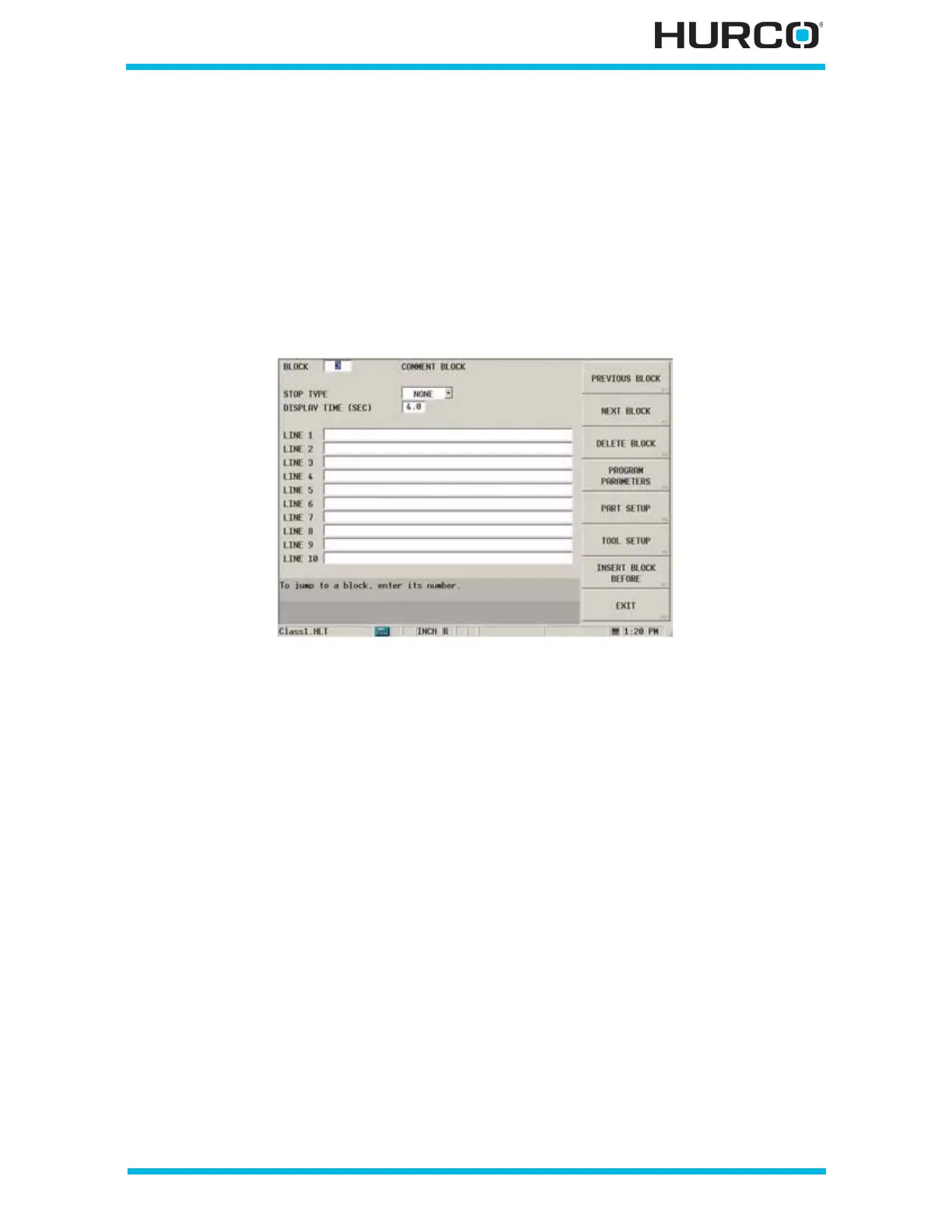
The COMMENT BLOCK screen appears.
Figure 2–162. Comment Block screen
These fields are available for programming a Comment block:
• STOP TYPE—select None, Program, or Optional.
• NONE—displays the comment in a pop-up window when the program
reaches this data block without stopping the program.
• PROGRAM—stops the program, displays the comment in a pop-up
window, and shuts off the spindle when the program reaches this data
block. Press the flashing Start Cycle button to continue with the part
program. The comment is cleared when the program resumes.
• OPTIONAL—stops the program, displays the comment in a pop-up
window, and shuts off the spindle when the program reaches this data
block and the Opt Stop key is On. Refer to Position Data Block, on page 2
- 3 for information about programming a PROGRAM STOP in conjunction
with the Opt Stop key. Press the flashing Start Cycle button to continue
with the part program. The comment is cleared when the program
resumes.
• DISPLAY TIME (SEC)—indicates the length of time in seconds that the
comment appears on the screen. This field is only available when None is
selected for the Stop Type.
• LINE 1 - 10—provides 10 lines of text for the Comment block. You can enter
up to 50 characters of text on each line. There are no restrictions for using
keyboard symbols. Enter text starting with line 1.



 To Next Page