2 - 14 Conversational Part Programming v546CO WinMax Lathe Conversational Part Programming
Turn Rough Operation
Follow these rules when programming a Turn Rough operation:
• The first element and the last element must be perpendicular.
• The start and end point define the stock geometry.
• With Turn Rough selected, the X Rapid and Z Rapid position selected in the
Geometry tab is recommended to be off the corner of the stock.
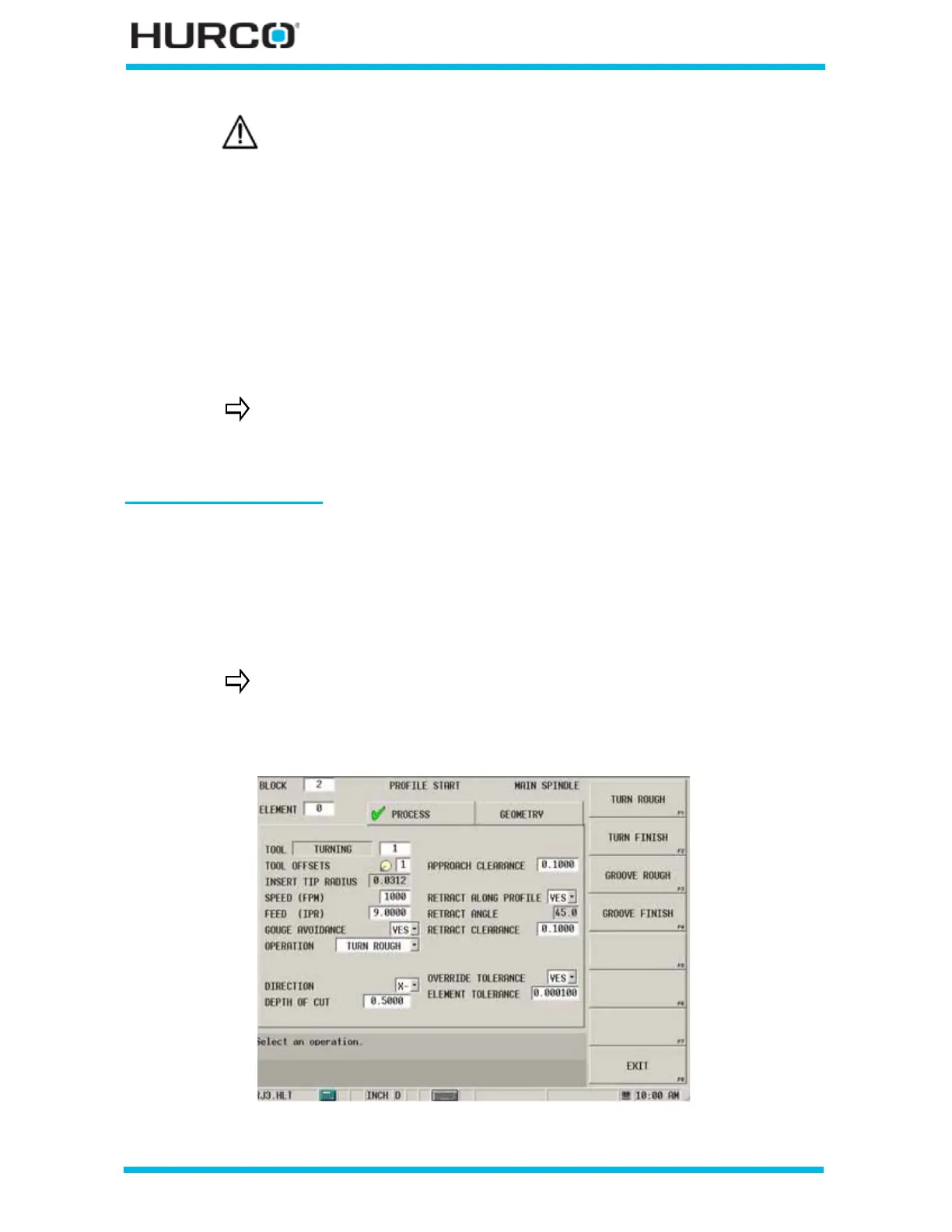
The following fields appear when Turn Rough is selected in the Operation field:
Figure 2–4. Profile Start Process Tab Turn Rough Operation screen
If any of these changes are made for the Profile Operation:
• a Turn Rough operation is changed to a Turn Finish,
• a Groove Rough operation is changed to a Groove Finish,
• the CREATE FINISH PROFILE F7 softkey is used with a Turn
Rough or Groove Rough operation,
the Finish Speed and Finish Feed values change to 0 for any Element
associated with the Profile. The 0 values may be edited, and they are
modal (they stay as the current value until changed in a subsequent
element).
Finish Speed and Finish Feed values are inactive for Turn Rough or
Groove Rough operations and cannot be edited.
The majority of the remaining fields change depending upon the type
of operation being performed. The RETRACT ANGLE, RETRACT
CLEARANCE, OVERRIDE TOLERANCE, and ELEMENT TOLERANCE
fields appear for all operations.
Refer to Figure 2–17. Sample OD Operation Elements, on page 2 -
27 for examples.



 To Next Page