WinMax Lathe Conversational Part Programming v546CO Conversational Part Programming 2-179
Axial Hole Cycle
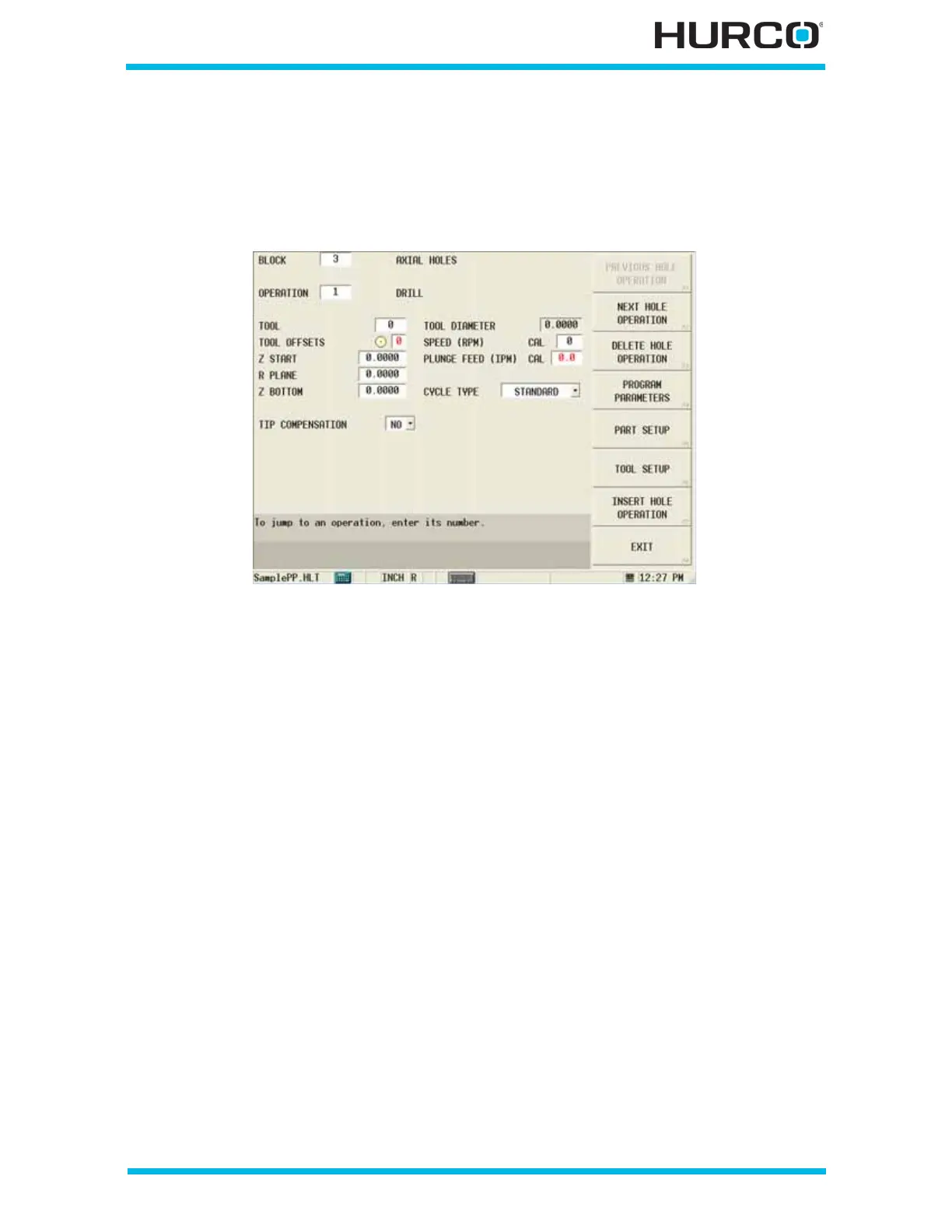
From the Axial Holes screen, with the cursor in the Operation field, either select NEXT
HOLE OPERATION F2 or INSERT HOLE OPERATION F7. From the New Axial Holes
Operation screen select Axial Hole Cycle F1. The Axial Holes Drill screen appears.
Figure 2–150. Live-Tooling Axial Holes Drill Operation screen
The fields on this screen are defined as follows:
• TOOL—identifies the tool number that will be used in the part program.
• TOOL OFFSETS—identifies the tool offset and orientation programmed in
Tool Setup that will be used. The tool offset defaults to the same number as
the tool.
• Z START—defines the point where the tool moves when starting the cycle,
before moving at Rapid to the R Plane.
• R PLANE—defines an absolute position relative to part zero. The cycle will
rapid to this location before feeding to Z Bottom.
• Z BOTTOM—identifies the depth of the hole. This field is automatically
adjusted for the drill tip if YES is selected for Tip Compensation.
• TIP COMPENSATION—This field appears when the tool is a Drill or a Center
Drill. Select YES or NO to indicate whether the tool tip is included as part of
the Z Bottom measurement. Z Bottom depth is automatically calculated for
the drill tip when YES is selected and is based on the drill tip angle
programmed in Tool Setup.
• TOOL DIAMETER—contains the tool diameter programmed in Tool Setup for
the current tool. This field is read-only and can only be edited in Tool Setup.
• SPEED (RPM)—contains the spindle speed value programmed in Tool Setup.
“CAL” appears next to the value as programmed in Tool Setup. You can accept
or change this value. If you edit this field, “CAL” disappears, and the value is
no longer calculated automatically.



 To Next Page