WinMax Lathe Conversational Part Programming v546CO Conversational Part Programming 2-147
Axial Circle
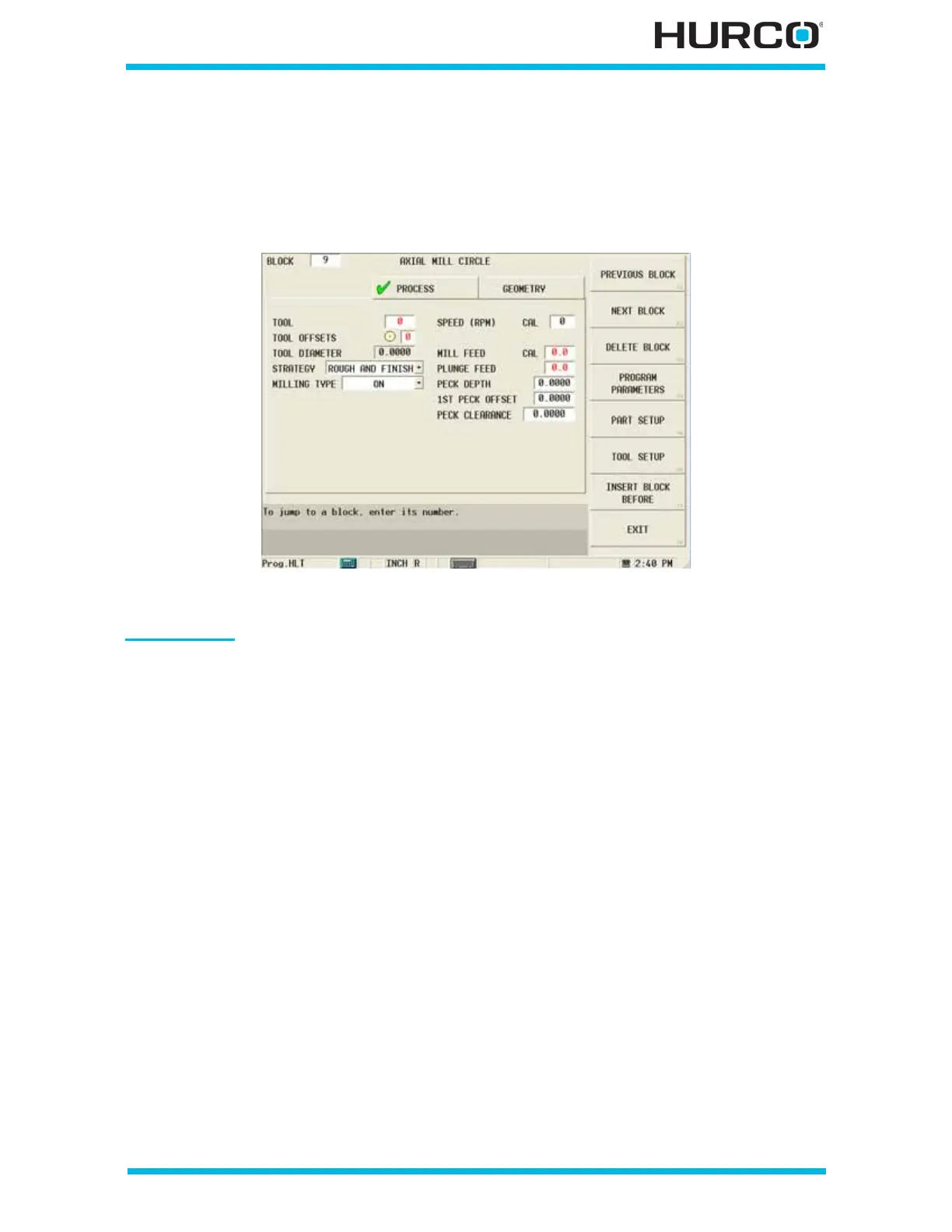
From the New Block (Axial Milling) screen select AXIAL CIRCLE F2, and the Axial Mill
Circle screen appears with Process and Geometry tabs. Program the tool and cutting
information using the Process tab. Describe the finish shape using the Geometry tab.
Figure 2–123. Live-Tooling Axial Mill Circle screen Process tab
Process Tab
The program determines how many rough passes to make to remove the material based
on the entries in the Process tab fields. The Process tab fields are defined as follows:
• TOOL—identifies the tool number that will be used in the part program.
• TOOL OFFSETS—identifies the tool offset and orientation programmed in
Tool Setup that will be used. The tool offset defaults to the same number as
the tool.
• TOOL DIAMETER—contains the tool diameter programmed in Tool Setup for
the current tool. This field is read-only and can only be edited in Tool Setup.
• STRATEGY—identifies the tool path with respect to rough or finish.
• ROUGH AND FINISH—perform rough and finish passes.
• ROUGH ONLY—perform a rough pass only.
• FINISH ONLY—perform a finish pass only.



 To Next Page