3 - 34 Sample P art Program v546CO WinMax Lathe Conversational Part Programming
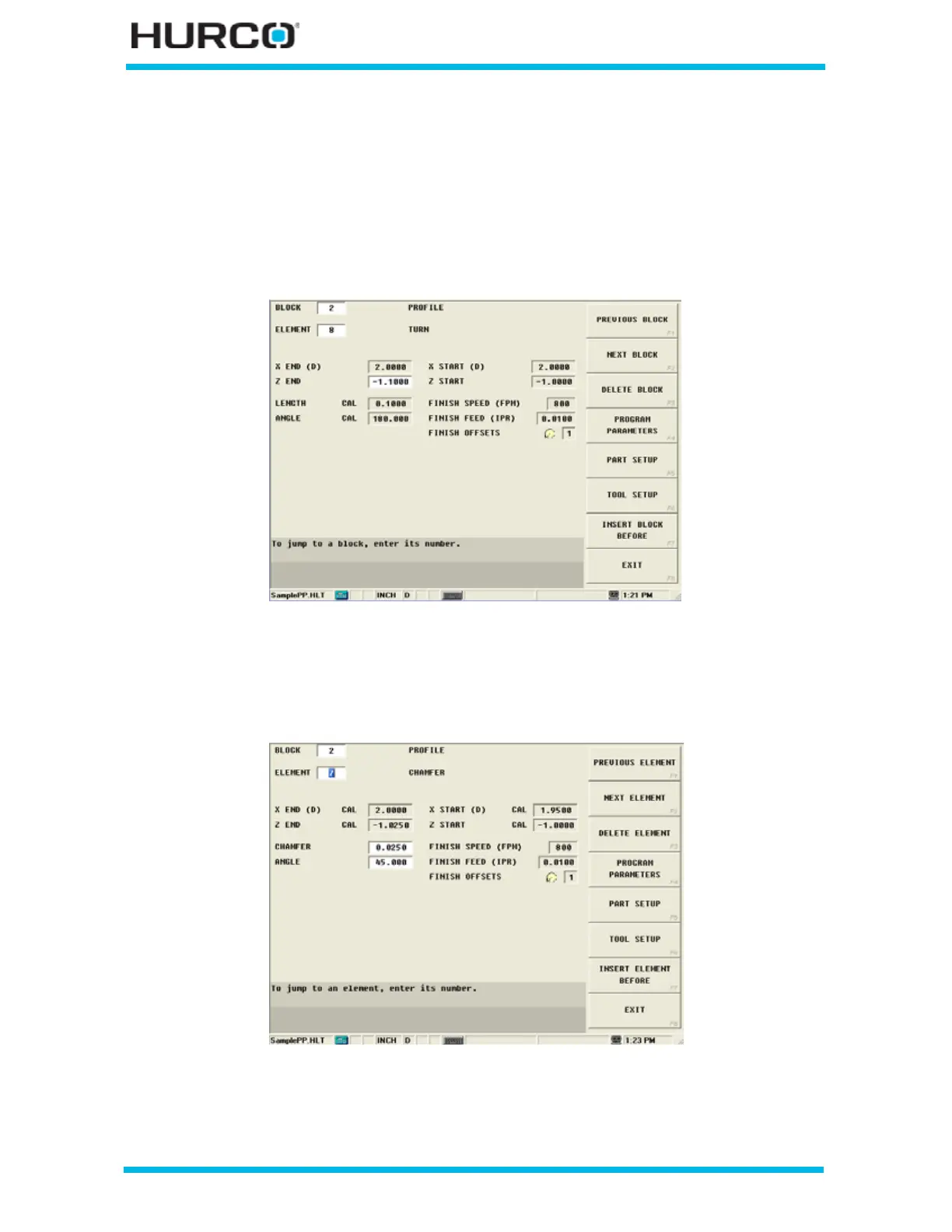
Enter -1.1 in the Z End field to turn a small amount past the edge of the part.
• The control calculates and enters values for Length and Angle based on the
Z End value.
•The X Start (D) and Z Start values are carried over from the previous
element’s X END (D) and Z END values.
•The Finish fields are inactive because Turn Rough is selected in the Profile
Start Process tab.
Figure 3–48. Profile Turn Element Screen with Z End value
• The control calculates and enters values for X End (D), Z END, X Start (D),
and Z Start on the Chamfer Element Screen. Select PREVIOUS ELEMENT F1
to view the Chamfer Element Screen.
Figure 3–49. Profile Chamfer Element Screen with control-calculated values
Select NEXT ELEMENT F2 to return to the Element #8 Screen.



 To Next Page