2 - 64 Conversational Part Programming v546CO WinMax Lathe Conversational Part Programming
• PECK DEPTH—identifies the incremental peck depth. This field appears
when either Dwell or Chip Breaker is selected for the Peck Type.
• DWELL (SECS)—identifies the amount of seconds the tool dwells before
retracting at Rapid. This field appears when Dwell is selected for the Peck
Type.
• RETRACT DISTANCE—indicates the distance the tool should retract
between pecks. This field appears when Chip Breaker is selected for the Peck
Type.
• RETRACT AT RAPID—indicates whether or not the tool should retract at
rapid rate. Select YES or NO. This field appears when Chip Breaker is selected
for the Peck Type.
• RETRACT FEED—indicates the feed per minute or feed per revolution at
which the tool should retract. Select either the FEED PER MINUTE F4 or FEED
PER REV F5 softkey to set the retract feed at IPM or IPR. These softkey
choices also affect the FEED (IPM) or (IPR) field. This field appears when Chip
Breaker is selected for the Peck Type and is only active when NO is selected
for RETRACT AT RAPID.
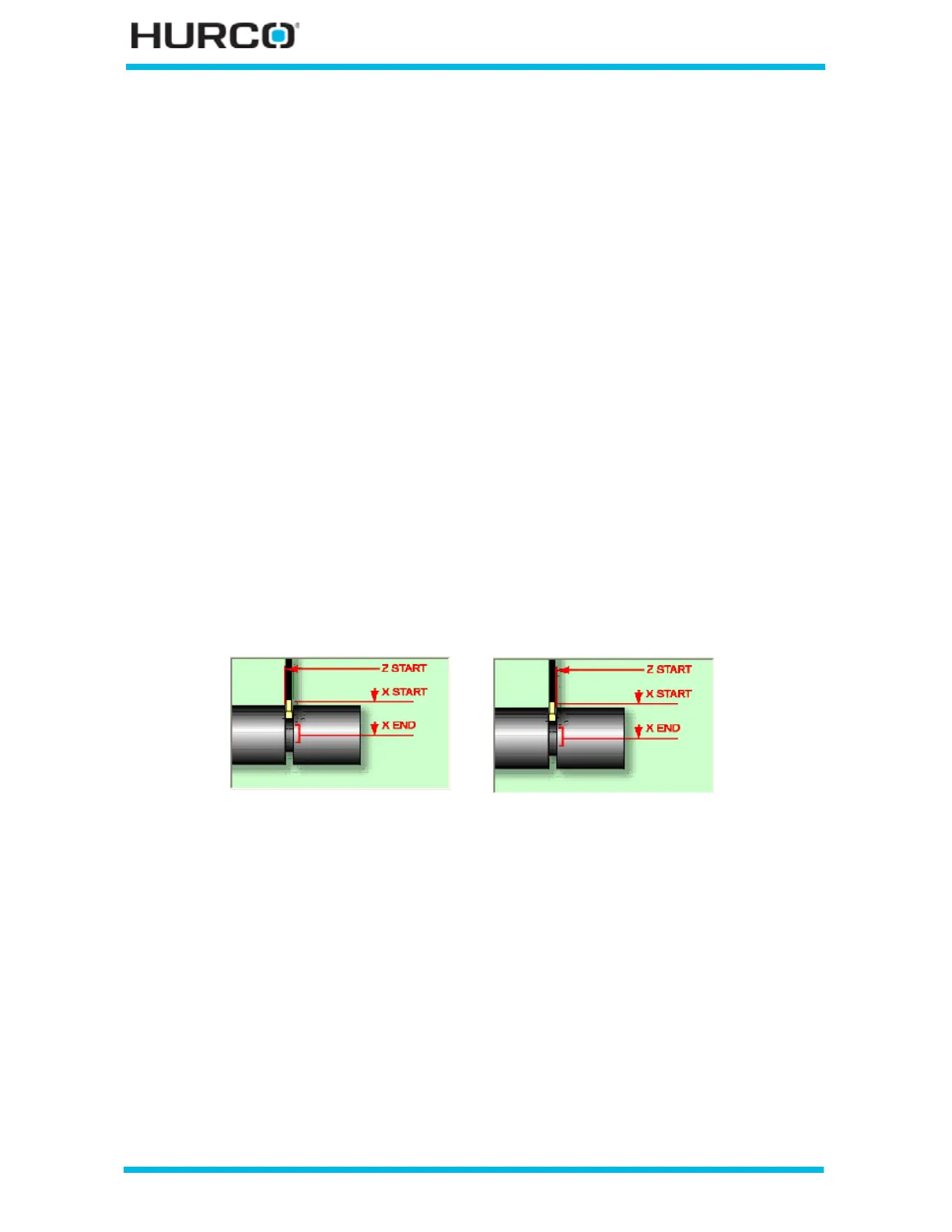
• WIDTH COMPENSATION—indicates whether there should be compensation
for the tool width when determining Z Start. The screen graphic changes the
Z Start position illustration based on the selection.
• Select NO for no tool width compensation, and the Z Start position is
located at the far left side of the cut.
• Select YES for tool width compensation, and the Z Start position is
located at the far right side of the cut. The default is YES.
Figure 2–52. Z Start Cutoff Tool Width Compensation selections
No Tool Width Compensation Tool Width Compensation



 To Next Page