239
7.2 Maintenance Check and Cleaning
Chapter 7
4
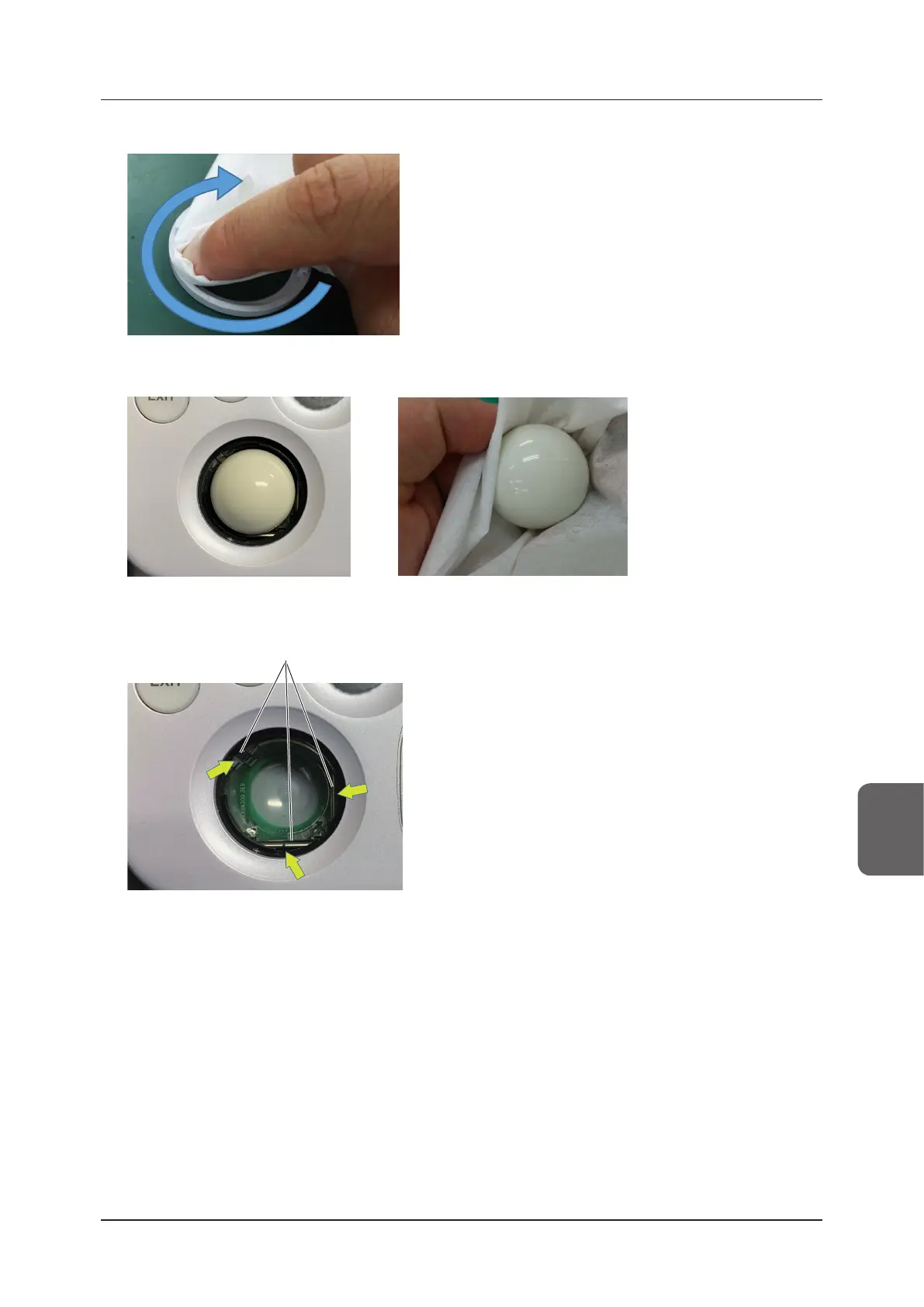
Clean the whole circumference of the inner side of the trackball ring.
5
Remove the trackball and clean the surface.
6
If the inner roller is dirty, wipe it.
Roller
7
Reassemble in reverse order.
• After assembling the trackball, move the ball using your ngers to conrm that it moves smoothly and gener-
ates no abnormal noise.
• Start the system and conrm that the trackball functions properly.
z
Cleaning the Pole Cart2, Power Extension Unit2, foot switch, barcode reader, Three-Port Probe
Unit, keyboard and VESA Attachment
• Wipe o stains using a soft cloth.
• If it is dicult to remove stains, wipe them o using a soft cloth moistened with mild detergent.



 To Next Page