56
1.6 System Conguration and Part Name
z
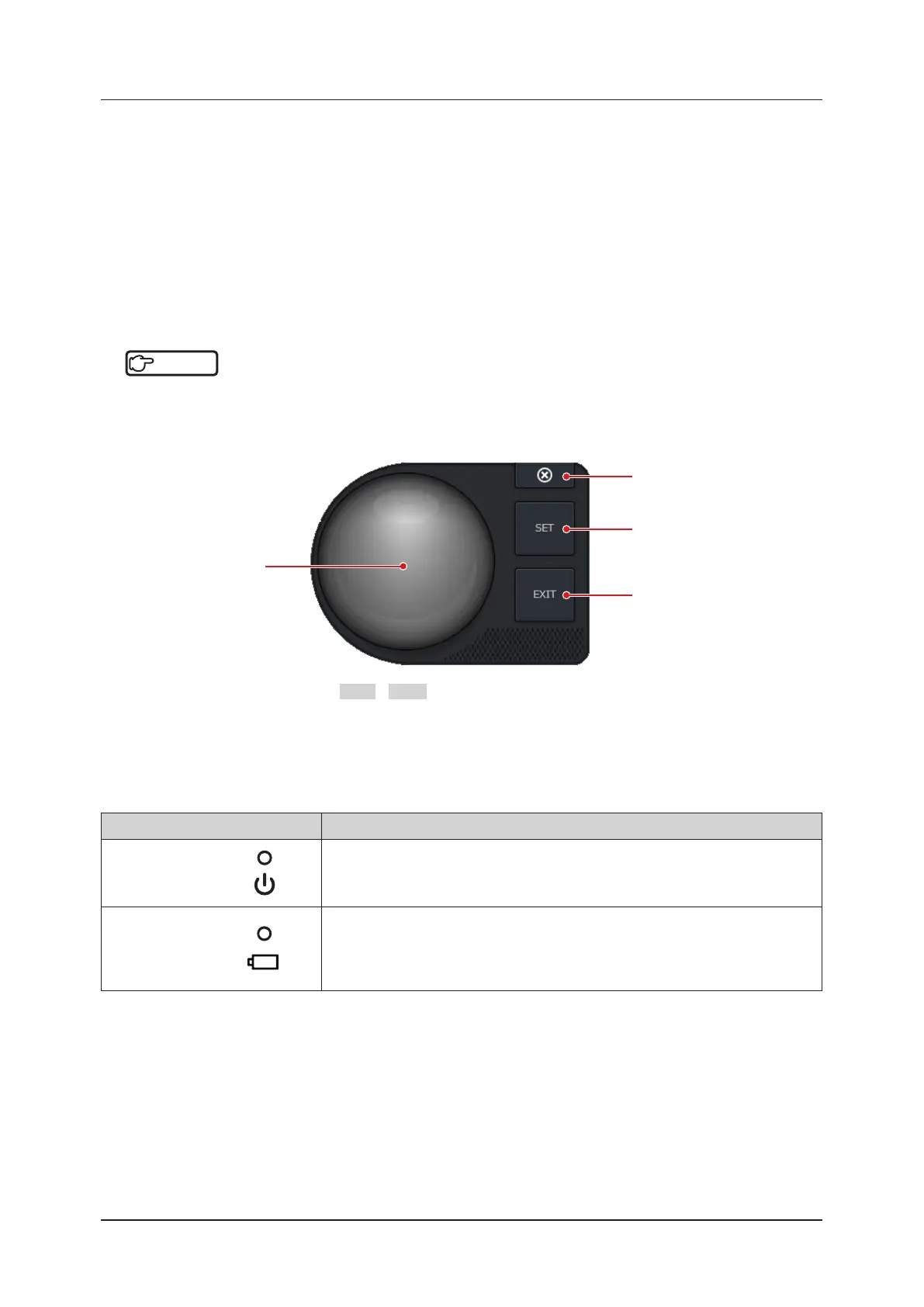
Software trackball
You can use the system simply by using on-screen touch control.
Press the [Menu] button > the [Other] tab > the [Trackball] button to display the software trackball.
Another way to display the software trackball is to press the [Measure] button.
The software trackball appears at the lower left corner of the screen.
• The functions and operation procedure of its buttons are the same as the mini console’s.
• To change the software trackball display position, touch and drag any area other than the buttons and the software
trackball.
• To hide the trackball, either press the [×] button, activate the free cursor, or switch to a screen other than the study
screen.
To display the hidden trackball again, press the [Menu] button > [Other] tab > [Trackball] button.
Reference
•••••••••••••••••••••••••••••••••••••••••••••••••••••••••••••••••••••••••••••••••••••••••••••••••••••
• To use the software trackball at the start of measurement, turn ON [Measurement Start with Software Trackball] in
the [Measure & Report] tab on the [Setup] screen.
Refer to "Measure & Report Screen" of the "Operation Manual: Applications".
•••••••••••••••••••••••••••••••••••••••••••••••••••••••••••••••••••••••••••••••••••••••••••••••••••••••••••••••••••••
*
: Operates in the same manner as the SET / EXIT button on the mini console. This is an example of assign-
ments during measurement mode.
Software trackball
[×] button
[SET] button
*
[EXIT] button
*
z
Status indicator LED
The status indicator LEDs turn on / o, blink, or change color to indicate their active status to be notied.
Item Functions
Power
Displays the start-up status.
• Not-yet-started: turns o
• During start-up and ready for use: turns green
• During standby: blinks in orange
Battery
Displays the battery driving / AC connection status.
• Charging: turns orange
• During operation on battery power: turns o
• During operation on battery power (low battery level): blinks in orange
• Full charge: turns green



 To Next Page