55
Chapter 1
1.6 System Conguration and Part Name
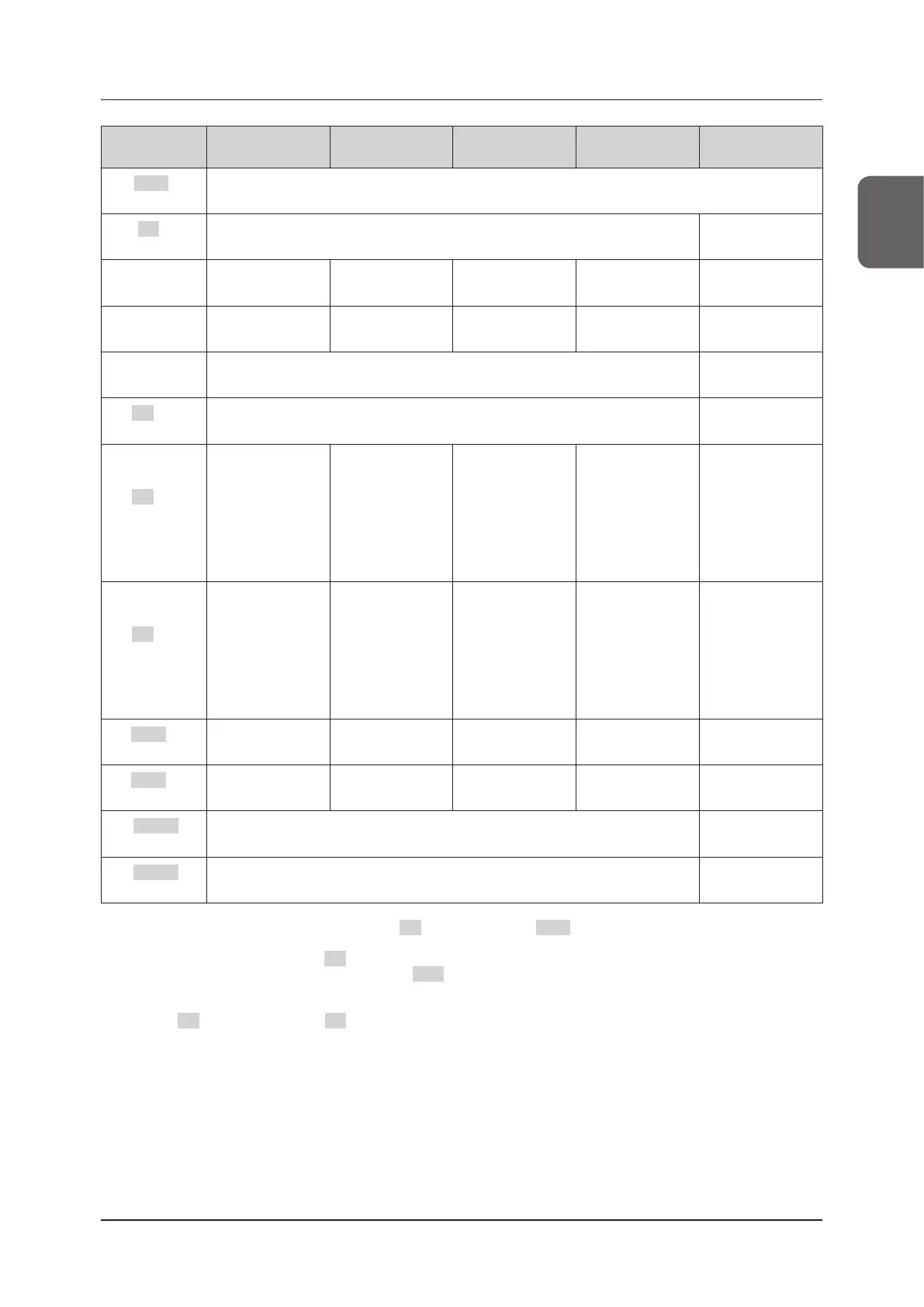
Key Measure function Text function
Body mark
function
Compare view
function
Other
EXIT
button
[EXIT]
F2
*
3
button
Operation item switching
Rotate function
*
3
-
F2 Rotate 1
[Undo Measure] /
[Redo Measure]
[Auto Annotation]
[Rotate Arrow]
[Transducer angle
rotation]
- -
F2 Rotate 2 - - [BodyMark Select] - -
Trackball Active function of operation item Free cursor
F1
*
1
*
4
button
Switching of functions assigned to the dial -
F1
*
1
*
6
dial
function1
- - - - -
F1
*
1
*
6
dial
function2
- - - - -
Gain
*
1
button
- - - - -
Gain
*
1
dial
- - - - -
User 1
button
[Dual L]
*
2
-
User 2
button
[Dual R]
*
2
-
*
1: As the default settings, assigns [Multi. Function] to F1 , and [Multi. Gain] to Gain .
*
2: [Dual L] or [Dual R] button. Button functions vary depending on the Dual Layout setting (U/D or L/R).
*
3: The Rotate function assigned for the F2 button allows you to switch functions between "F2 Rotate 1" and "F2 Rotate 2", which
are allocated to each mode, each time you press the SET button.
*
4: Functions can be assigned to the dial in each of a live/frozen state.
*
5: Simple Adjust can be turned on by single-clicking and o by double-clicking.
*
6: When the F1 button is pressed, the F1 dial switches to the functions assigned to "F1 dial function1" and "F1 dial function2".
For information about the dial function assignments, refer to "Multi. Function Screen" in the "Operation Manual: Applications".
*
7: If the MultiFunction key has not been assigned to Elastography-mode, assign the MultiFunction key in B-mode.
*
8: Elastography-mode is enabled only in Single Display-mode.



 To Next Page