61
Chapter 1
1.6 System Conguration and Part Name
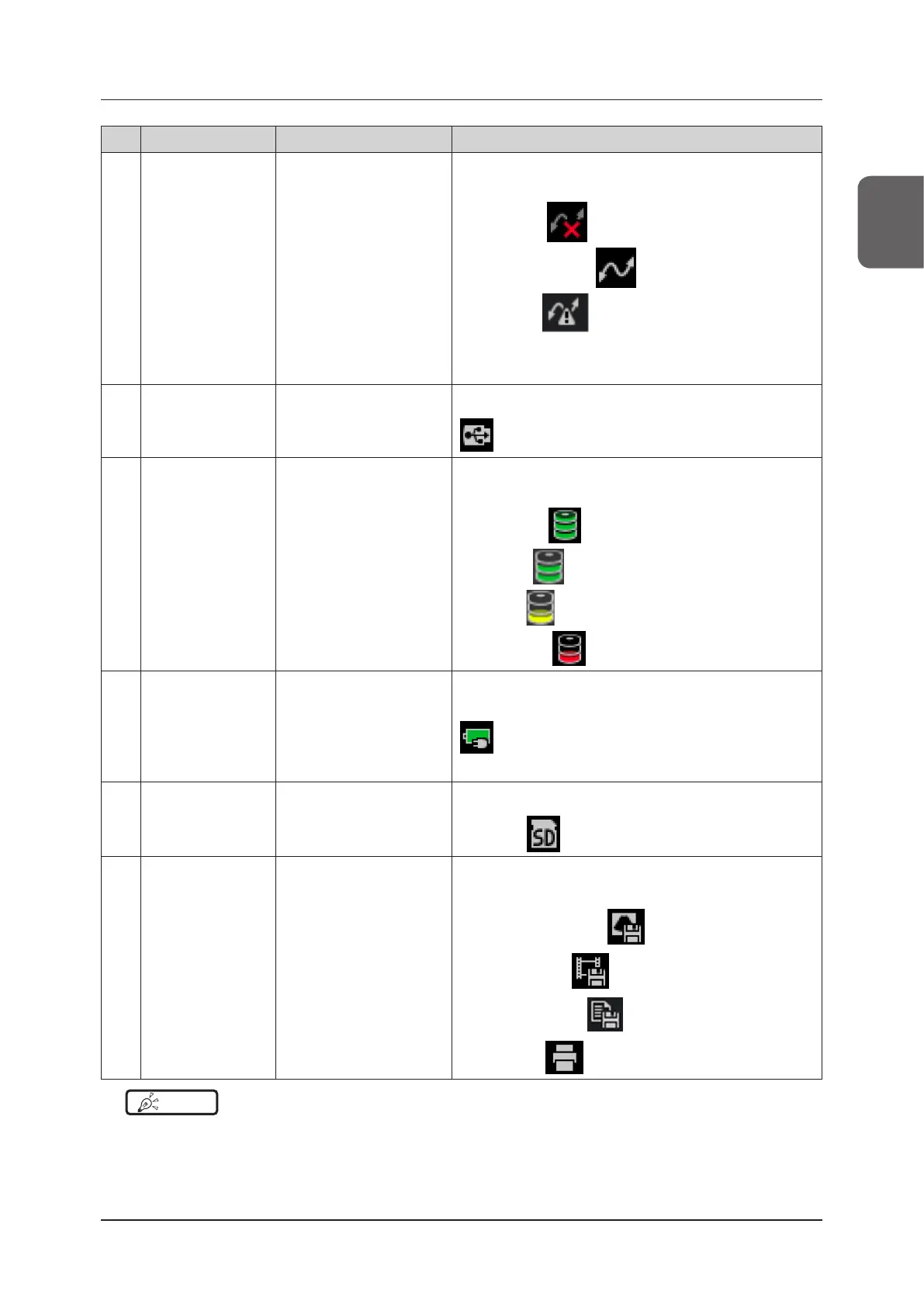
No. Item Timing of display Functions
(1) Network connection
status
Always when you already
have the network set up
Displays when connected to a network via wired LAN connec-
tion.
Not connected:
Connection established:
Network error:
Refer to "Network Screen" of the "Operation Manual: Applica-
tions".
(2) USB storage connec-
tion status
When USB storage is con-
nected
Displays when USB storage is connected.
(3) Internal storage
capacity status
Always The remaining capacity of Internal Storage is displayed. Press-
ing an icon displays free space and capacity.
50 GB or more:
25 to 50 GB:
5 to 25 GB:
Less than 5 GB:
(4) Battery connection
status
Always
Displays when connected to the battery.
Pressing the icon displays the battery status.
Refer to "2.2.3 Battery Capacity".
(5) SD memory card
connection status
When an SD memory card is
connected
Displays when connected to an SD memory card.
Connected:
(6) Image store / print
status
When an image is being
stored / printed
In response to storing or printing an image, one of the following
icons is displayed.
Still images storing status:
Clips storing status:
Reports storing status:
Printing status:
HINT
•••••••••••••••••••••••••••••••••••••••••••••••••••••••••••••••••••••••••••••••••••••••••••••••••••••
• The status indicator icon may not reach 100% even when the battery is fully charged. If this happens, discharge the
battery and then charge the battery again.
•••••••••••••••••••••••••••••••••••••••••••••••••••••••••••••••••••••••••••••••••••••••••••••••••••••••••••••••••••••



 To Next Page