3.2 Examination Flow
95
Chapter 3
6
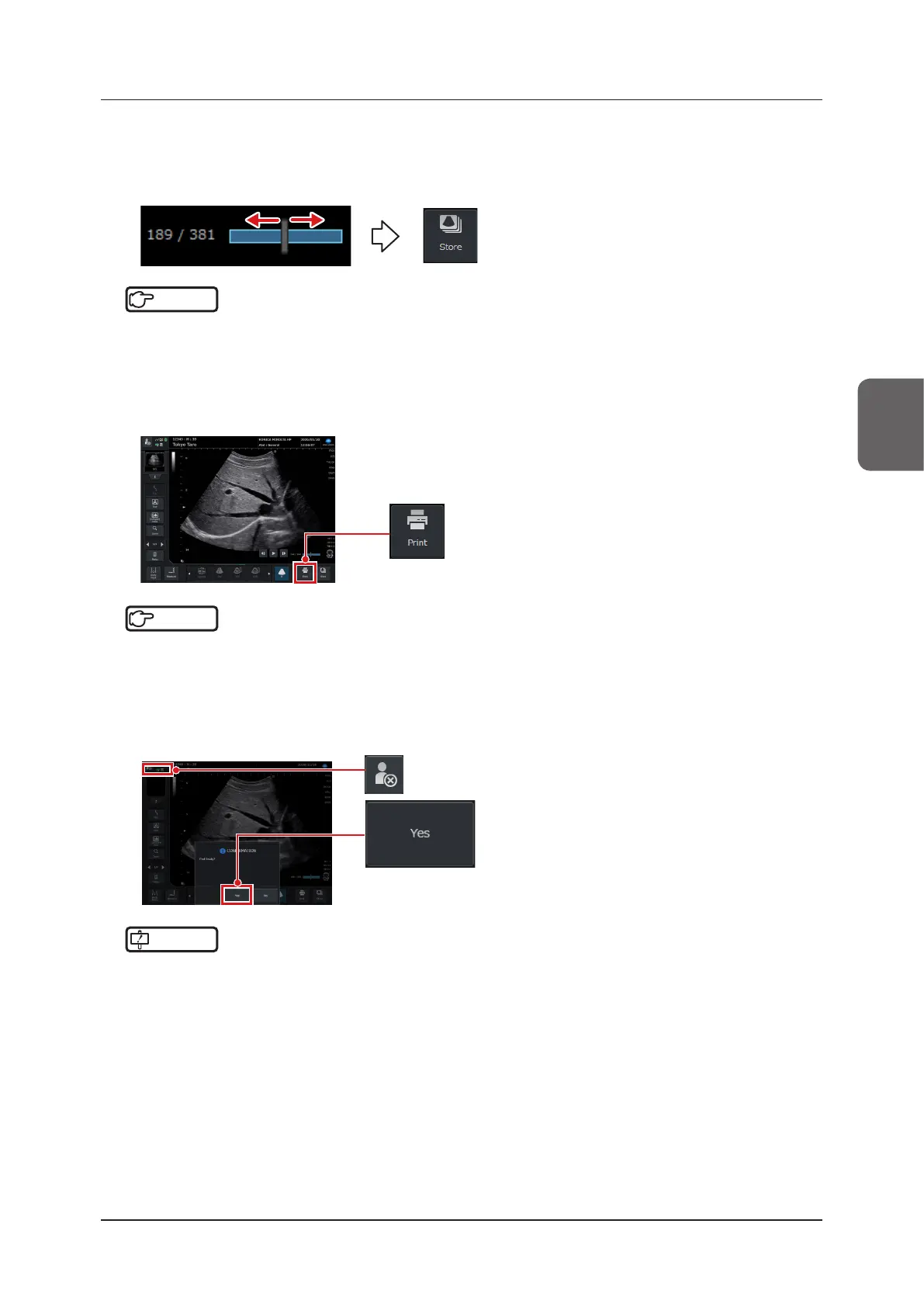
Select and store an image using the Cine function.
• When the Cine bar in the lower right corner of the image display area has been displayed, you can play back
a desired frame by moving the trackball right and left. When you have selected your desired image, press the
[Store] button in the lower right corner of the study screen.
Reference
•••••••••••••••••••••••••••••••••••••••••••••••••••••••••••••••••••••••••••••••••••••••••••••••••••••
• For the Cine function, refer to "5.1 Cine".
• For storing a still image, refer to "6.1.1 Storing Still Images".
•••••••••••••••••••••••••••••••••••••••••••••••••••••••••••••••••••••••••••••••••••••••••••••••••••••••••••••••••••••
7
Print an image.
• Press the [Print] button in the lower right corner of the study screen.
Reference
•••••••••••••••••••••••••••••••••••••••••••••••••••••••••••••••••••••••••••••••••••••••••••••••••••••
• There are two types of printing button. Refer to "6.3 Printing Images".
•••••••••••••••••••••••••••••••••••••••••••••••••••••••••••••••••••••••••••••••••••••••••••••••••••••••••••••••••••••
8
End the examination.
• Press the [Study] button on either the [Patient] screen or the study screen.
• The conrmation dialog box to end examination is displayed. Press [Yes] to end the examination.
IMPORTANT
•••••••••••••••••••••••••••••••••••••••••••••••••••••••••••••••••••••••••••••••••••••••••••••••••••••
• Be sure to end the examination before putting the system into a Shutdown / Standby mode.
•••••••••••••••••••••••••••••••••••••••••••••••••••••••••••••••••••••••••••••••••••••••••••••••••••••••••••••••••••••



 To Next Page