2MN/2N1-1
1-3-131
U486 Setting: [Permission]
1. Select On or Off.
Initial setting: Off
* : Enable this setting if color background printing has occurred when printing on
envelopes.Note jitter could result.
2. Press the OK key. The setting is set.
Completion
Press the Back key. The screen for selecting a maintenance item No. is displayed.
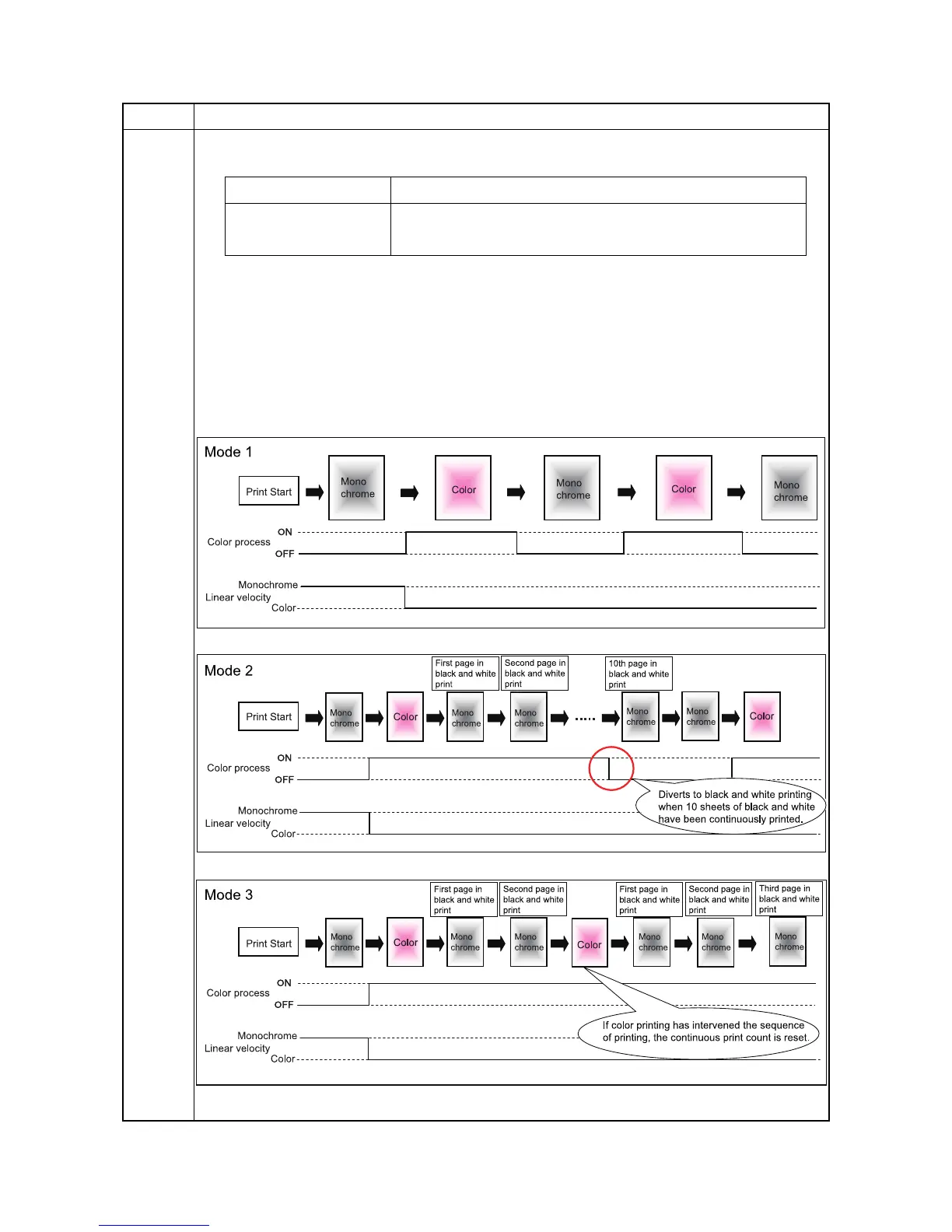
Details on the modes
Figure 1-3-16
Item No. Description
Display Description
On Black and white printing (3 colors are released)*
Off Color printing (4 colors are latched in)



 To Next Page
 Loading...






