2MN/2N1
1-5-14
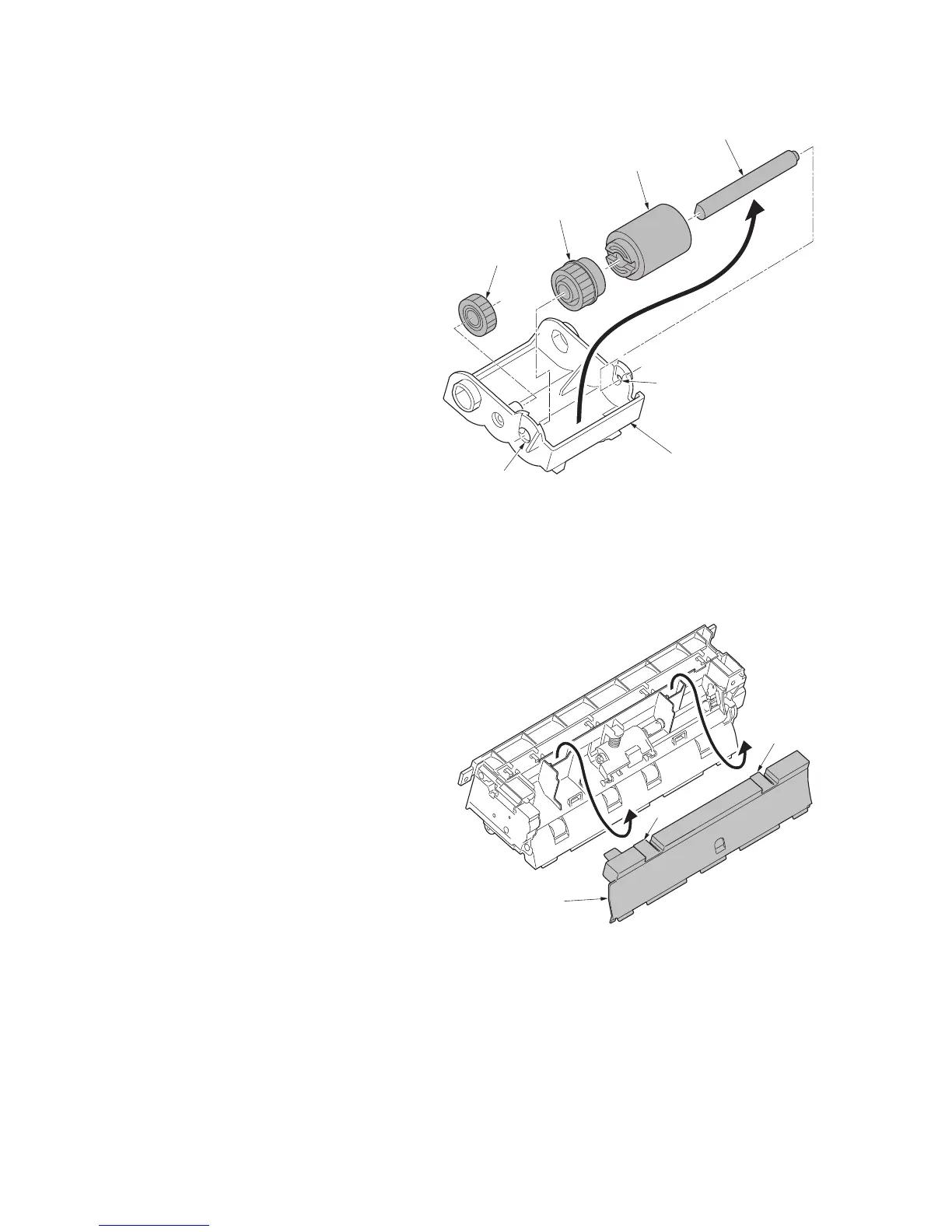
11. Remove the pickup MPF shaft from the
axis holes of feed MPF holder.
12. Pull the pickup gear Z30R and MP for-
warding pulley out from the pickup MFP
shaft.
Figure 1-5-21
Detaching the MP separation pulley
13. Unhook two hooks and then remove the
middle guide.
Figure 1-5-22
Feed gear Z26H
Axis hole
Axis hole
Feed MPF holder
Pickup gear Z30R
MP forwarding pulley
Pickup MFP shaft
Middle guide
Hook
Hook



 To Next Page
 Loading...






