2MN/2N1
1-2-10
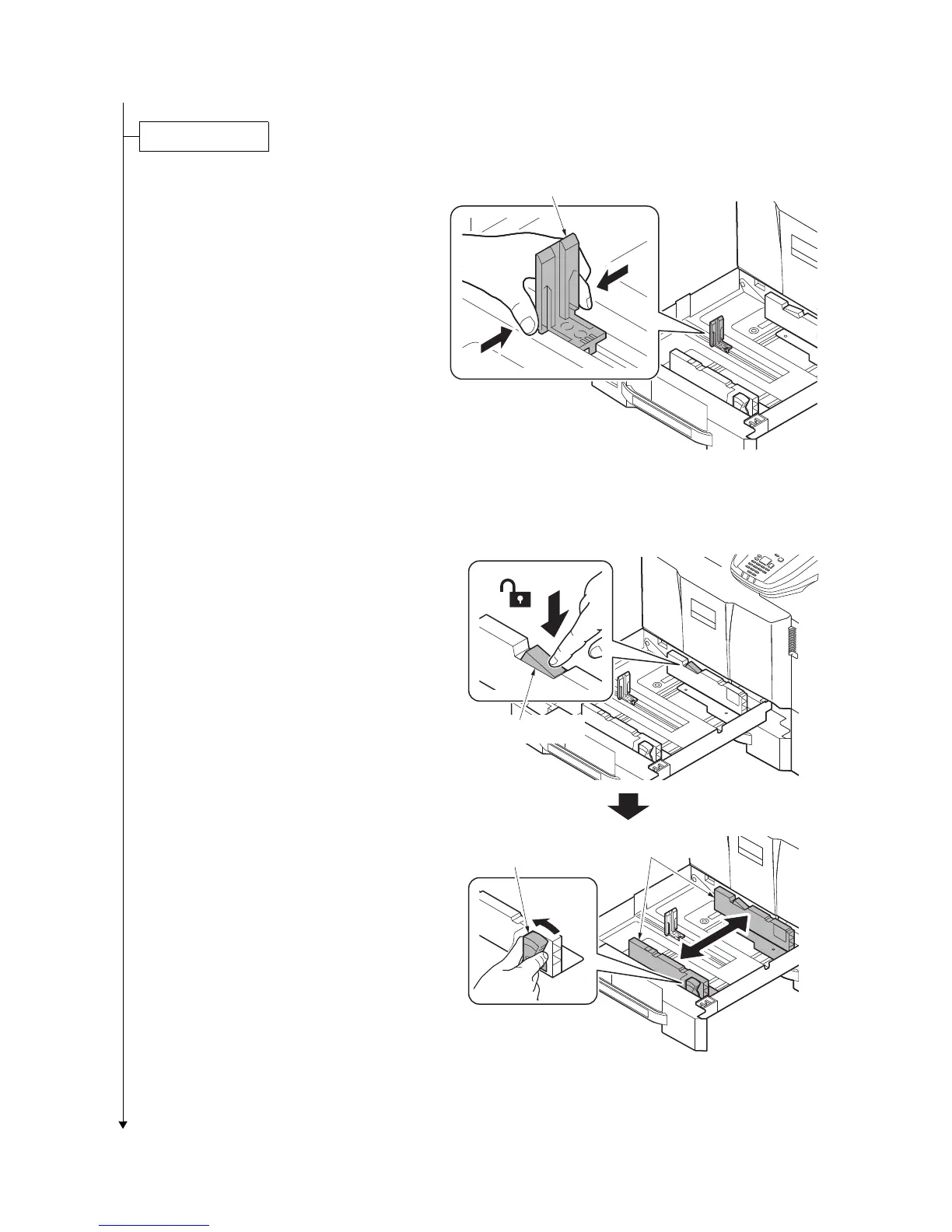
1. Squeeze the ends of the bottom of the
paper length guide and move the guide
to fit the length of the paper.
Figure 1-2-14
2. Press the guide lock lever to release
the lock.
3. Grasp the paper width adjusting tab and
move the paper width guides to fit the
paper.
Figure 1-2-15
Paper length guide
Guide lock lever
Paper width
adjusting tab
paper width guides



 To Next Page
 Loading...






