2MN/2N1
1-5-78
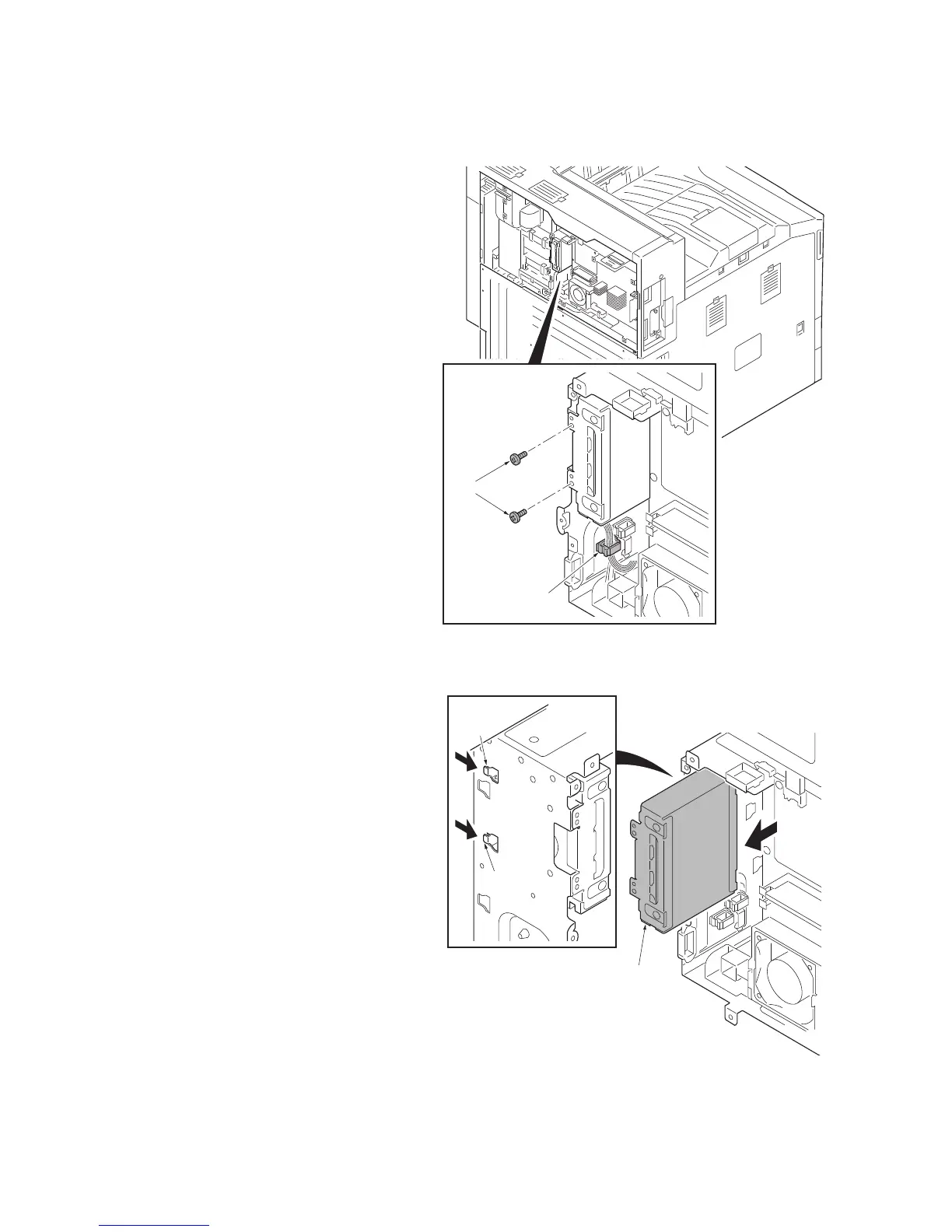
(7) Detaching and refitting the hard disk unit
Procedure
1. Perform maintenance mode U917
(backup data reading) (see page 1-3-
141).
2. Remove the rear upper cover (see page
1-5-56).
3. Release the wire saddle.
4. Remove two screws.
Figure 1-5-119
5. Unhook two hooks and pull out the
HDD bracket a little.
Figure 1-5-120
Screws
Wire saddle
HDD bracket
Hook
Hook



 To Next Page
 Loading...






