2MN/2N1-1
1-5-17
1-5-3 Optical section
(1) Detaching and refitting the LSU
Procedure
1. Remove the paper conveying unit (see
page 1-5-32).
2. Remove the left upper cover (see page
1-5-44).
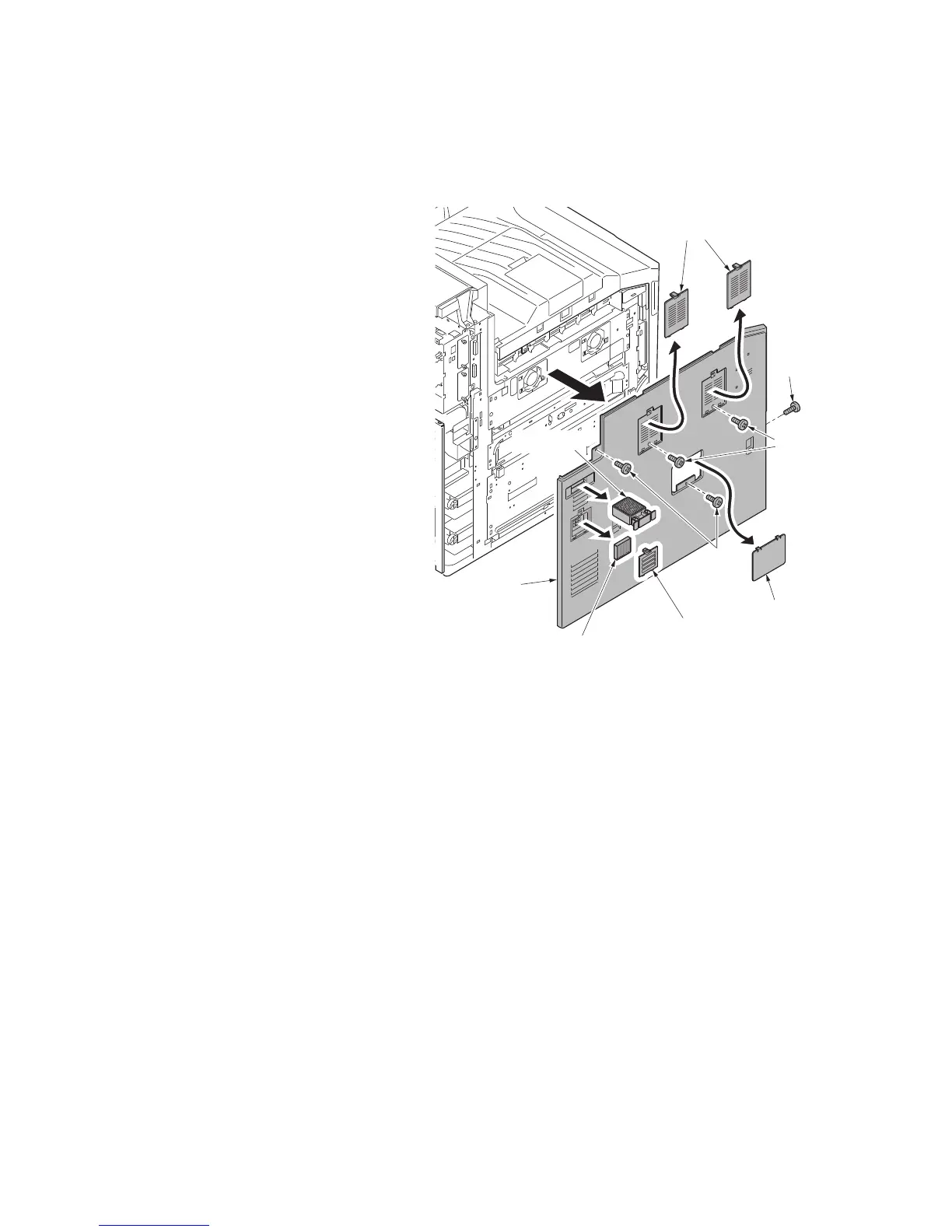
3. Remove the toner filter.
4. Remove the left filter cover and the left
filter.
5. Remove two transfer belt filters.
6. Remove the left cover lid.
7. Open the front cover and remove screw
A.
8. Remove four screws B and then
remove the left cover.
Figure 1-5-26
Screw B
Screws
Screw A
Left cover lid
Toner filter
Left filter cover
Left filter
Left cover
Transfer belt filters



 To Next Page
 Loading...






