2MN/2N1
1-5-3
1-5-2 Paper feed section
(1) Detaching and refitting the primary paper feed unit
Procedure
Detaching remove the primary paper feed
unit
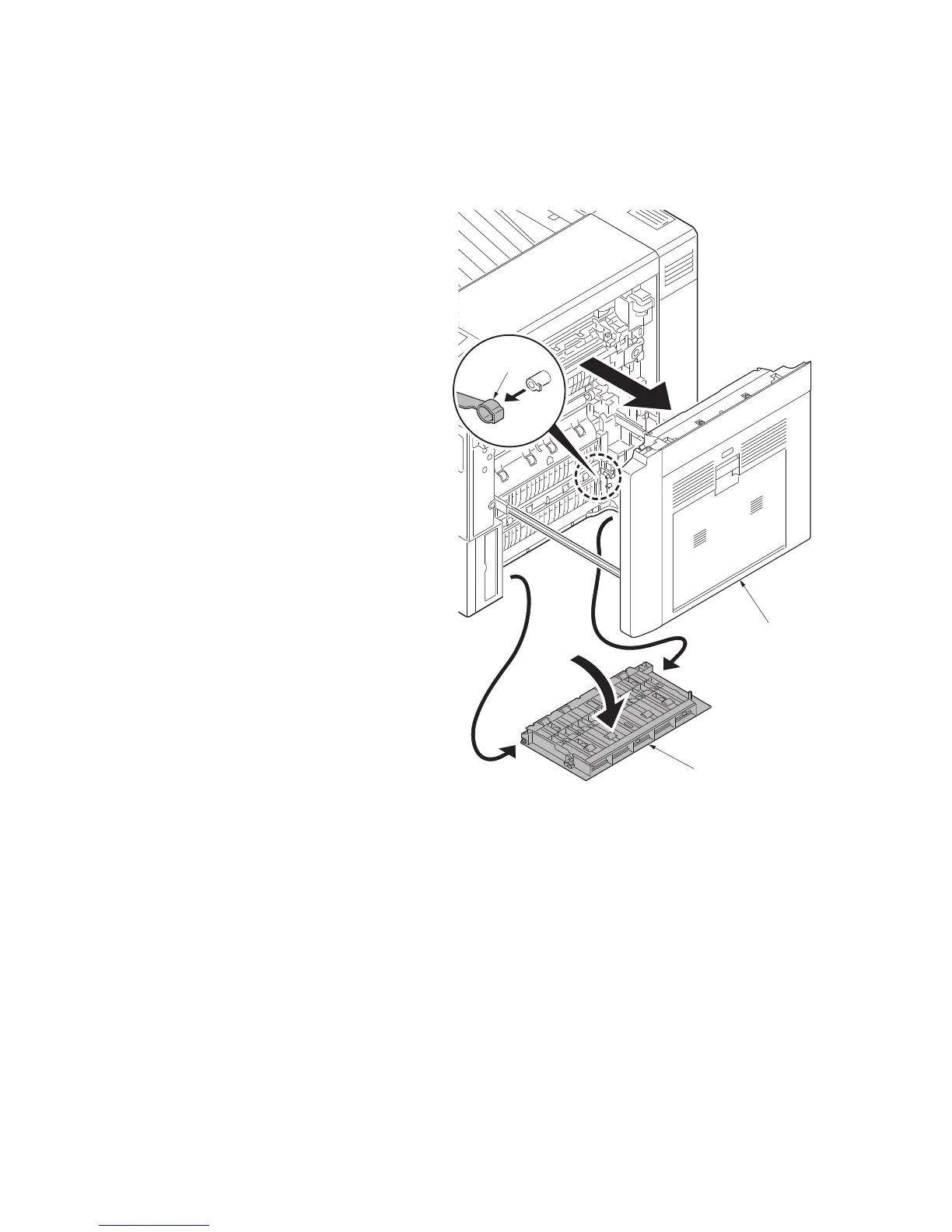
1. Pull the cassette 1 and cassette 2 out
completely.
2. Pull the paper conveying unit out.
3. Open the right lower cover.
4. Remove the strap and then remove the
right lower cover.
Figure 1-5-3
Paper conveying
unit
Right lower cover
Strap



 To Next Page
 Loading...






