2MN/2N1-1
1-5-4
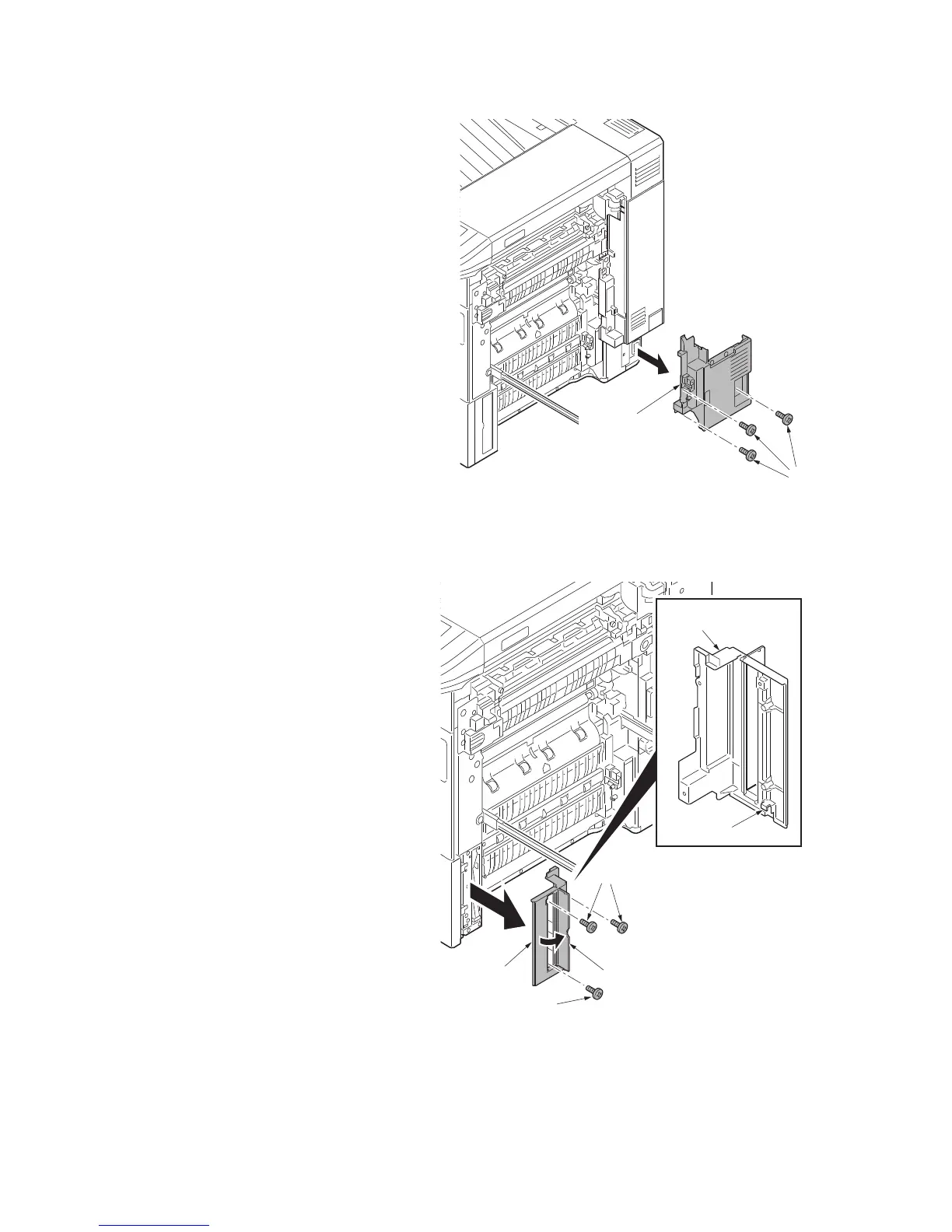
5. Remove the rear upper cover and the
rear lower cover (see page 1-5-56).
6. Remove three screws B and then
remove the right lower rear cover.
Figure 1-5-4
7. Open the handle cover.
8. Remove three screws.
9. Unhook the hook and then remove the
right lower front cover.
Figure 1-5-5
Screws
Right lower
rear cover
Handle cover
Screws
Screw
Hook
Right lower
front cover
Right lower
front cover



 To Next Page
 Loading...






