2MN/2N1
1-2-13
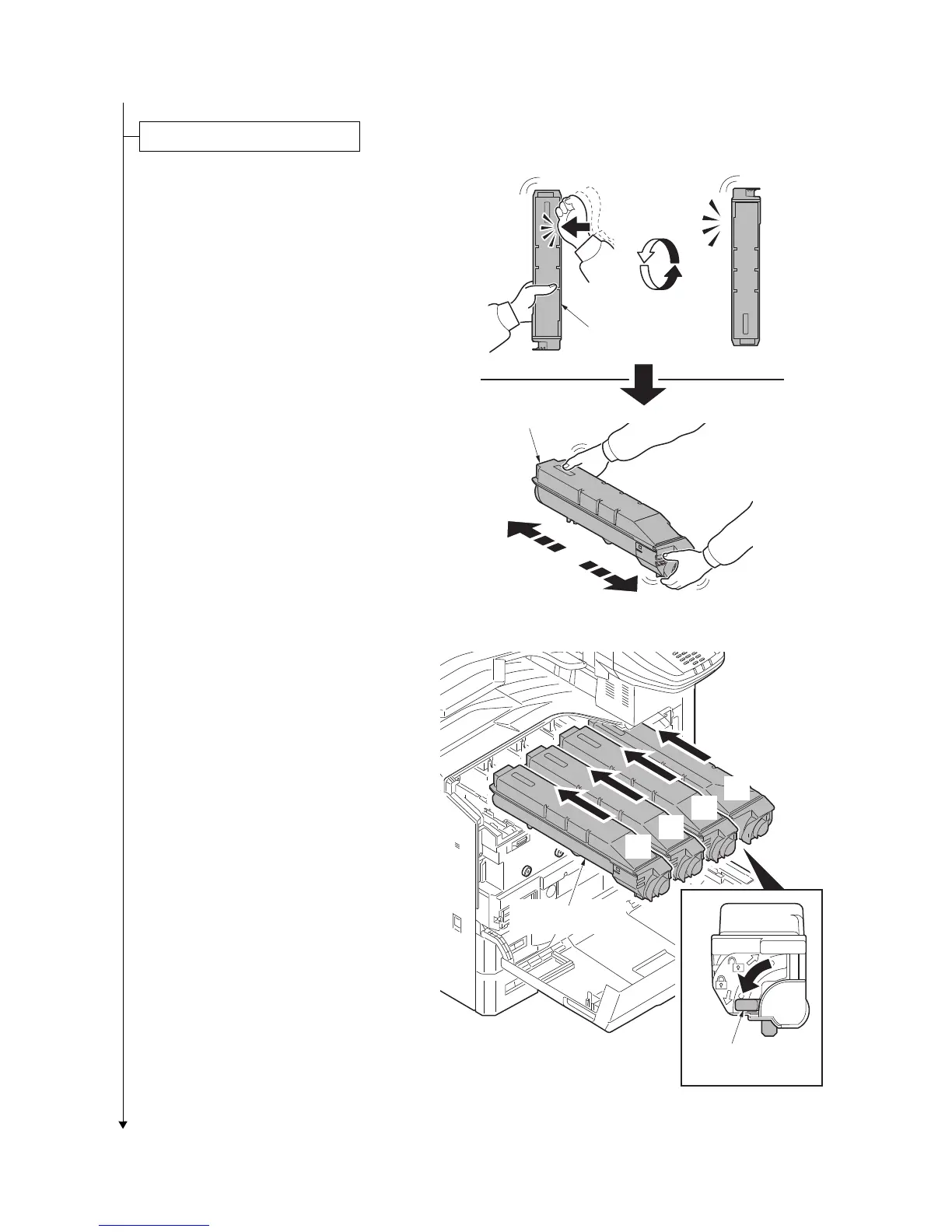
1. Open the front cover.
2. Hold the toner container vertically and
hit the upper part about 3 times. Invert
the toner container so that the other end
is up, and hit in the same way.
3. Hold the toner container horizontally
and shake from side to side about 3
times.
Figure 1-2-19
4. Install four color toner containers.
5. Turn down the toner container release
levers to lock the four color toner con-
tainers.
Figure 1-2-20
Installing the toner containers
Toner container
Toner container
Y
C
M
K
Toner container
Release lever
Toner container



 To Next Page
 Loading...






