2MN/2N1-1
1-2-26
1-2-4 Installing the gigabit ethernet board (option)
Gigabit ethernet board installation requires the following parts:
Procedure
1. After confirming the data lamp is turned
off, perform shut-down on the operation
panel, turn power off, and unplug the
power receptacle (see page P.1-2-19).
2. Open the controller lid.
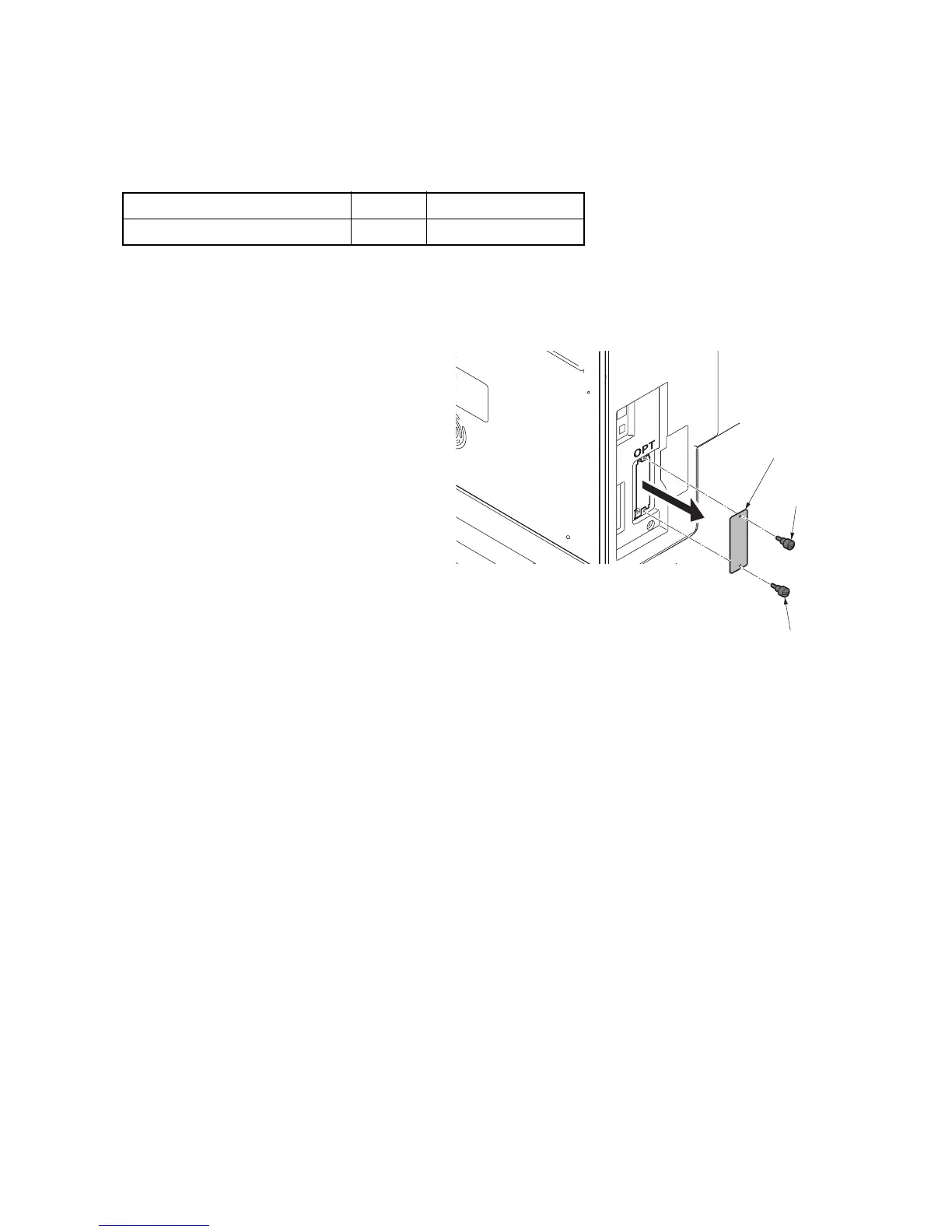
3. Remove two pins and then remove the
slot cover.
Figure 1-2-32
Parts Quantity Part.No.
Gigabit ethernet board 1 1505JV0UN0 (option)
Slot cover
Pin
Pin



 To Next Page
 Loading...






