2MN/2N1-1
1-5-54
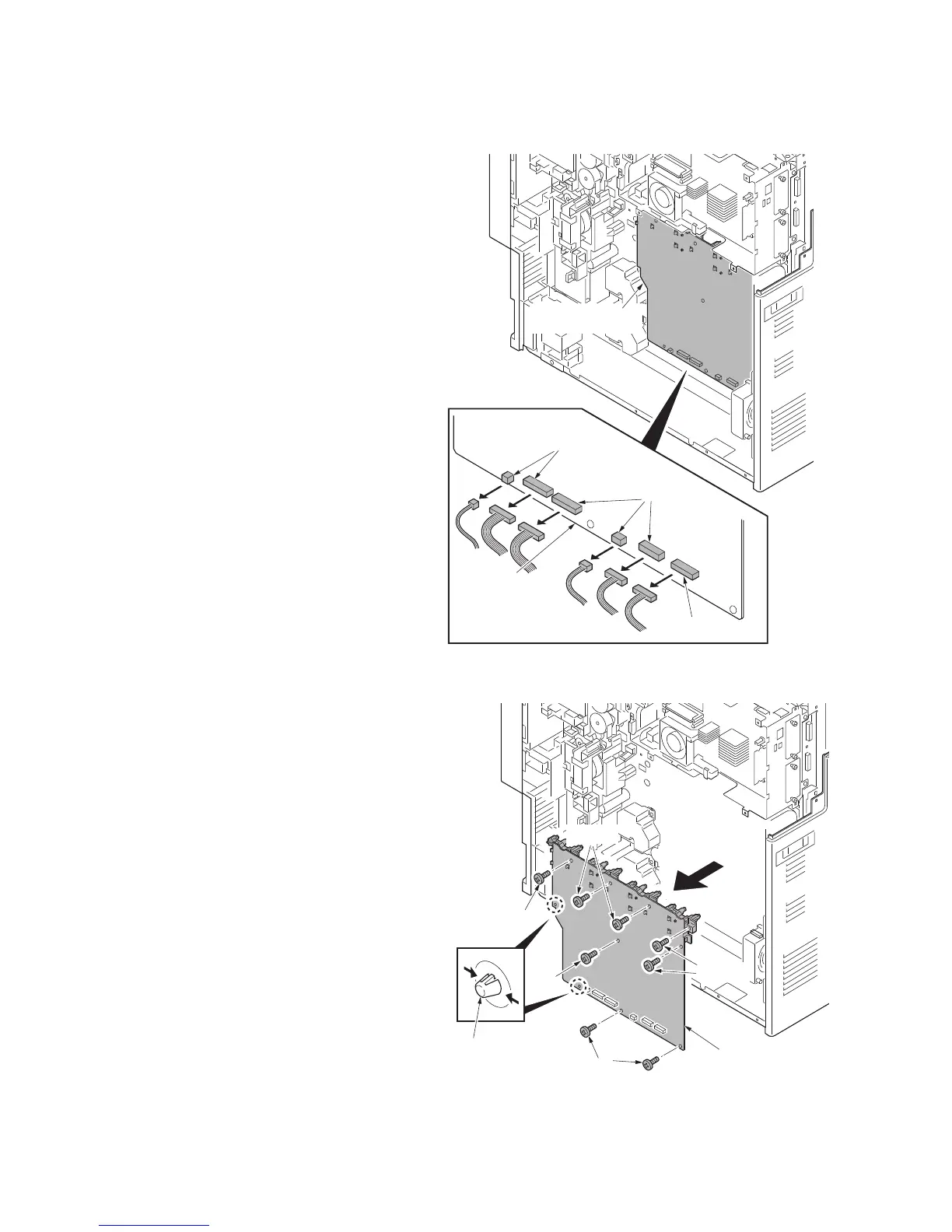
(4) Detaching and refitting the high voltage PWB 1
Procedure
1. Remove the power source PWB (see
page 1-5-51).
2. Remove the main drive unit (see page
1-5-64).
3. Remove six connectors from high volt-
age PWB.
Figure 1-5-80
4. Remove eight screws.
5. Unhook two hooks of PWB spacer and
then remove the high voltage PWB 1.
6. Check or replace the high voltage PWB
1 and refit all the removed parts.
Figure 1-5-81
YC6
YC5
YC4
YC3
YC2
YC1
High voltage
PWB 1
Connectors
Connectors
Connector
High voltage
PWB 1
PWB spacer
Screws
Screws
Screws
Screw
Screw
High voltage PWB 1



 To Next Page
 Loading...






