2MN/2N1
1-5-27
1-5-4 Image formation section
(1) Detaching and refitting the inner unit
Procedure
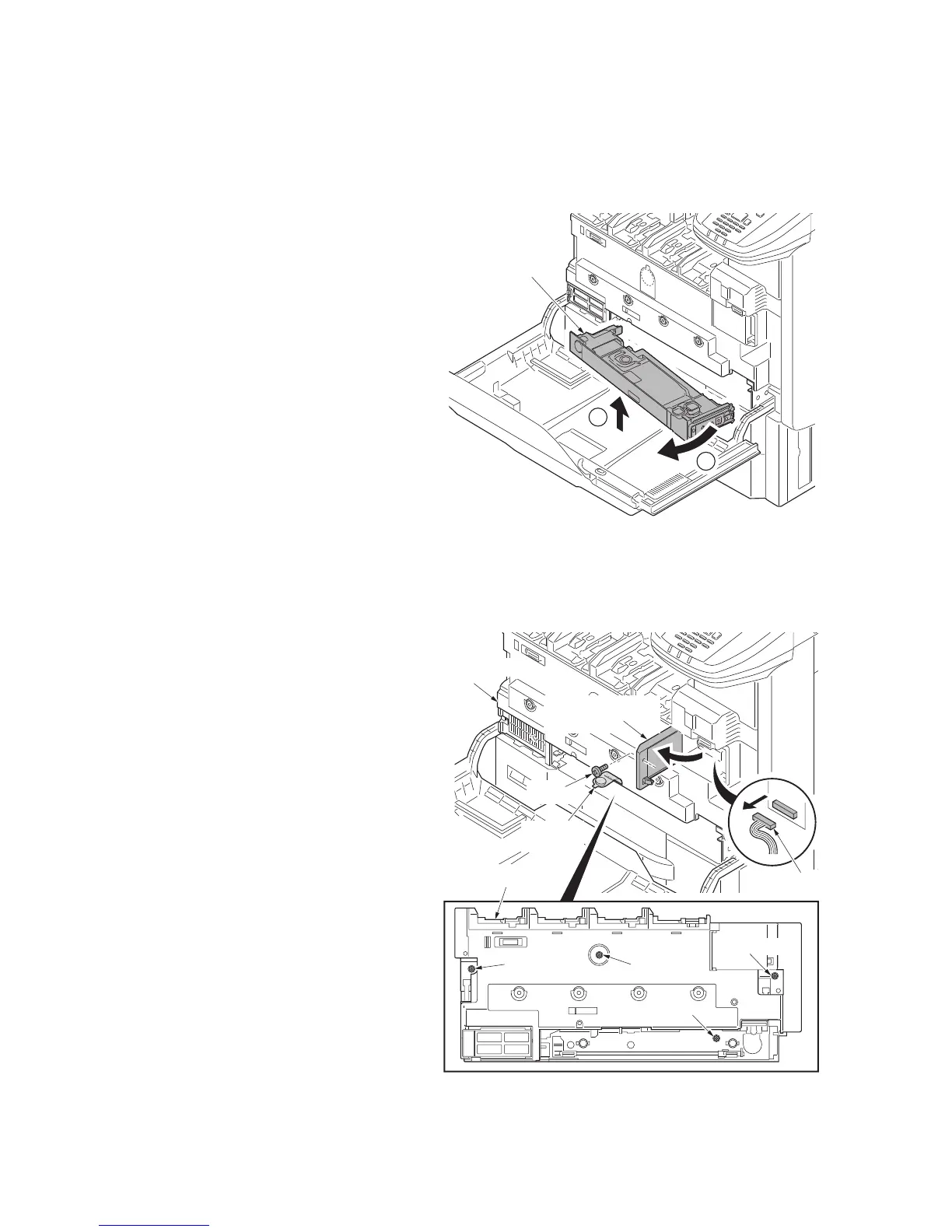
1. Open the front cover.
2. Remove all toner container each.
3. Remove the waste toner box tray by lift-
ing upwards and from the right side.
Figure 1-5-41
4. Remove the screw and then open the
connector cover.
5. Remove the connector.
6. Remove three fixed screws of inner
unit.
7. Turn the bandage sheet over and
remove the fixed screw B.
Figure 1-5-42
2
1
Waste toner
box tray
Connector cover
Screw B
Screw A
Screw A
Screw A
Connector
Screw B
Bandage
sheet
Inner unit
Inner unit



 To Next Page
 Loading...






