2MN/2N1-1
1-5-26
12. Open the front cover and then pull out the waste toner box tray (see page 1-5-27).
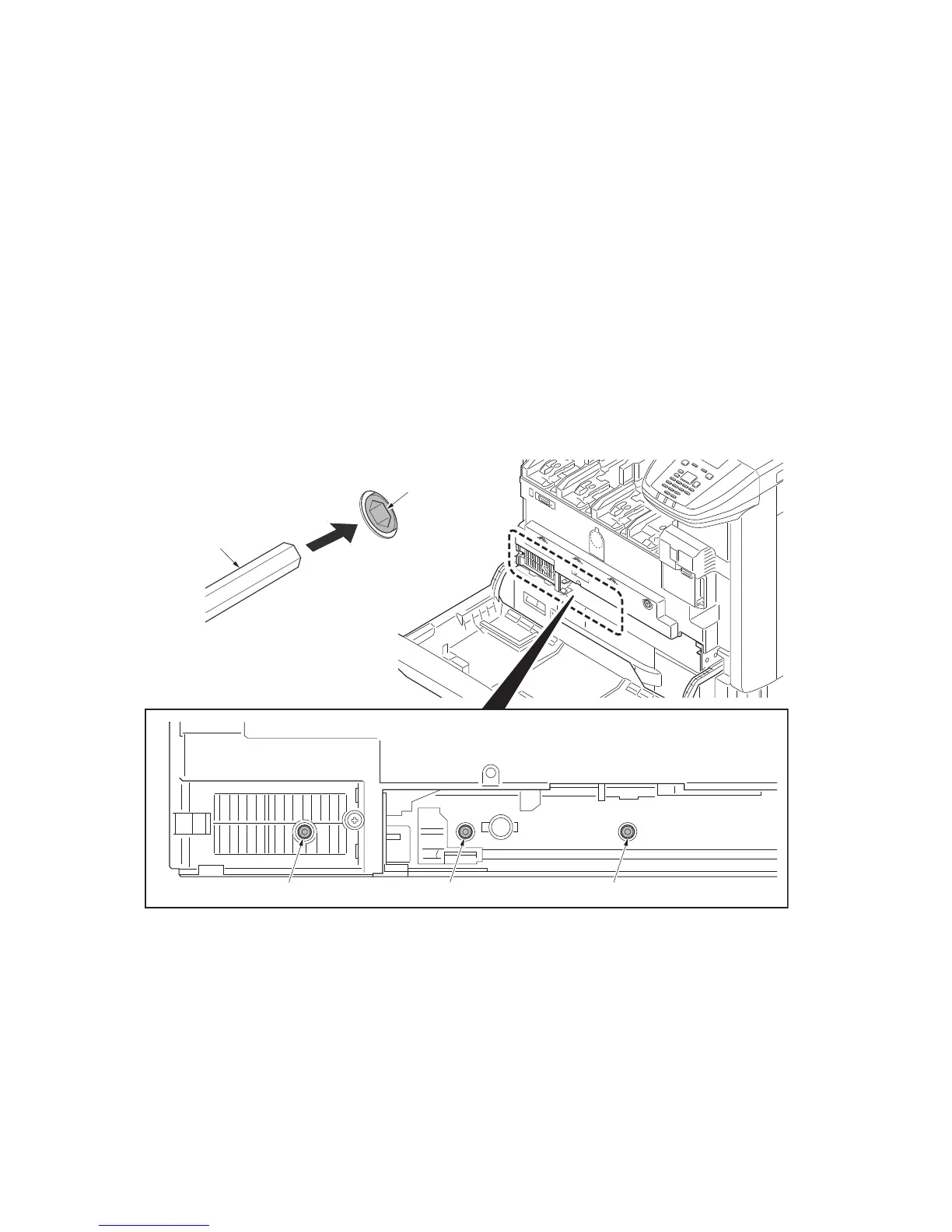
13. Rotate the adjustment knob using a 5 mm hex wrench.
Direction of rotation
(V-1 - V-5) >= 2 scales (sample 1): rotate counterclockwise.
(V-1 - V-5) <= -2 scales (sample 2): rotate clockwise.
Number of rotation
(V-1- V-5) x 4 clicks
14. Refit the waste toner box tray as before and then close the front cover.
15. Perform shut-down on the operation panel, turn power off (see page p.1-2-19).
Correction automatically starts.
16. Print a reference chart and verify the result.
Caution
After the adjustment for the abgle of the mirror has been made, run the maintenance mode U464
(Calibration). (see page 1-3-118)
Figure 1-5-40
Allen wrench
Hexagon socket
Hexagon socket
Hexagon socket Hexagon socket



 To Next Page
 Loading...






