2MN/2N1
1-5-6
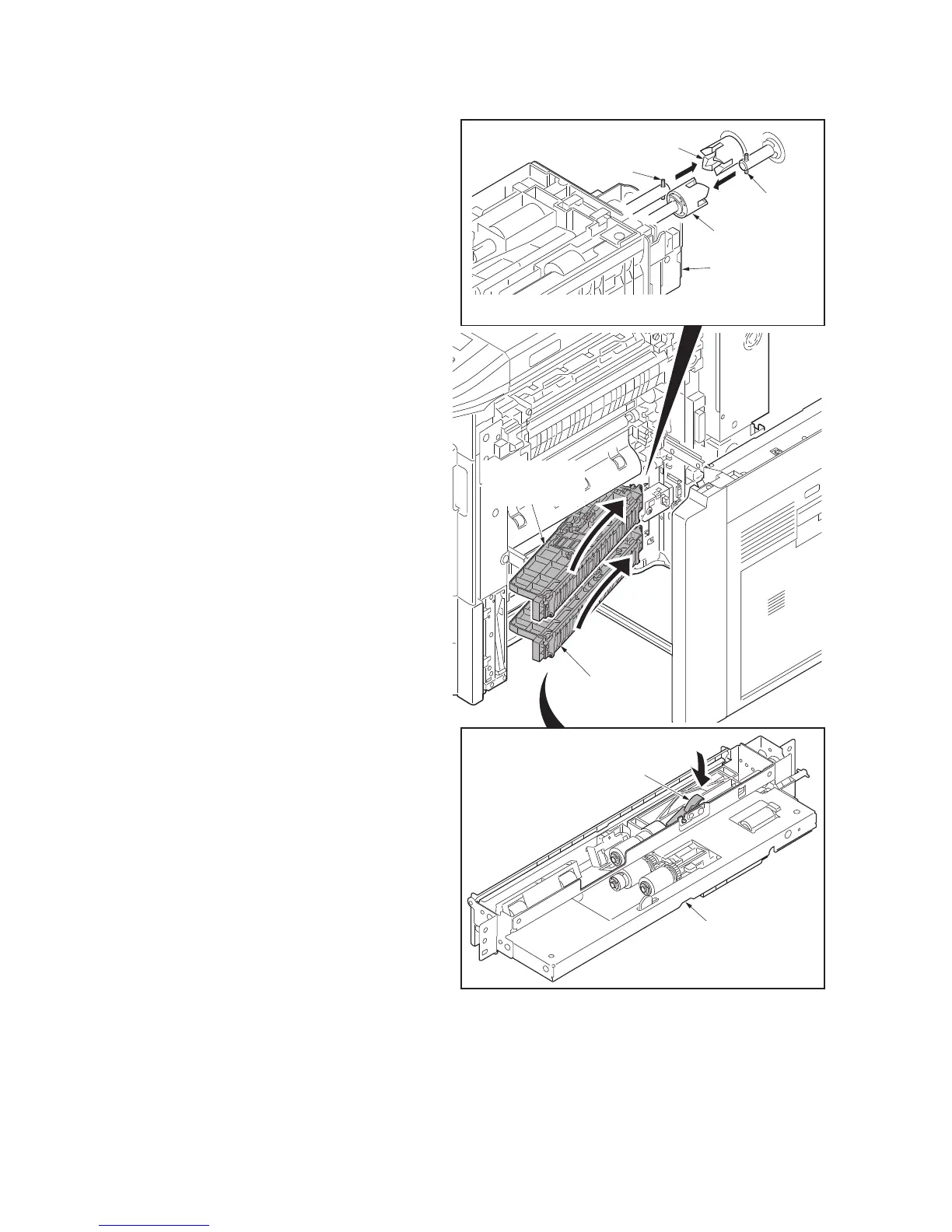
13. Check or replace the primary paper
feed unit and refit all the removed parts.
*: When refit the primary paper feed unit,
you must confirm the inserted pin to the
driving coupler.
*: When refit the primary paper feed unit,
you must install the primary paper feed
unit while pushing the retard release
lever of the lower side.
14. When the primary paper feed unit is
replaced, perform maintenance mode
U903 (clearing the jam counter) (see
page 1-3-134).
Figure 1-5-8
Driving
coupler
Pin
Pin
Driving coupler
Primary paper
feed unit
Primary paper
feed unit
Primary paper
feed unit
Primary paper
feed unit (lower side)
Retard release lever



 To Next Page
 Loading...






