6-4 Run Modes Without Measurement History Model 831 Manual
Run Modes Without Measurement History
All of the six Run Modes have a check box to enable the
Measurement History feature, as is shown in the figures
appearing in the sections which follow. The setup
descriptions presented in the following sections are for
setups without the Measurement History enabled.
When Measurement History is not enabled, at the conclusion
of the measurement there will be a single measurement
which must be manually stored.
Manual Stop, Timed Stop or Stop When Stable
When the run mode used is Manual, Timed Stop or Stop
When Stable, a measurement is started by pressing the
9
key and ends when the 7 key is pressed, when the timer
expires or when the signal is stable within a deviation. The
selection and setting of appropriate parameters for these run
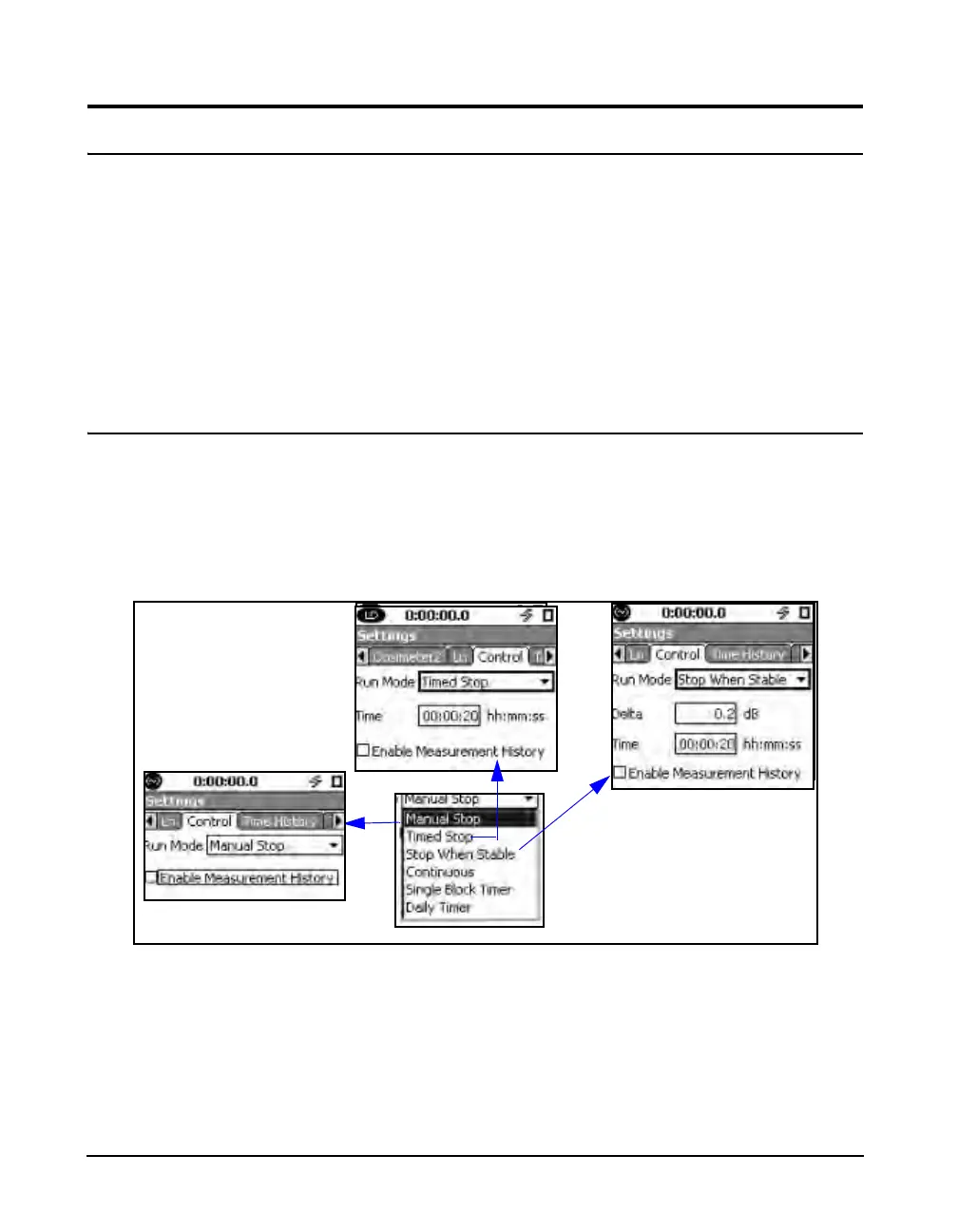
modes is shown in FIGURE 6-2.
FIGURE 6-2 Setup of Manual Stop, Timed Stop, and Stop When Stable Run Modes
Manual Stop
The measurement is manually stopped by pressing the 7
key.



 To Next Page