Model 831 Manual Model 831 Setup 7-3
Data View and Data Display screen
refer to Live, Overall and Session
Log tabs.
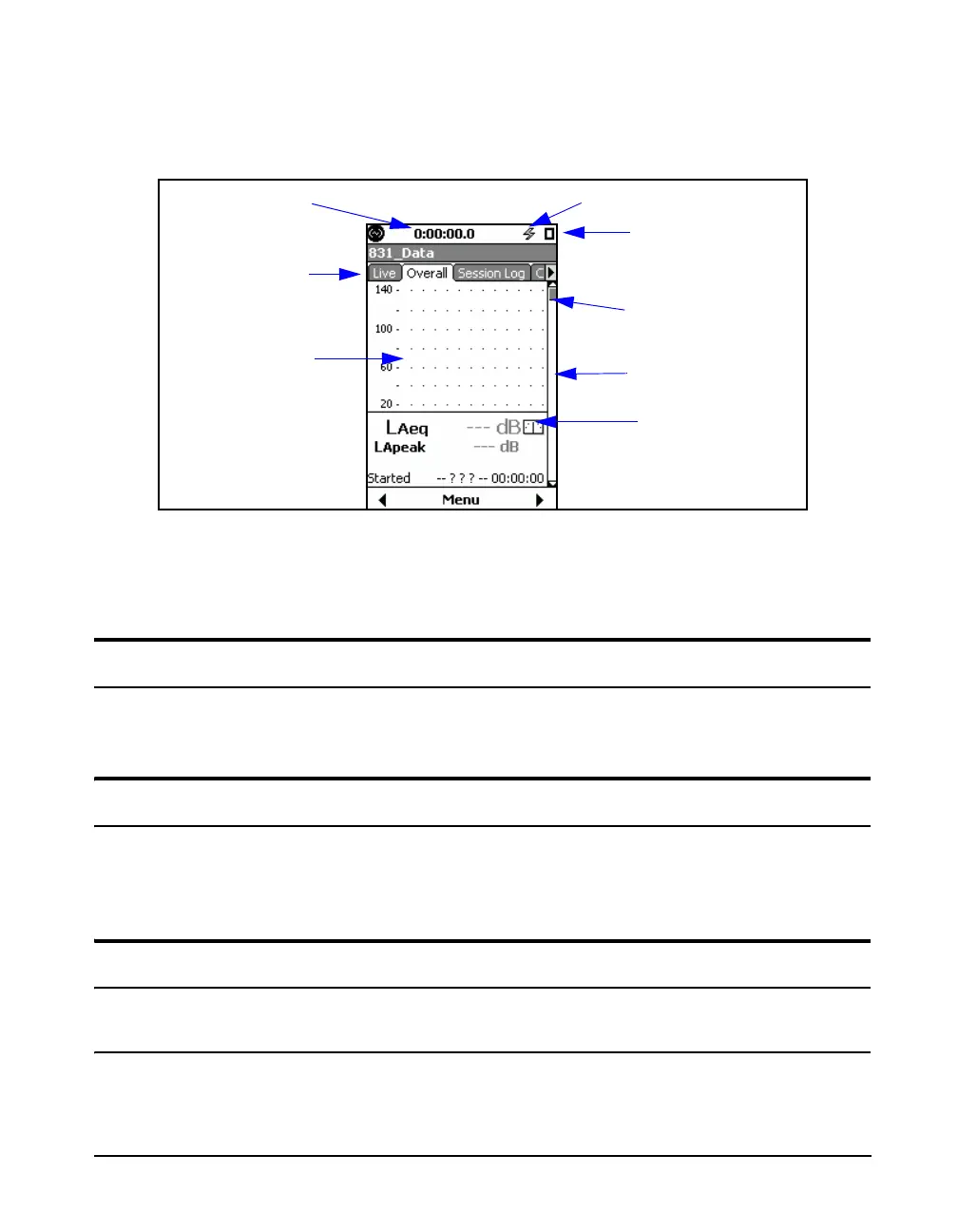
When the Model 831 is fully started, the Data Display
Screen will appear as shown in Figure 7-2.
FIGURE 7-2 Data Display Screen
The 7 (STOP/STORE) key will produce a steady red light
to indicate that the Model 831 is in the stopped state with no
data yet measured.
Model 831 Setup
Set the measurement parameters of the Model 831 as
described in Chapter 4 “Basic Measurement Setup” on
page 4-1.
Calibrating the Model 831
The Model 831 must be calibrated using a sound level
calibrator prior to performing a measurement. The procedure
for calibration is described in Chapter 8 “Calibration” on
page 8-1.
Positioning the Model 831
Observer Position
The meter will be either mounted upon a tripod or held in the
hand. In order to avoid the effect of sound reflections from
Power Indicator
Measurement
Status
Tabs
Section
indicator
Live Page
Scroll Bar
Stability
Indicator
Run Time



 To Next Page