15-16 Manually Controlling the Internal Noise Source Model 831 Manual
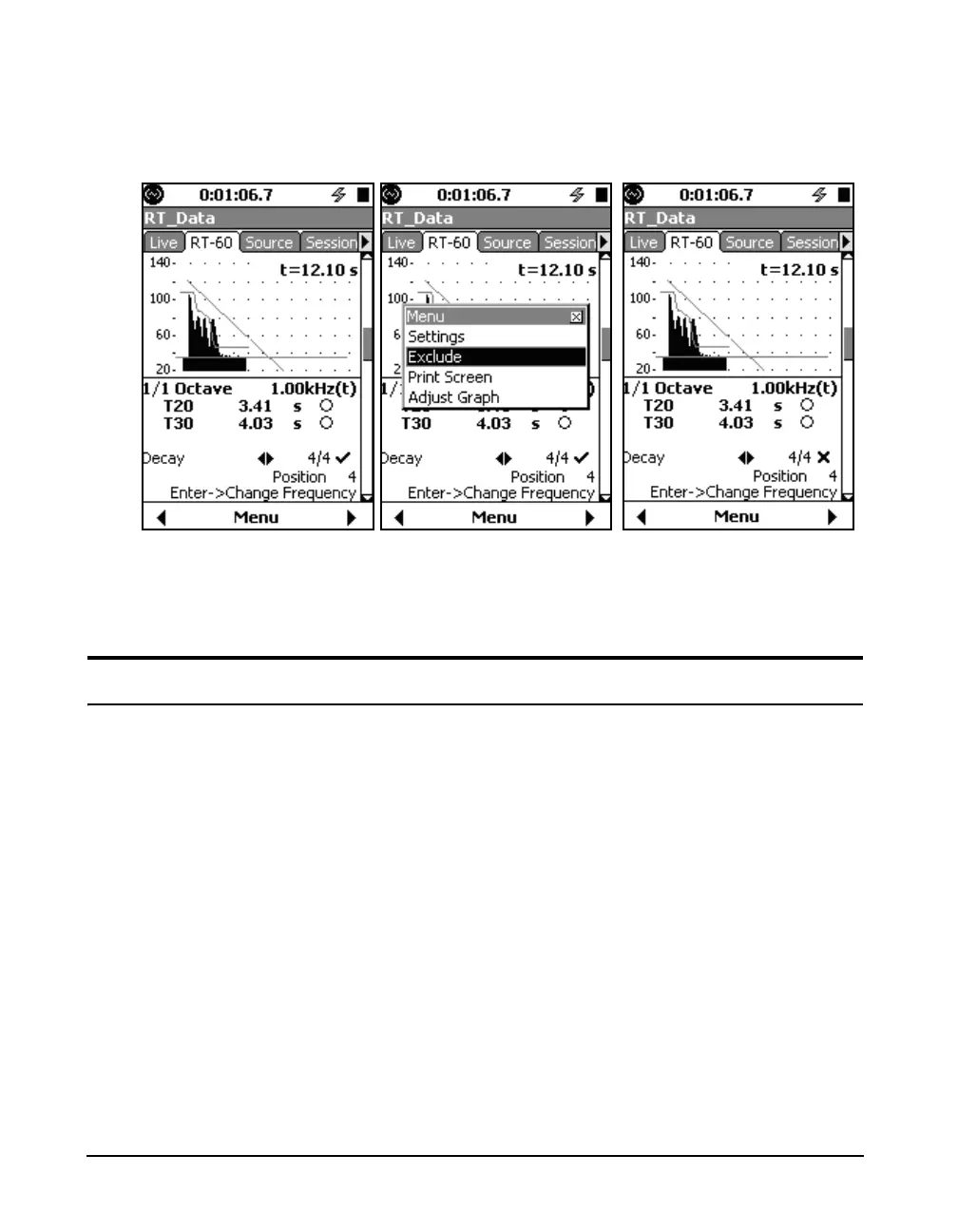
To exclude a decay, press the Center Softkey labeled Menu,
highlight Exclude, press
5. An "X" will appear next to the
sample number to indicate it is excluded.
FIGURE 15-22 Steps to Exclude a Measurement
To re-include a decay that has been excluded, follow the
same steps except highlight Include on the menu.
Manually Controlling the Internal Noise Source
When operating in the Room Acoustics instrument mode,
the Model 831 provides an internal noise generator capable
of outputting white or pink noise via the AC output jack.
The noise source is controllable from the Source display as
follows:
•The 4 and 6 keys control the noise type.
•The 8 and 2 keys control the attenuation, which
adjusts in 3dB steps.
•The
5 key toggles the mute on and off.



 To Next Page