13-2 Event History Setup Model 831 Manual
Event History Setup
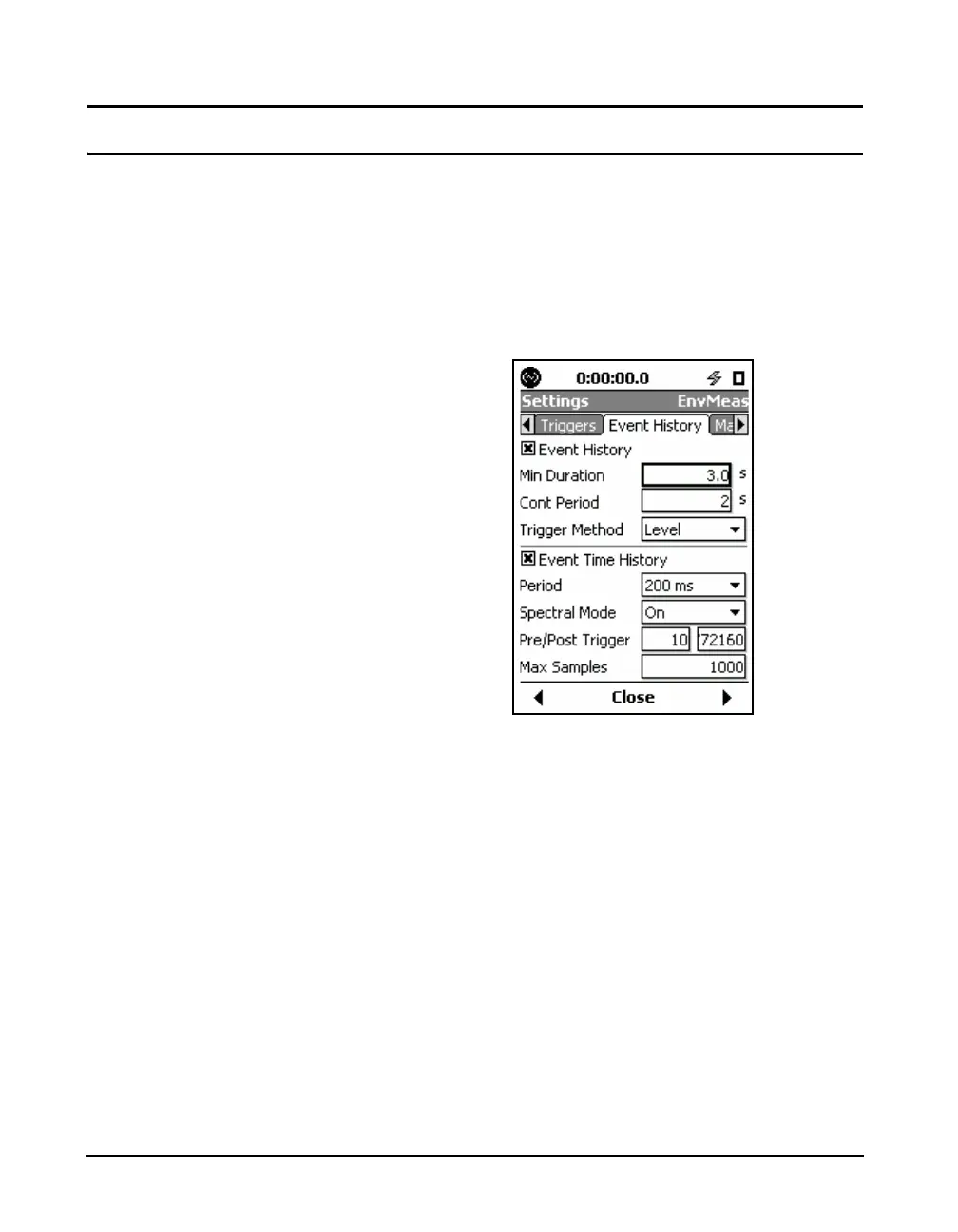
The Event History is setup on the Event History tab in the
Measurement Settings Screen. If this is not already enabled,
there will be nothing except an unchecked Event History
check box.
The default values for these
parameters are shown in FIGURE
13-1.
Press the
5 (ENTER) key to place a check mark in the
Event History check box and to enable the Event History.
This will change the display to that shown in Figure 13-1.
FIGURE 13-1 Event History Setup
Minimum Duration
Shorter duration noise events will
still be counted as part of the basic
measurement described in “Triggers
Tab” on page 4-11, even though
Event History data are not stored for
them.
In situations where only noise events lasting longer than a
certain time interval are of interest, the user can select a
minimum duration requirement for the storage of noise
events data. To set the minimum duration, highlight the
Minimum Duration data field and press
5. Enter the
desired values and press
5.
Note that the maximum permitted value of Minimum
Duration is 9.9 seconds.
Continuation Period
Since each noise event is initiated when the sound level
(SPL or Peak) exceeds a threshold level, one might define
the end of the sound event at the instant both the SLM and



 To Next Page